Using Application Explorer in BEA WebLogic Workshop for Event Handling
BEA WebLogic Adapter for SAP User’s Guide B-19
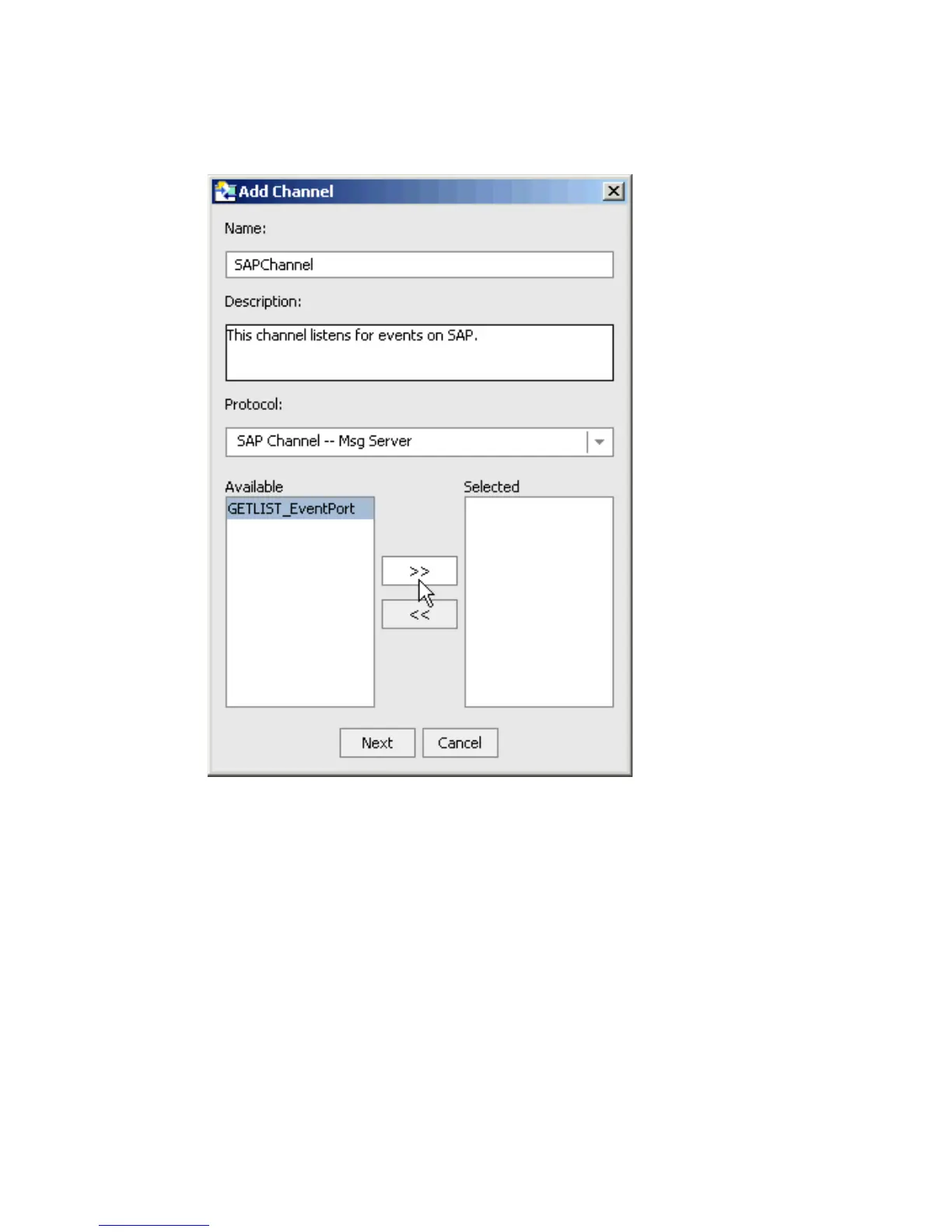
The Add Channel dialog box opens.
a. In the Name field, type a name for the channel, for example, SAPChannel.
b. In the Description field, type a brief description.
c. From the Protocol drop-down list, select SAP Channel - App Server.
d. To transfer an event port from the list of Available event ports to the list of Selected
ports, click the double right (>>) arrow button.
Note: You can assign multiple event ports to a single channel.
4. Click Next.



 To Next Page