Creating XML Schemas for SAP
BEA WebLogic Adapter for SAP User’s Guide 3-15
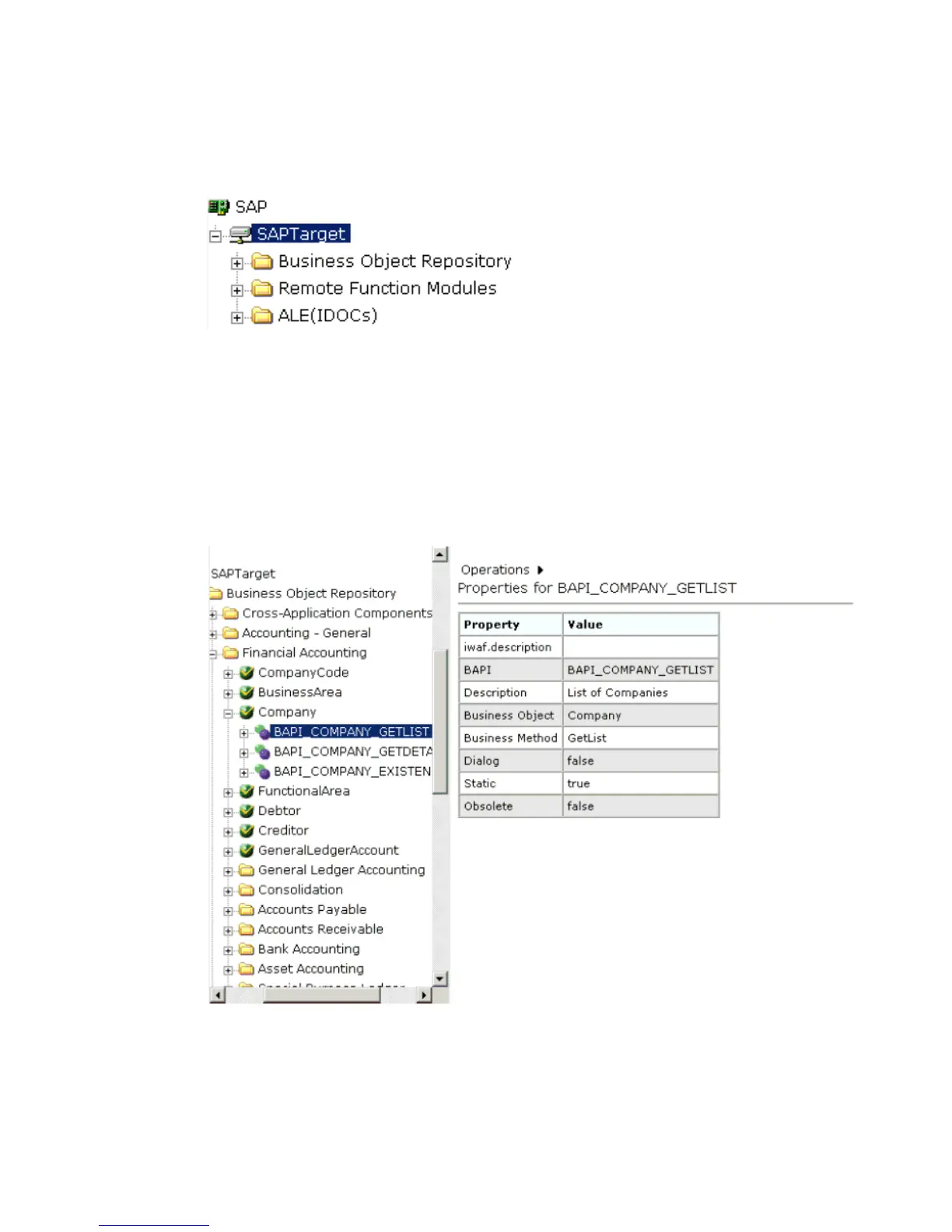
This expands the target to expose the available application system objects as shown in
the following image.
2. To expand the desired SAP repository node, click the icon to the left of the repository
name, for example, Business Object Repository.
3. In the list under Business Object Repository, click the icon next to Financial Accounting.
A list of business objects related to Financial Accounting appears in the left pane. In the
right pane, the collapsed Operations menu and a table listing properties and values for
the BAPI method named BAPI_COMPANY_GETLIST appears as shown in the following
image.
a. Scroll down and click the icon next to the Company business object.
Figure 0-1 Application C ompo nent Metadata
b. Click the icon next to the BAPI method called BAPI_COMPANY_GETLIST.



 To Next Page