Commissioning
EL3773 111Version: 2.5
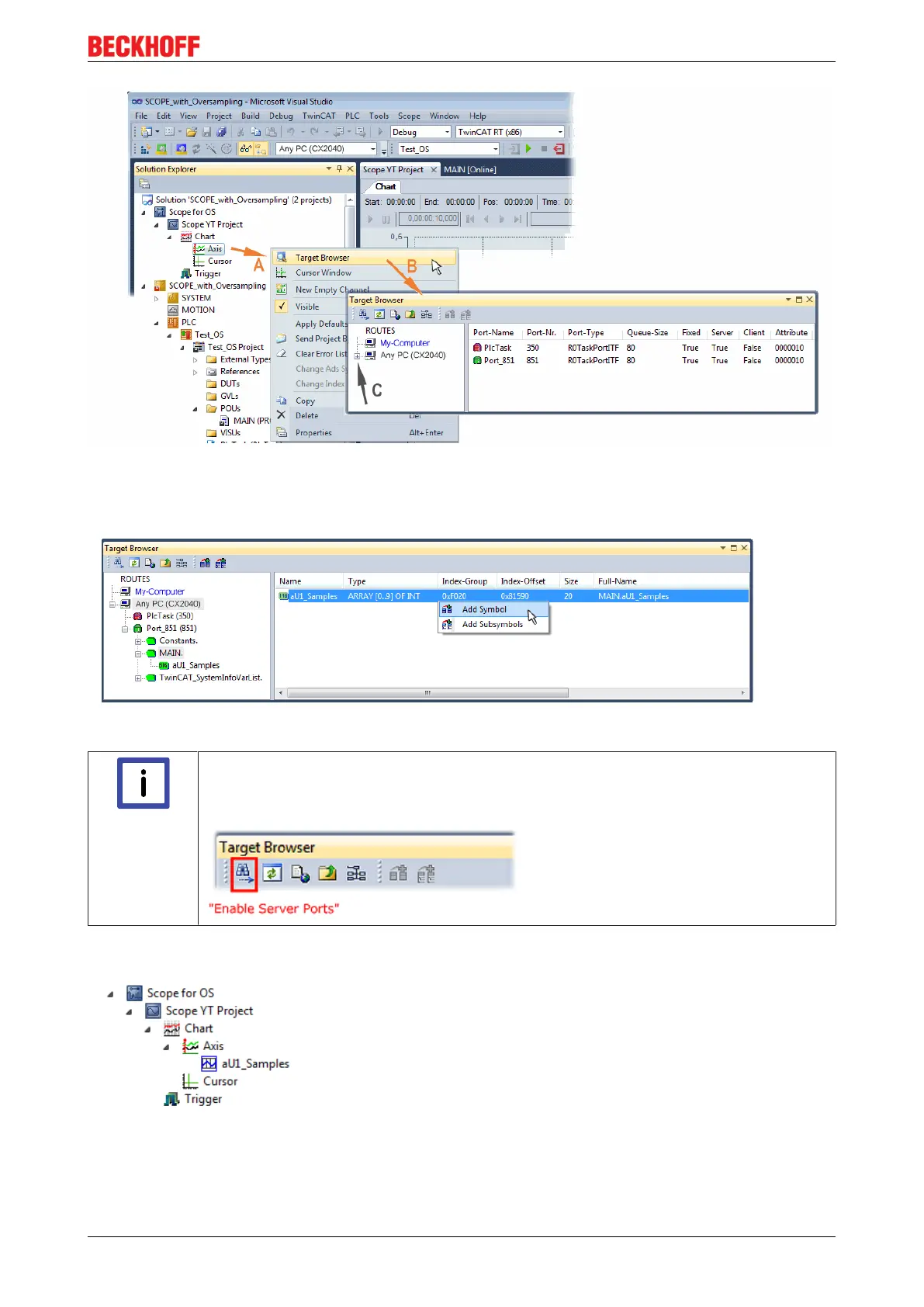
Fig.122: Selection of the oversampling variable with the target browser
By addressing the corresponding system that represents the PLC containing the array variable (“Any PC
(CX2040)” in this case) navigation up to the variable “aUI_Samples“ (C) have to be done.
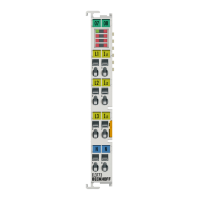
Fig.123: Appending the variable "aUI_Samples“ below “axis” within the scope project of the solution explorer
Note
Variable don’t appears into the target browser
If „ROUTES“ don’t offer a possibility for selection of the provided variables, the correspond-
ing port should be declared for the target browser:
Using “Add symbol” displays the variable "aUI_Samples“ below “axis” within the scope project of the solution
explorer directly.









 To Next Page