Commissioning
EL3773 45Version: 2.5
Interfaces listed under “Compatible devices” can be assigned a driver via the “Install” button. A driver should
only be installed on compatible devices.
A Windows warning regarding the unsigned driver can be ignored.
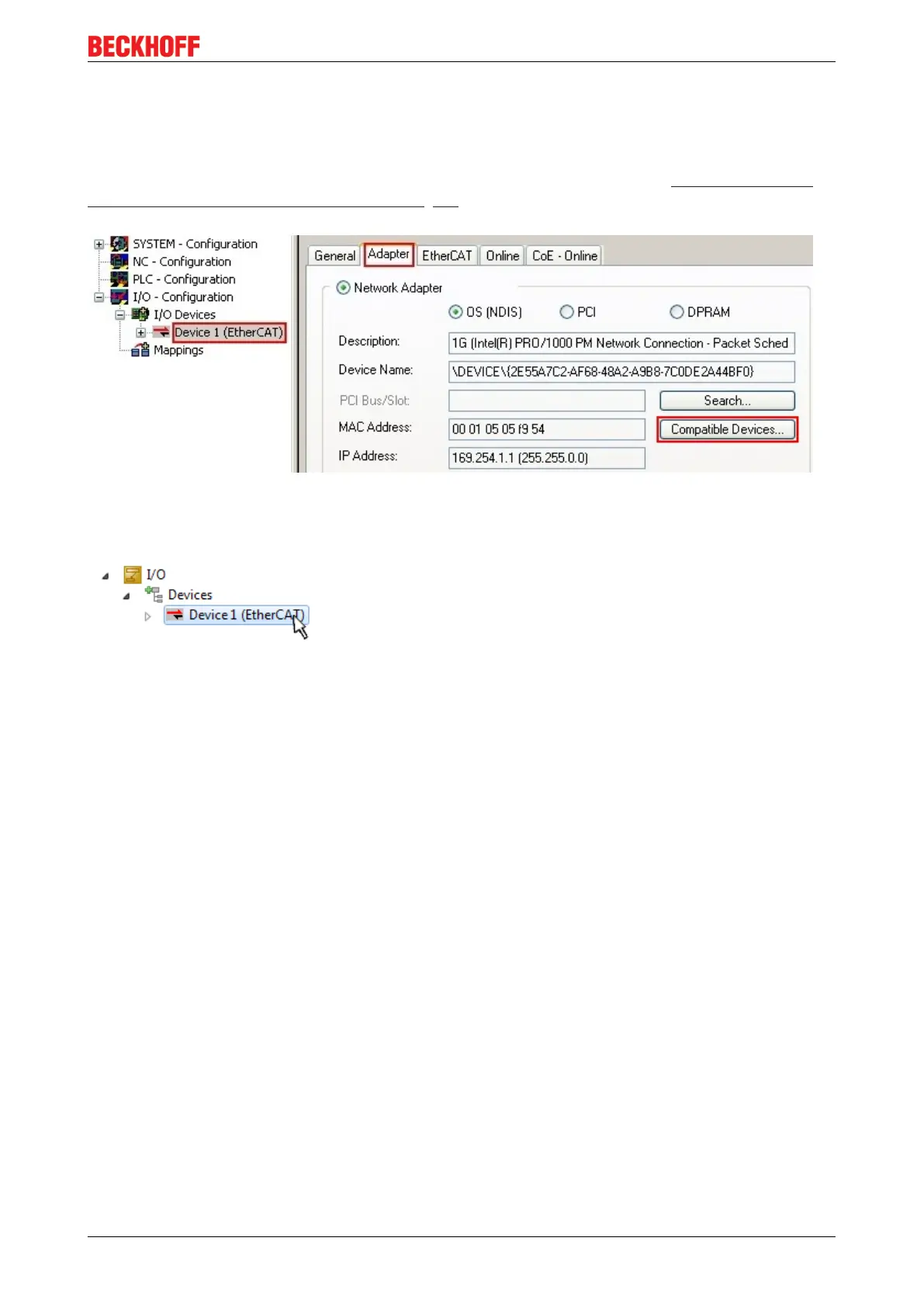
Alternatively an EtherCAT-device can be inserted first of all as described in chapter Offline configuration
creation, section “Creating the EtherCAT device” [}54] in order to view the compatible ethernet ports via its
EtherCAT properties (tab „Adapter“, button „Compatible Devices…“):
Fig.35: EtherCAT device properties(TwinCAT2): click on „Compatible Devices…“ of tab “Adapter”
TwinCAT 3: the properties of the EtherCAT device can be opened by double click on “Device .. (EtherCAT)”
within the Solution Explorer under “I/O”:
After the installation the driver appears activated in the Windows overview for the network interface
(Windows Start → System Properties → Network)









 To Next Page