Commissioning
EL3773 141Version: 2.5
6.11.3 Description of the function of the example program
Visualization
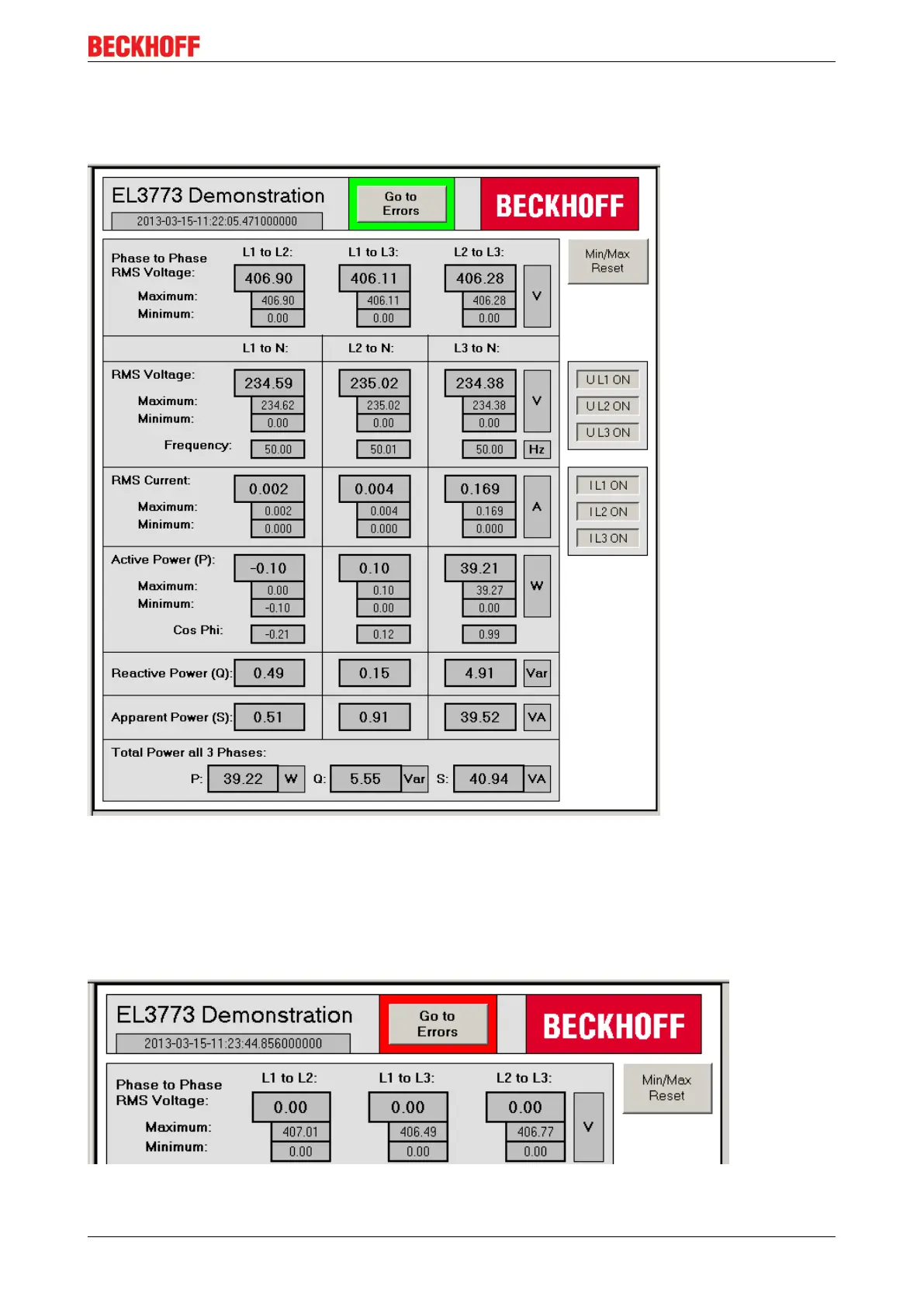
Fig.156: First page of the visualization of the example program
The visualization consists of two pages. On the main page (see fig. First page of the visualization of the
example program) all calculated values are displayed and the calculations for the channels can be switched
on and off individually. Actuating the button labelled with "Go to Errors" opens the second page of the
visualization, on which the errors that have occurred are displayed. Note that you can already see on the first
page whether an error has occurred, because in this case there is a border around the aforementioned
button (see fig. Border around the "Go to Errors" button if errors have occurred).
Fig.157: Border around the "Go to Errors" button if errors have occurred









 To Next Page