Commissioning
EL3773 121Version: 2.5
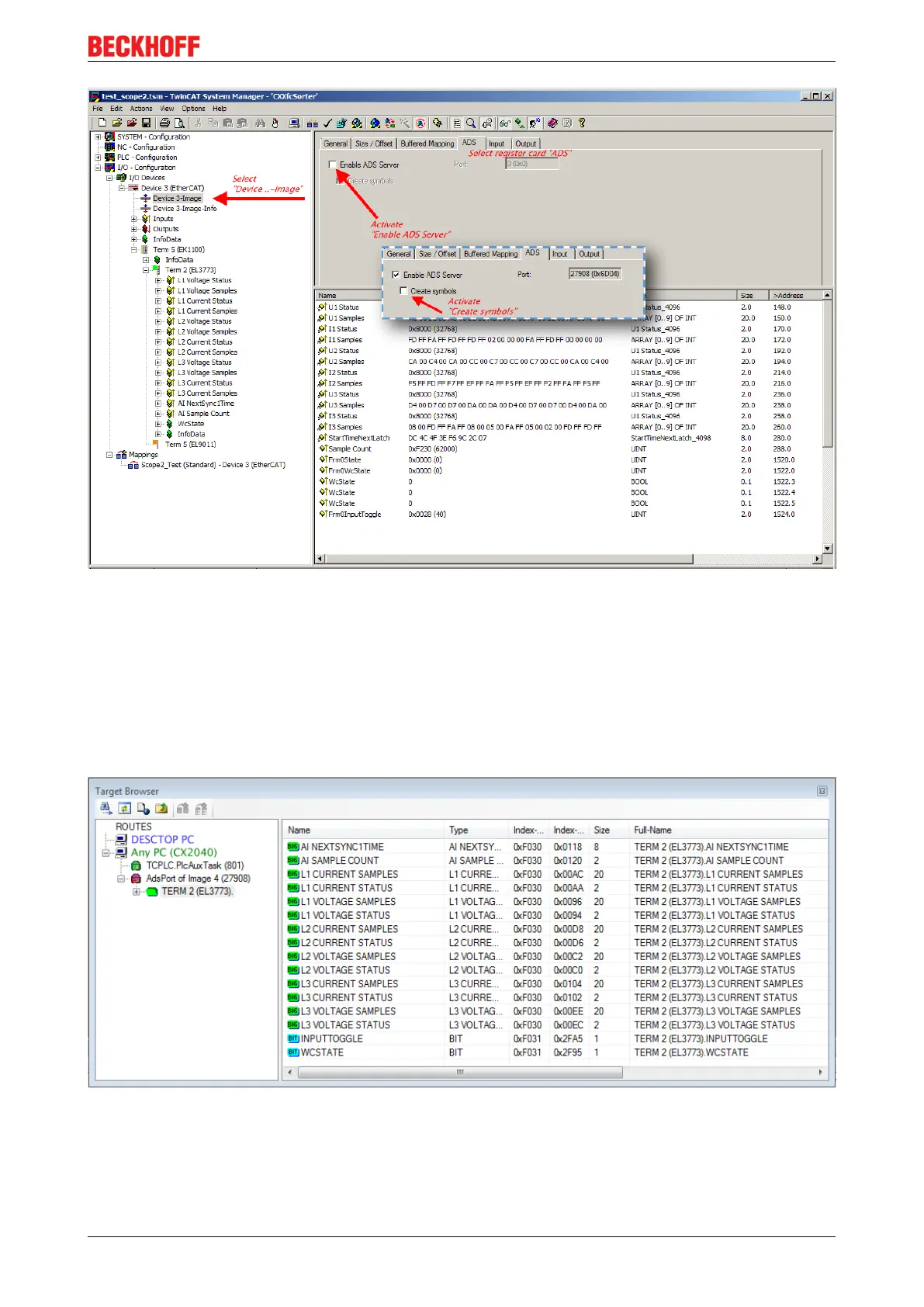
Fig.140: Activation of the ADS server of the EtherCAT Device (TwinCAT 2)
The activation of the ADS server have to be carried out by selection of the “Device – Image” on the left sided
configuration tree:
„I/O – Configuration → I/O Devices → Device .. (EtherCAT) → Device .. – Image“.
Next the register card “ADS” have to be selected to activate each checkbox „Enable ADS Server“ and
„Create symbols“ then (the port entry is done automatically).
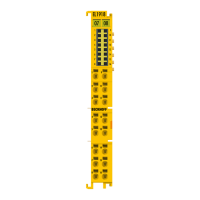
Thus with the Scope2 process data can be accessed via the target browser without an embedded POU and
without a variable reference respectively.
Fig.141: Direct access of the Scope2 to the terminal's PDOs









 To Next Page