Appendix
EL3773 173Version: 2.5
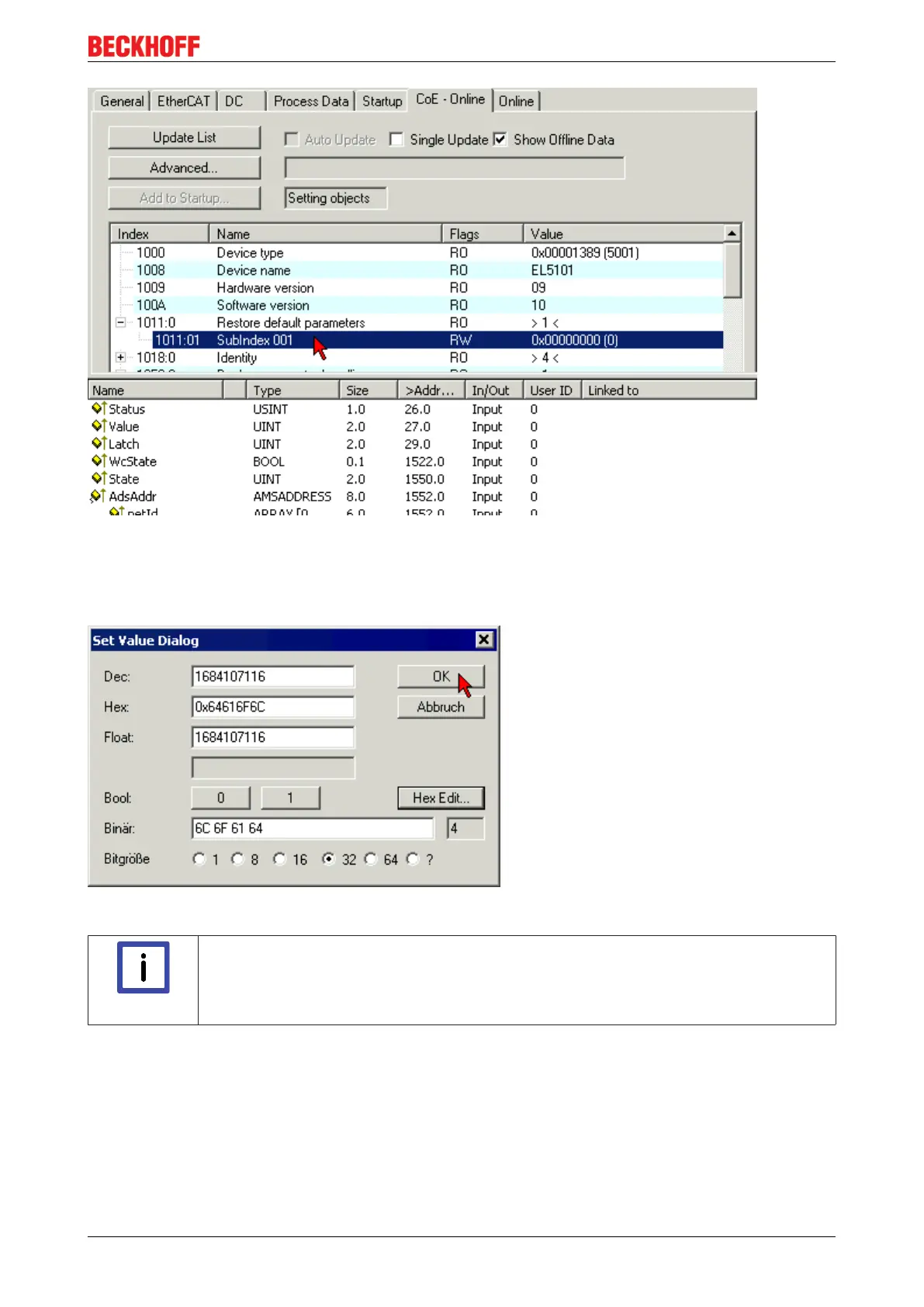
Fig.186: Selecting the Restore default parameters PDO
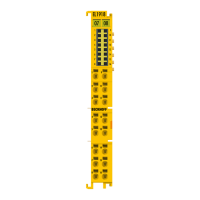
Double-click on SubIndex 001 to enter the Set Value dialog. Enter the value 1684107116 in field Dec or the
value 0x64616F6C in field Hex and confirm with OK (Fig. Entering a restore value in the Set Value dialog).
All backup objects are reset to the delivery state.
Fig.187: Entering a restore value in the Set Value dialog
Note
Alternative restore value
In some older terminals the backup objects can be switched with an alternative restore
value: Decimal value: 1819238756, Hexadecimal value: 0x6C6F6164An incorrect entry for
the restore value has no effect.









 To Next Page