60
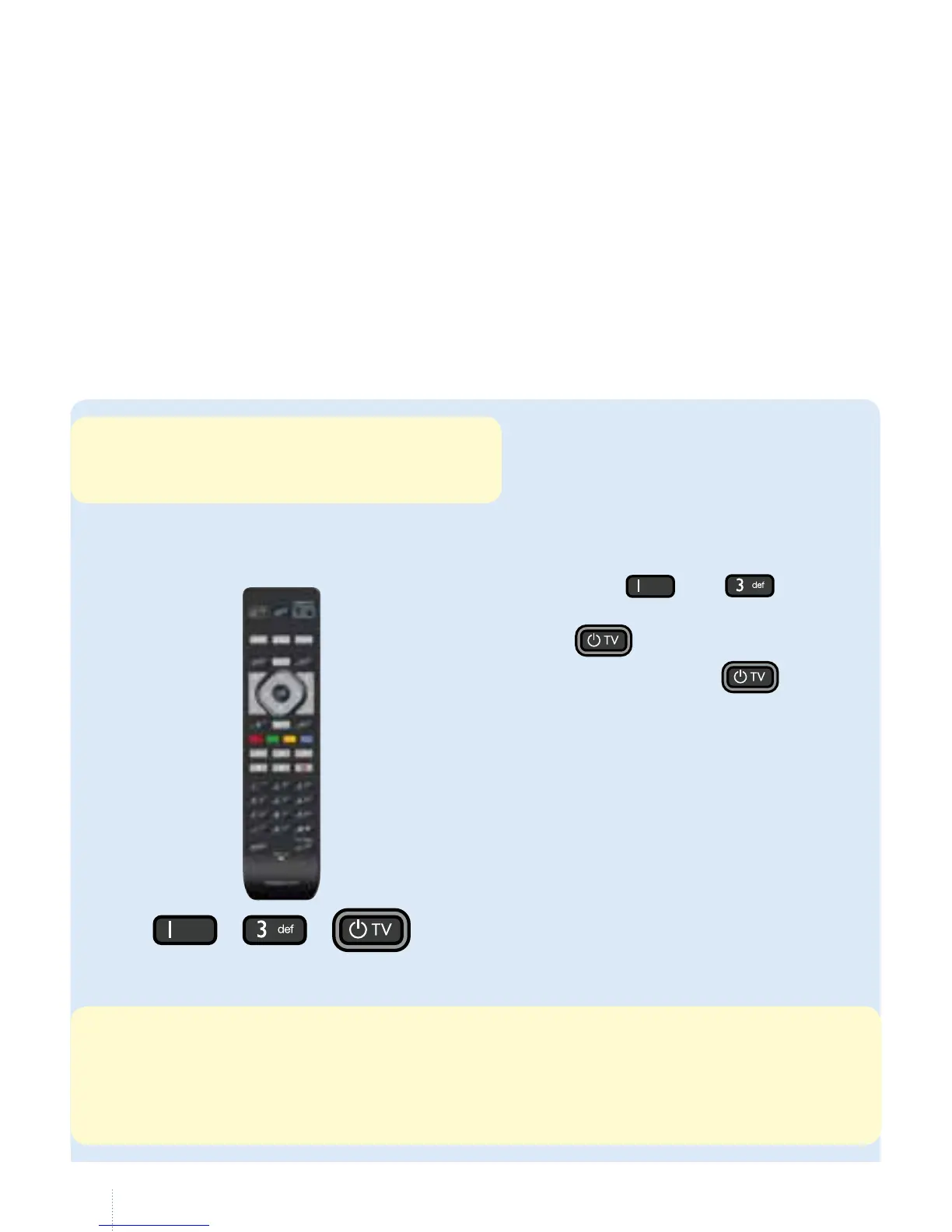
a. Switch on your television.
b. Press the
and buttons
simultaneously for 3 seconds until
the indicator lights up.
c. en hold down the
button.
All the existing codes will be
searched via infrared. is may take
a few minutes. If your television
switches o, release the button.
Only use one remote control!
You have one remote control for Belgacom TV and another to adjust the volume on your
television. But what if you only had one? Turn your remote control into a universal remote.
What do I need to do?
Choose your remote control below and follow the steps shown.
e remote control
If you have a Samsung TV, your remote control
has already been turned into a universal remote.
You do not need to do anything else.
is search may take a few minutes. To speed things up, you can enter the following codes before starting
step c., which may vary according to the models. Below you will see the codes for the main models. (the full
list is available on our support site).
Philips: 5195 – Panasonic: 5153 – Samsung: 5448 – Sony: 5679 – LG: 4628 – Sharp: 5550 - Loewe: 4660 -
Grundig: 4162 - Pioneer: 5212 - Bang & Olufsen: 3314.
model no 1
+
,



 To Next Page