13Overview
Replacing the remote control battery
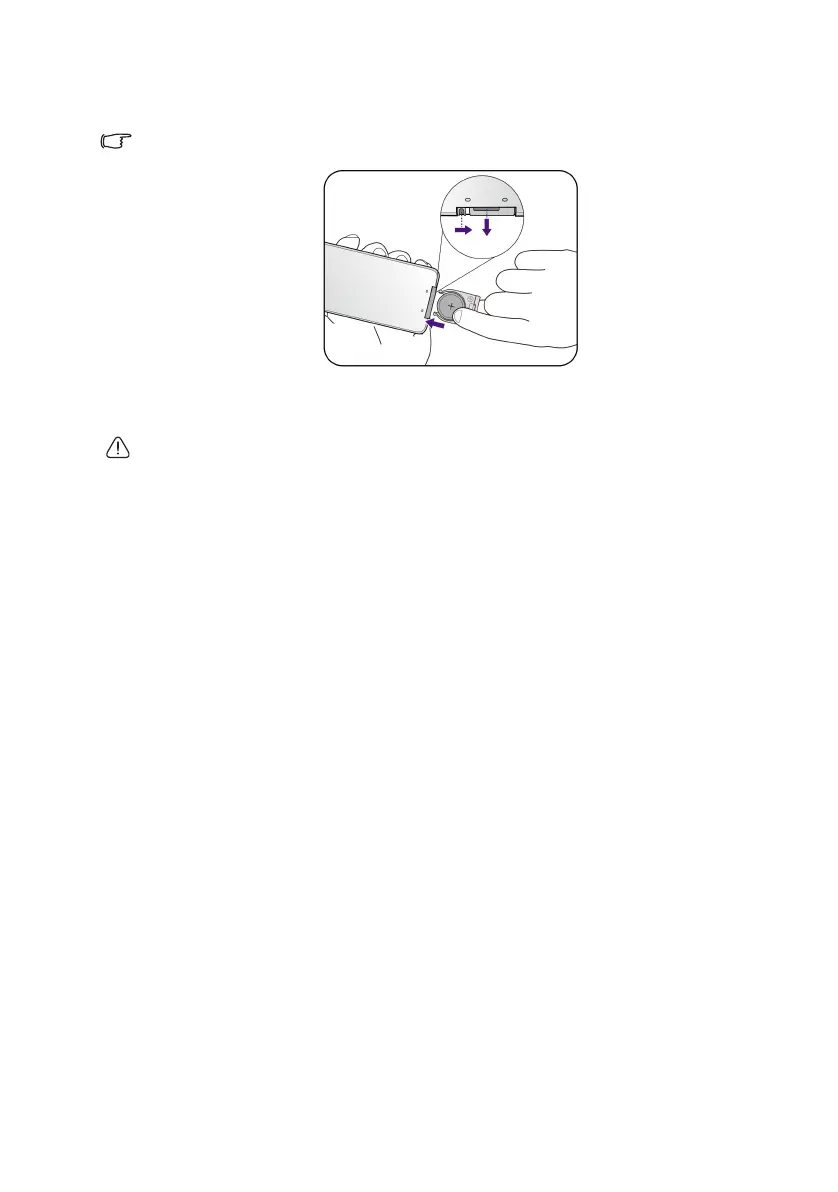
1. Pull out the battery holder.
Please follow the illustrated instructions. Push and hold the locking arm while pulling out the
battery holder.
2. Insert the new battery in the holder. Note the positive polarity should face outward.
3. Push the holder into the remote control.
• Avoid excessive heat and humidity.
• There may be battery damage if the battery is incorrectly replaced.
• Replace only with the same or equivalent type recommended by the battery manufacturer.
• Dispose of the used battery according to the battery manufacturer’s instructions.
• Never throw the battery into fire. There may be danger of an explosion.
• If the battery is dead or if you do not plan to use the remote control for a long time, remove
the battery to prevent damage to the remote control from possible battery leakage.
CH100_EN.book Page 13 Wednesday, March 2, 2016 11:54 AM










 To Next Page