23Connection
Connecting the dongle to the HDMI 3/MICRO-B
input port
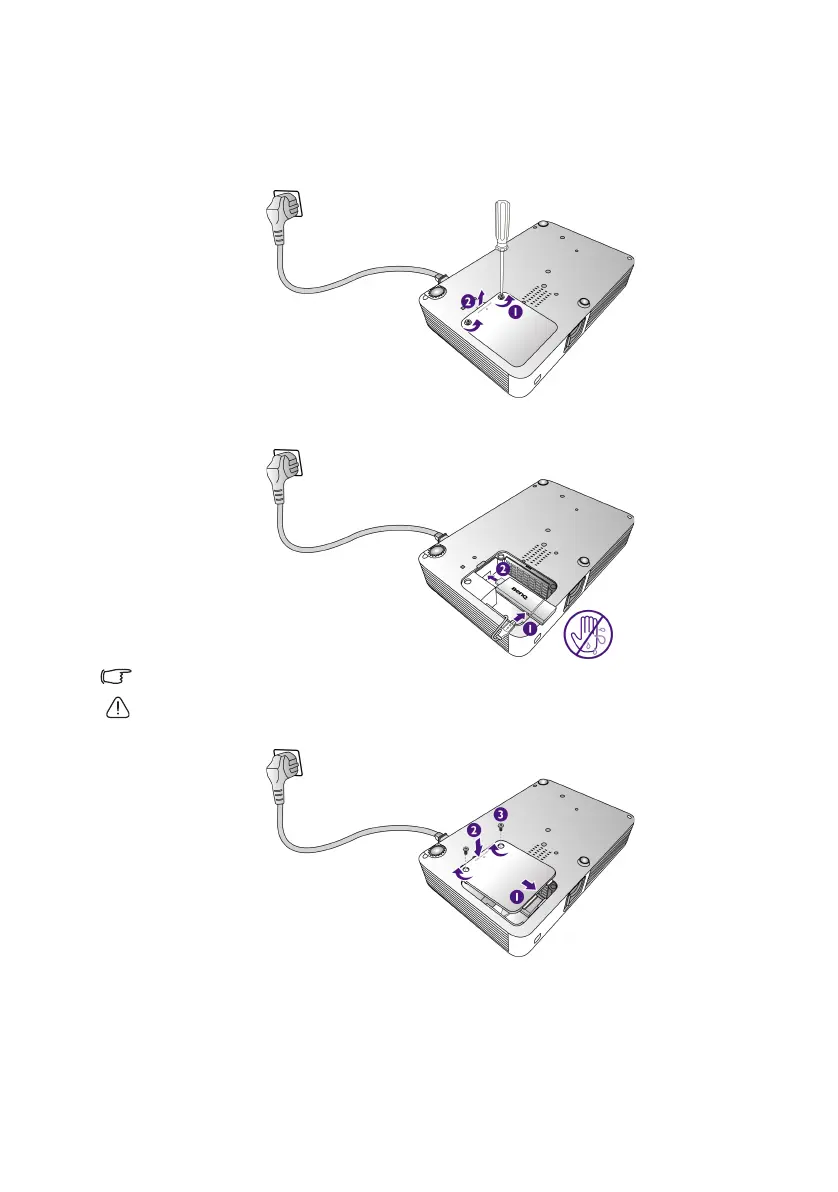
1. Place the projector on a flat surface with the bottom facing up.
2. Loosen the screw that secures the HDMI 3/MICRO-B cover and open the cover.
3. Connect the USB cable inside the projector to the USB port on the dongle, and then
connect the dongle to the HDMI 3/MICRO-B input port.
The USB cable is used to provide power for charging the dongle.
To avoid electric shock, do not plug or unplug with wet hands.
4. Replace the HDMI 3/MICRO-B cover and tighten the screw that secures the cover.
CH100_EN.book Page 23 Wednesday, March 2, 2016 11:54 AM










 To Next Page