36 Menu functions
Menu functions
About the OSD menus
To let you make various adjustments or settings on the projector and the projected image,
the projector is equipped with 2 types of multilingual On-Screen Display (OSD) menus:
• Basic OSD menu: provides primary menu functions (see "Using the Basic OSD menu"
on page 38).
• Advanced OSD menu: provides full menu functions (see "Using the Advanced OSD
menu" on page 44).
To access the OSD menu, press .
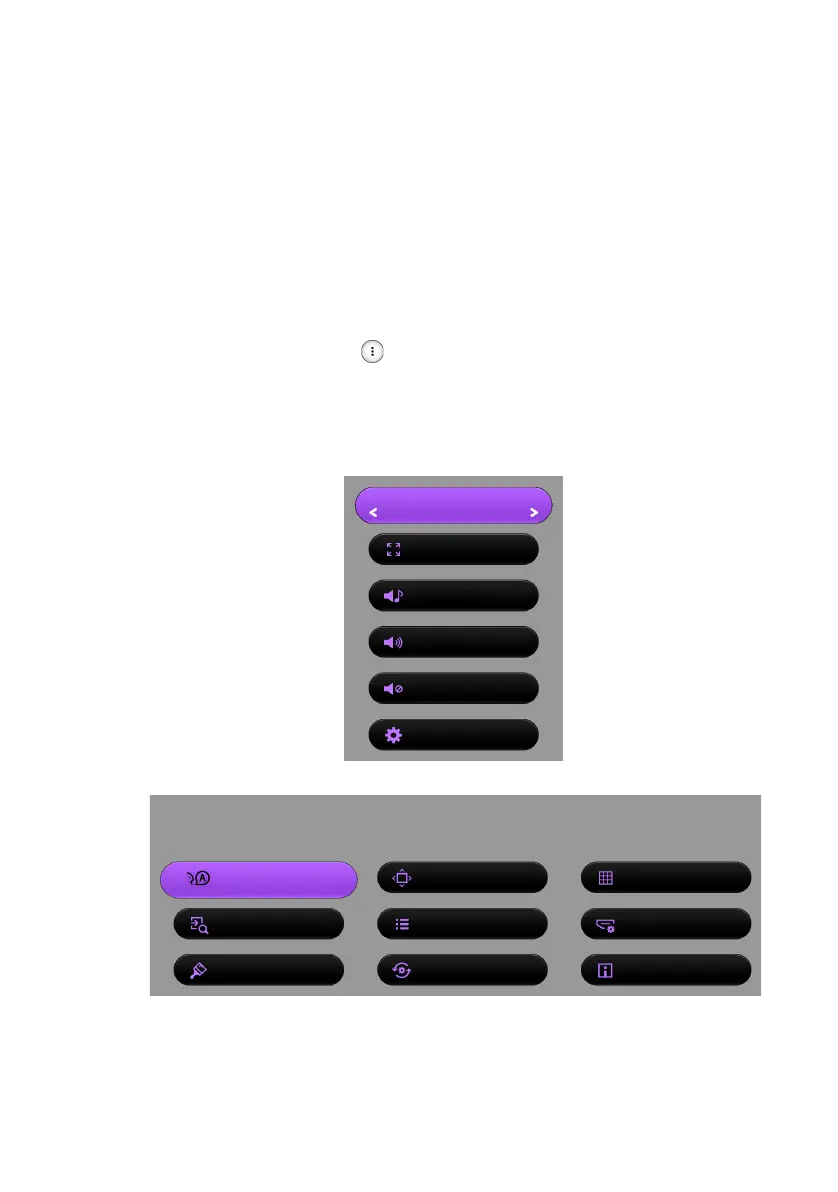
If the Menu Type you have selected during the initial setup is Basic, one of the following
Basic OSD menu overviews displays, depending on whether or not a video signal is
connected.
• Input signal connected
• No input signal connected
Picture Mode
Graphic (sRGB)
Aspect Ratio
Auto
Sound Mode
Motion Video
Volume
10
Mute
Off
Settings
Press OK
Menu
Choose the way of how you install your projector
Language
English
Projector Position
Front
Test Pattern
Off
Auto Source Search
On
Menu Type
Basic
HDMI Format
Auto
Wall Color
Off
Reset All Settings Information
CH100_EN.book Page 36 Wednesday, March 2, 2016 11:54 AM










 To Next Page