50 Menu functions
Advanced...
(Continued)
1. Press to display the Color Management window.
2. Select Primary Color and use / to select a color
from Red, Green, Blue, Cyan, Magenta, and Yellow.
3. Press to select Hue and use / to set its range.
Increase in the range will include colors consisted of more
proportions of its two adjacent colors.
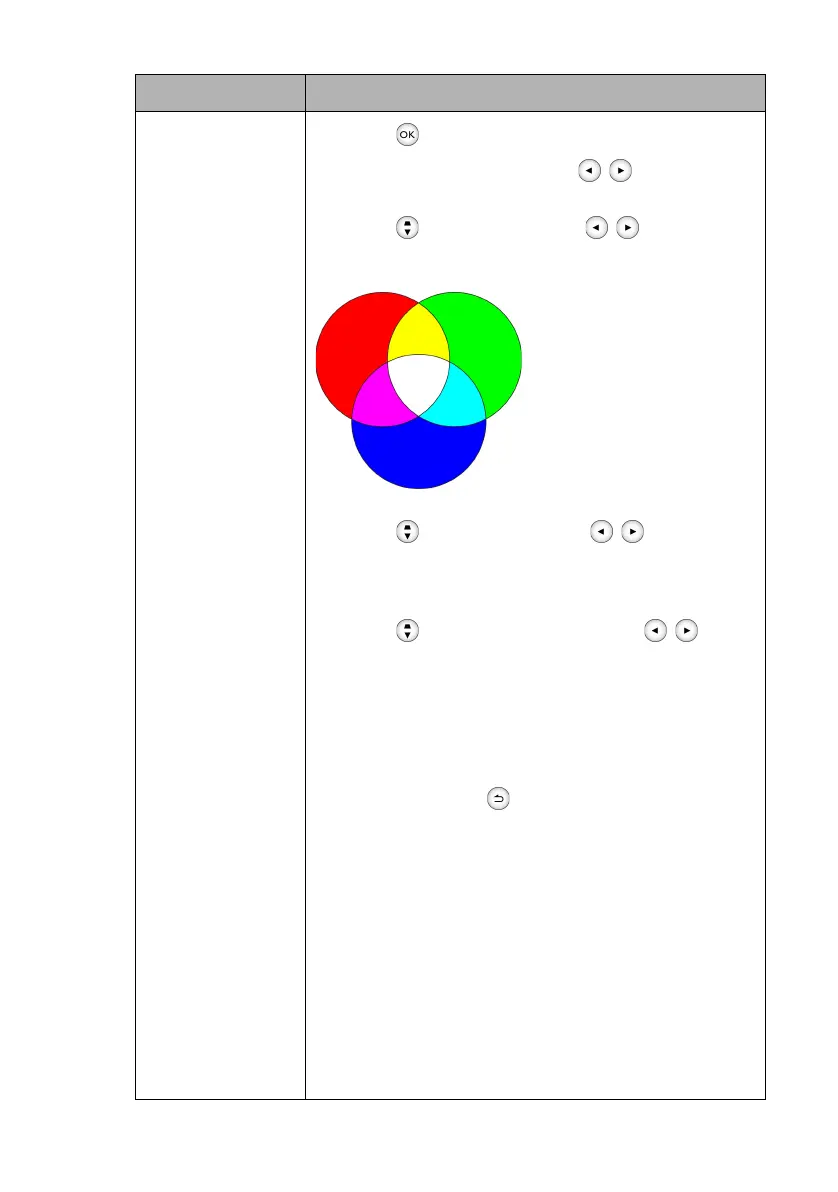
The illustration shows how the
colors relate to each other.
For example, if you select Red
and set its range at 0, only pure
red is selected. Increasing its
range will include both the red
color close to yellow and red
color close to magenta.
4. Press to select Gain and use / to adjust its
values. The contrast level of the primary color you just
selected are affected. Every adjustment made reflects to
the image immediately.
5. Press to select Saturation* and use / to
adjust its values. Every adjustment made reflects to the
image immediately. For example, if you select Red and set
its value at 0, only the saturation of pure red will be
affected.
6. Repeat steps 2 to 5 until you have made all of the desired
adjustments.
7. When done, press to save your changes and exit.
*About saturation:
It is the amount of that color in a video picture. Lower settings
produce less saturated colors; a setting of “0” removes that
color from the image entirely. If the saturation is too high, that
color will be overpowering and unrealistic.
• Noise Reduction
Reduces electrical image noise caused by different media players.
The higher the value, the less the noise.
• Film Mode
Enhances picture quality when projecting composite image from
a filmsourced DVD or Blu-ray Disc. Setting Off disables the
function.
Submenu Functions and Descriptions
Red
Yellow Green
Cyan
Magenta
Blue
CH100_EN.book Page 50 Wednesday, March 2, 2016 11:54 AM










 To Next Page