51Menu functions
Audio Setup menu
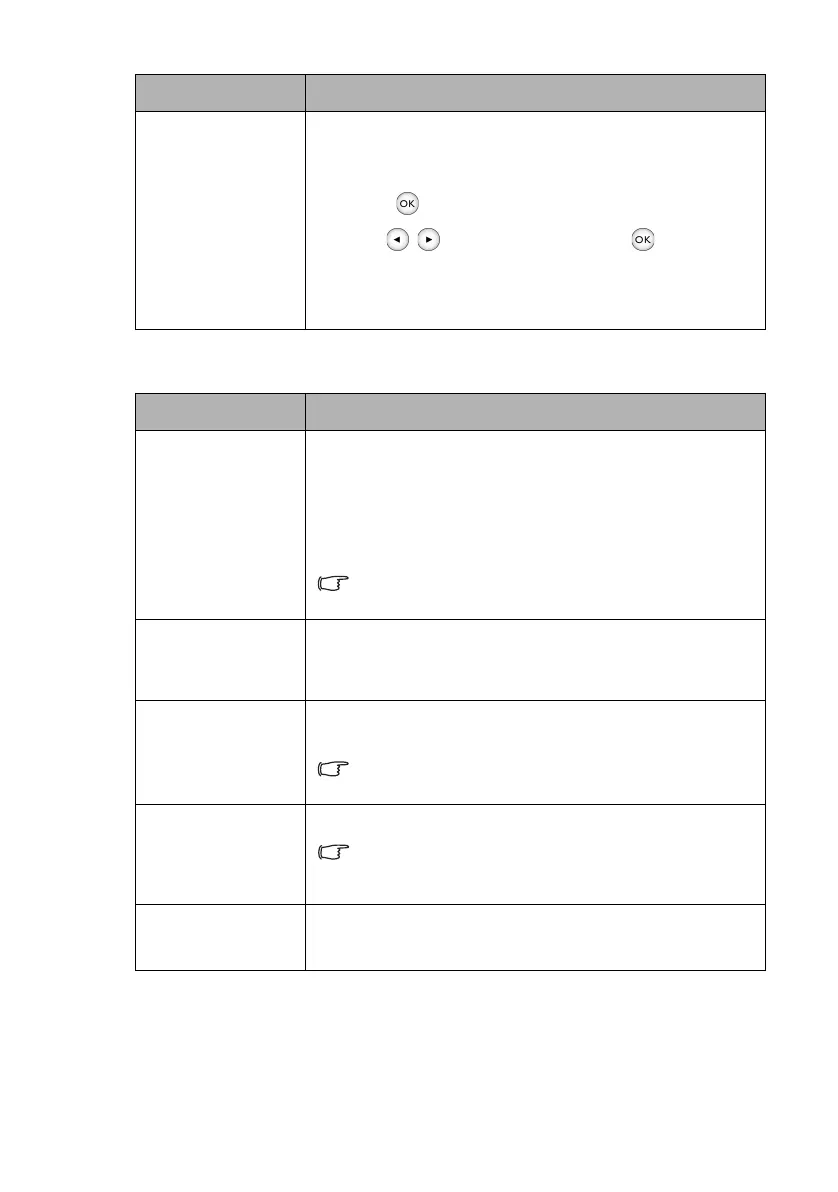
Reset Current
Picture Mode
All of the adjustments you’ve made for the selected Picture
Mode (including preset modes and User) return to the factory
preset values.
1. Press . The confirmation message displays.
2. Use / to select Reset and press . The picture
mode returns to the factory preset settings.
3. Repeat steps 1 to 2 if you want to reset other picture
modes.
Submenu Functions and Descriptions
Sound Mode
Sound Mode utilizes MaxxAudio sound enhancement
technology, which incorporates Waves’ algorithms to deliver
great effects of the bass and treble and provide you with
immersive cinematic audio experience. The following preset
sound modes are provided: Motion Video, Music, and
Cinema.
If the Mute function is activated, adjusting “Sound Mode” will
turn off the Mute function.
Mute
Select On to temporarily turn off the projector’s built-in
speakers or the volume being output from the audio output jack.
To restore the audio, select Off.
Vol ume
Adjusts the volume level of the projector’s built-in speakers or
the volume being output from the audio output jack.
If the Mute function is activated, adjusting “Volume” will turn
off the Mute function.
Power On/Off
Ring Tone
Sets the ring tone for the projector On or Off.
“Power On/Off Ring Tone” can only be adjusted here. Setting
the sound mute or adjusting the sound level do not affect the
“Power On/Off Ring Tone”.
Reset Audio
Settings
All of the adjustments you’ve done under the Audio Setup
menu return to the factory preset values.
Submenu Functions and Descriptions
CH100_EN.book Page 51 Wednesday, March 2, 2016 11:54 AM










 To Next Page