56 Menu functions
Information menu
Some information is given only when certain input sources are in use.
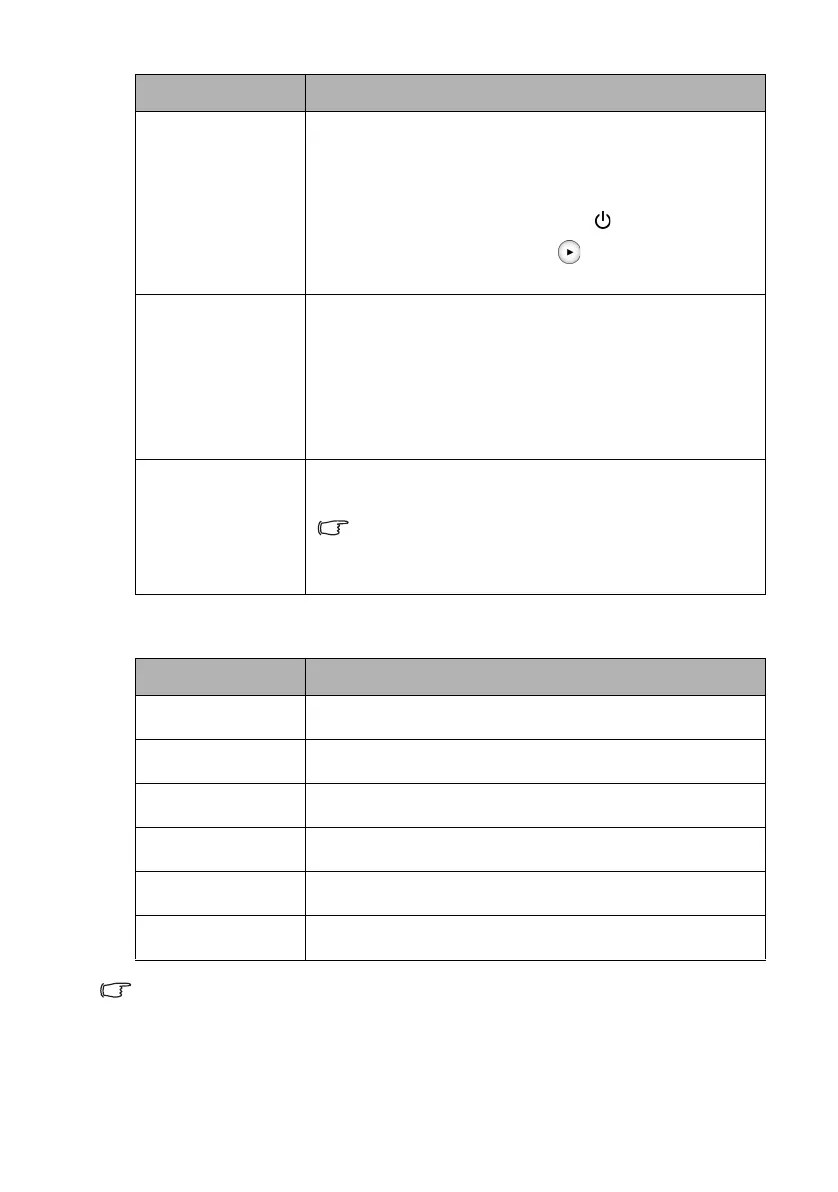
Key Lock
With the keys on the remote control locked, you can prevent
your projector settings from being changed accidentally (by
children, for example).
When you select On to enable this function, no keys on the
remote control will function, except for POWER.
To unlock the keys, press and hold on the remote control
for 3 seconds.
LED Indicator
When you select On, all the indicators on the projector
function normally. See "Indicators" on page 61 for details.
When you select Off, all the indicators (POWER, TEMP, LED)
are off after you turn on the projector and the splash screen
displays. However, if the projector is not working properly, the
indicators light up or flash to remind you that a problem may
occur. See also "Indicators" on page 61 for details.
Reset All Settings
Returns all settings to the factory preset values. The OSD menu
type will return to the Basic OSD menu.
The following settings will still remain: “Keystone”, “Projector
Position”, “Source Rename”, “Reset Lamp Timer”, “Test
Pattern”, “High Altitude Mode”, “Password”, and “Key
Lock”.
Submenu Functions and Descriptions
Source
Displays the current signal source.
Picture Mode
Displays the current picture mode under the Picture menu.
Resolution
Displays the native resolution of the input source.
Color System
Displays input system format.
LED Lamp Life
Displays the number of hours the lamp has been used.
Firmware Version
Displays the firmware version of your projector.
Submenu Functions and Descriptions
CH100_EN.book Page 56 Wednesday, March 2, 2016 11:54 AM










 To Next Page