22 Connection
Connecting a video streaming dongle
A video streaming dongle, such as BenQ QCast (purchased separately), allows you to
perform a wireless projection from your smart device or computer.
• Make sure the projector is powered on before making the connection.
• Compatibility with HDMI/MHL dongles of other brands is not guaranteed.
• The BenQ QCast dongle can be activated via either the MHL or HDMI input port on your
projector. Be sure to slide the switch on the dongle to a correct position as required. Refer to
the BenQ QCast user manual for details.
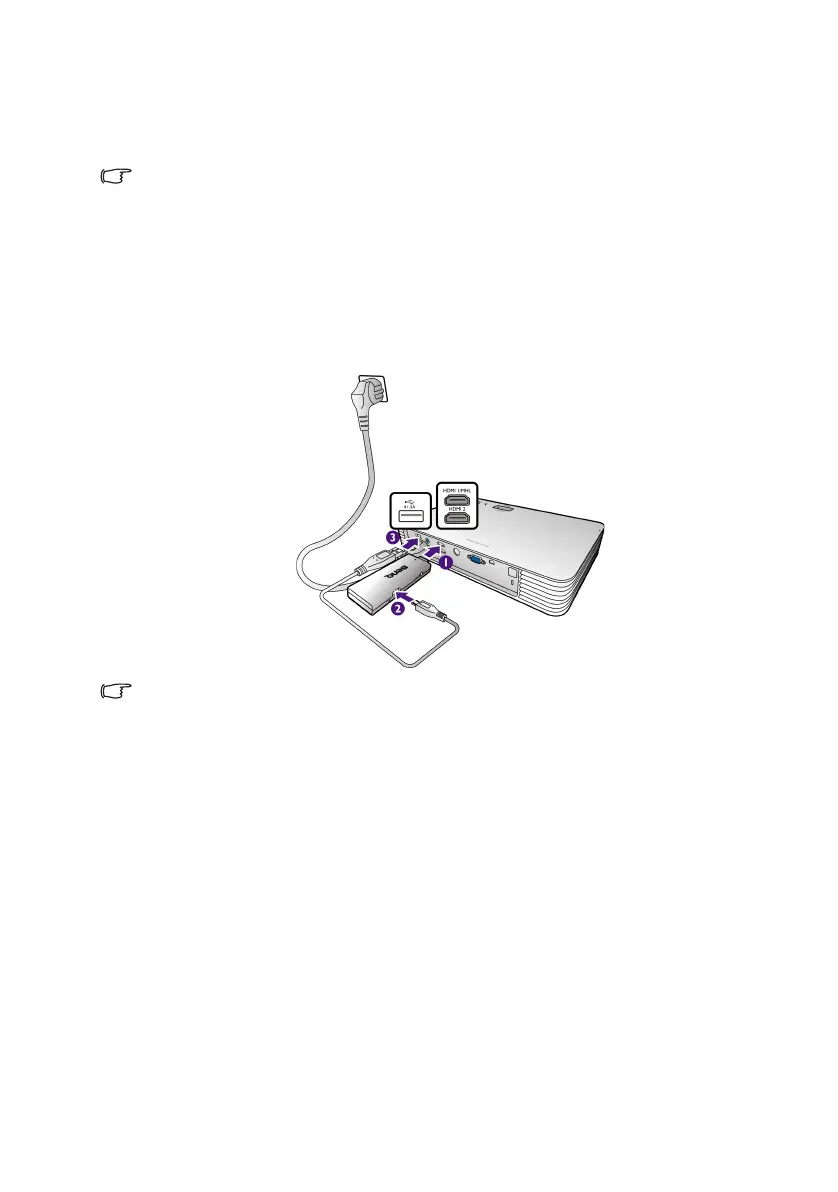
Connecting the dongle to the HDMI 1/MHL or
HDMI 2 input port
Connect the dongle to the HDMI 1/MHL or HDMI 2 input port as illustrated below.
The USB cable is used to provide power for charging the dongle.
CH100_EN.book Page 22 Wednesday, March 2, 2016 11:54 AM










 To Next Page