57 Mounting installation
Installation steps
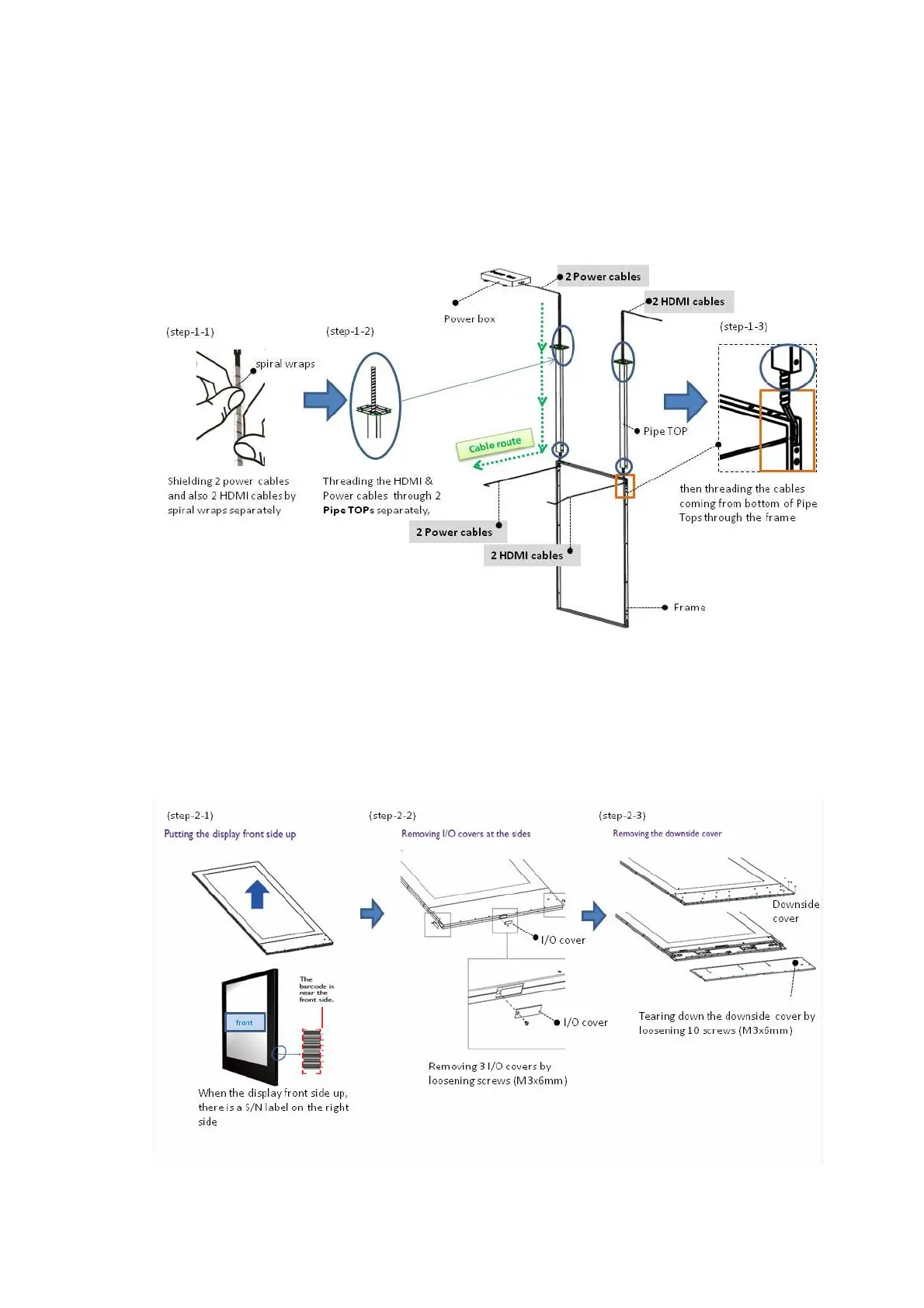
Step 1: Threading the cables through Pipe TOP and Frame
1. Shielding two power cables and also 2 HDMI cables
2. Threading the HDMI & Power cables through 2 Pipe TOPs (mark blue)
3. Threading the cables through the frame (mark orange)
Step 2: Set-up the display for installation
1. Putting the display front side up
2. Removing I/O covers at the sides
3. Removing the downside cover



 To Next Page