58 Mounting installation
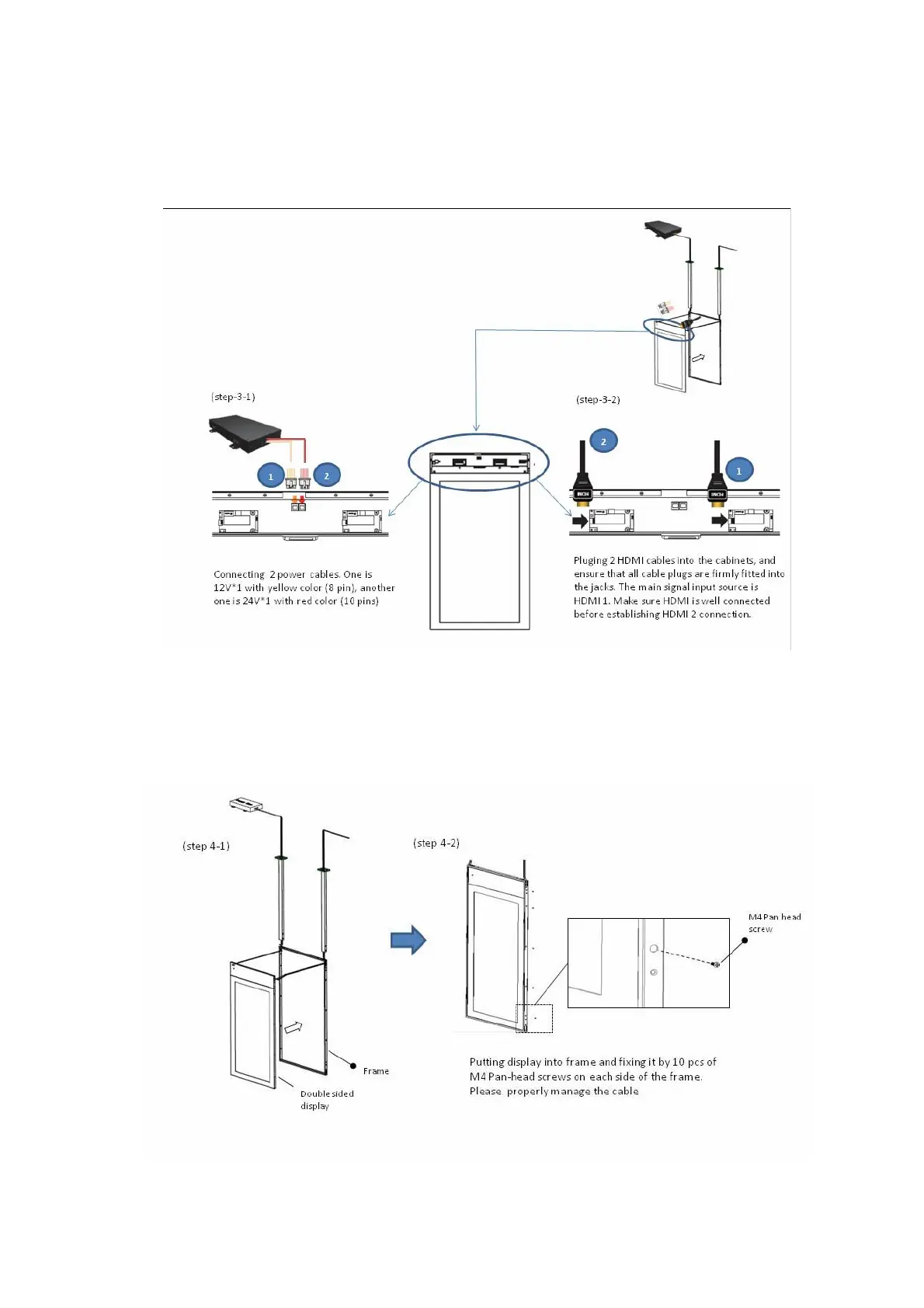
Step 3: Connecting the Power cables & HDMI cable with double sided panel
1. Connecting the Power cables
2. Connecting the HDMI cables
3. Screwing the downside cover back
Step 4: Fixing the double sided display with Frame
1. Putting the double sided display into the Frame
2. Then, fixing them by screws



 To Next Page