124 Functions and Displays
Color Motif Display
• the color sequence can be
scrolled with the arrows
• the display of the selected
color is indicated in the Color
Information bar as well as on
the screen
• touch the Color Information
bar
• the screen «Change
Color/Brand to» appears
• the current thread color or
brand can be changed
Edit 2 Screen
The Edit 2 screen is used to alter motifs (e.g. Rescale Motif
Proportionally, Mirror Image, Rotate Motif, etc.).
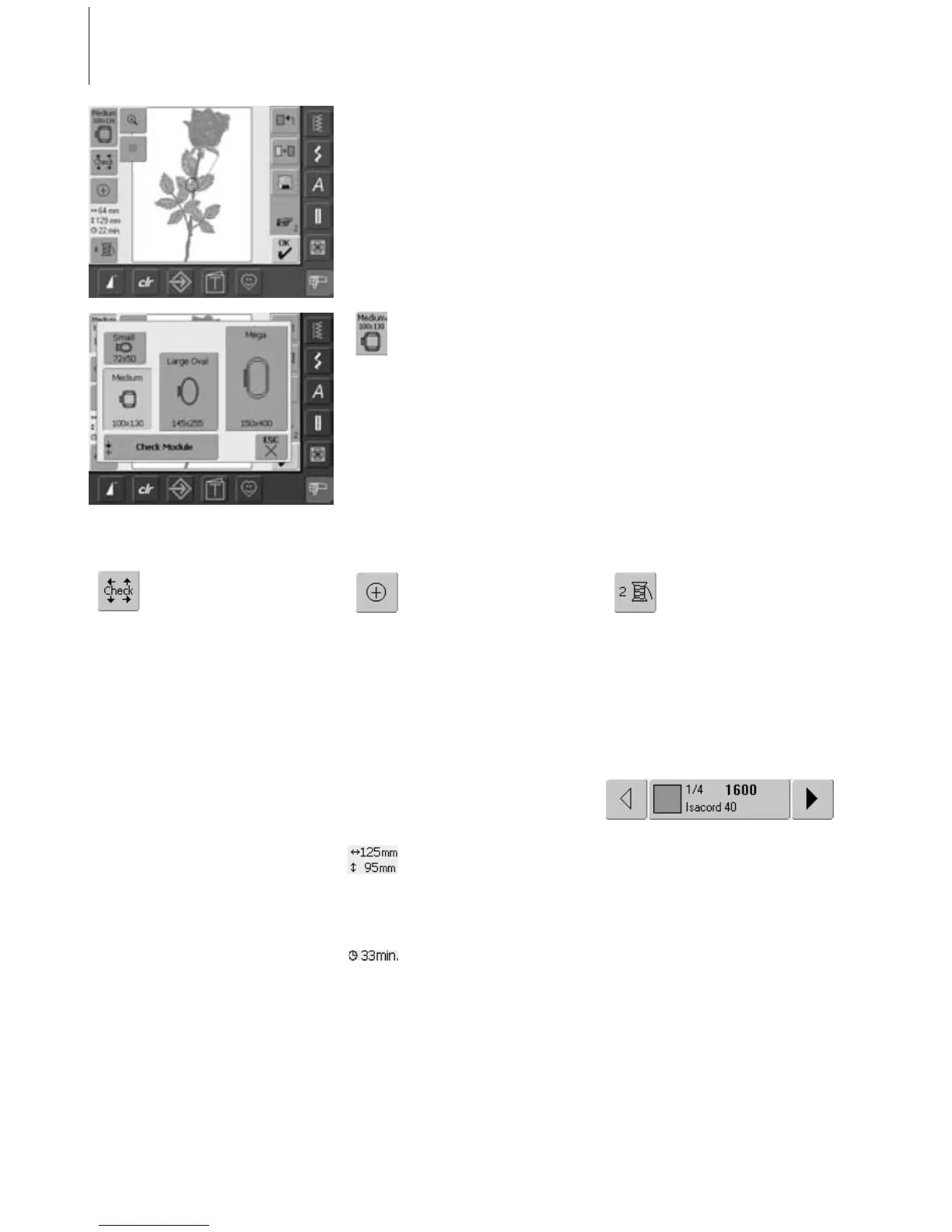
Select Hoop
• display of the most appropriate
hoop for the selected motif
• touch on-screen button
• the display «Select Hoop»
appears
• each hoop size is displayed
with maximum stitch field
in mm
Possible Hoop Selections (display «Select
Hoop»)
• select hoop (Small, Medium, Large Oval or
Mega)
• the display closes and the selected hoop is
visible on the «Hoop» on-screen button
• by touching «Check Module» the
embroidery module is calibrated (reads the
reference points). No embroidery hoop
must be attached!
• the display can be closed by touching the
«ESC» on-screen button, without selecting
a hoop
Check
• touch symbol
• the hoop moves vertically so
that the size of the attached
hoop may be read in the
embroidery computer
• if only the hoop should be
read, touch «ESC»
• motif stitching area is read with
the 4 arrows
• lower left
• upper right
•lower right
• upper left
• in a stitch combination the
stitching area of the complete
motif but also the stitching
area of the indivudual motif
can be read
• select the desired motif within
the combination with the
symbol «Retrieve»
•return to the Edit menu with
«ESC»
• attached hoop is displayed
• if no hoop or a too small hoop
is attached, an error message
will appear
Motif Center
• touch symbol
• the center of the motif is
indicated by the cursor on the
display
• the hoop will be moved until
the needle is in the center of
the motif
• touch symbol again
• on the display the first stitch of
the motif will be marked again
by the cursor
Motif Size
• display of motif width and
height in mm
Embroidery Time
• display in minutes of the total
embroidery time of the motif
selected
Color Numbers
• display of the motif color
numbers
• touch symbol
• the Color Motif display appears
(the display closes by touching
the symbol again)



 To Next Page