31Functions
Special Functions
The following functions are found on the artista 630 sewing computer. Each function which
can be used in the selected program is either shown in the yellow part of the screen or on the
two bottom rows of the gray part of the screen.
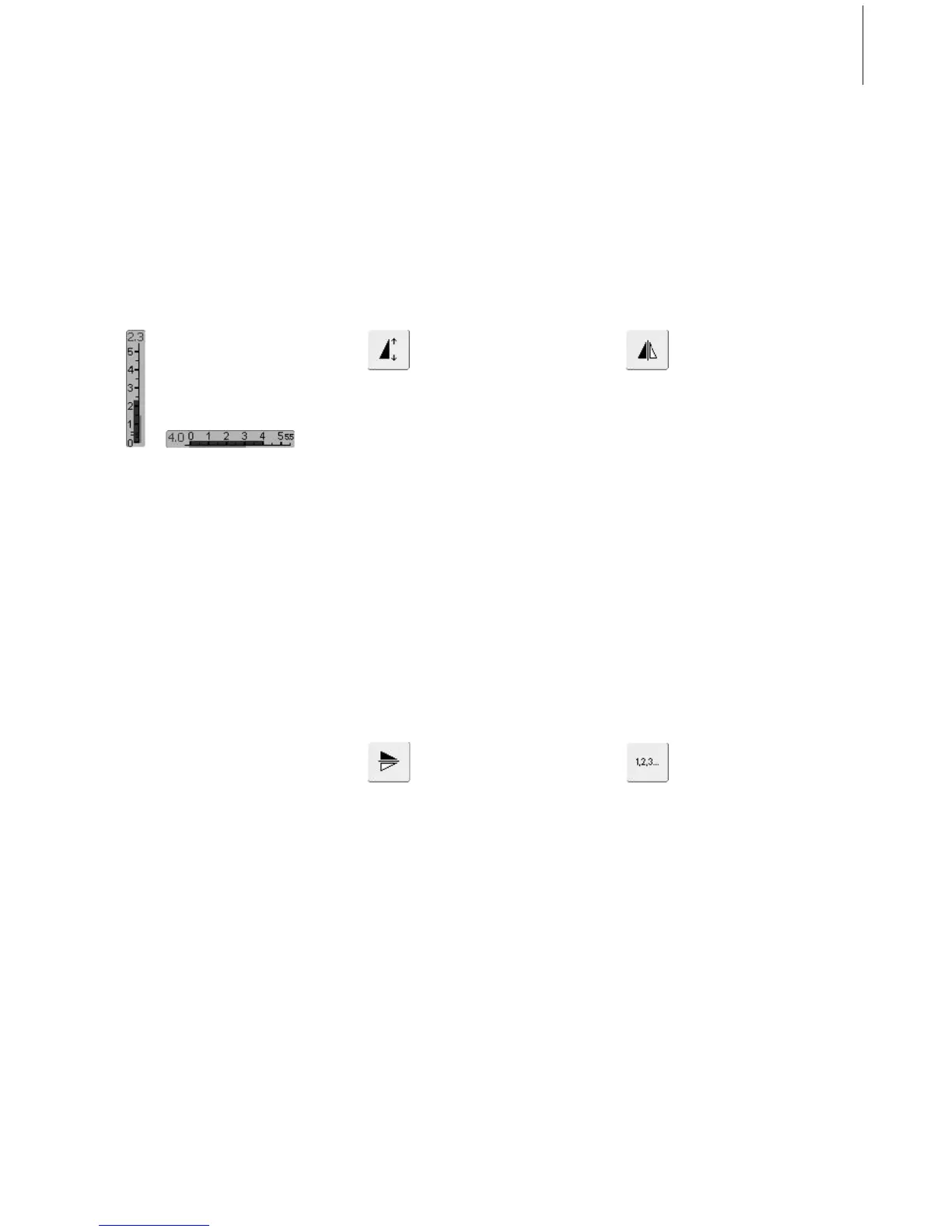
Horizontal Mirror Image
(left/right)
• touch symbol
• sewing computer sews selected
stitch in Horizontal Mirror
Image (left/right – determined
by the sewing direction)
• can be programmed and saved
in Combi Mode
Applications:
• blindstitch for shell edging
• decorative stitching
• stitch combinations
Vertical Mirror Image
(up/down)
• touch symbol
• sewing computer sews selected
stitch in Vertical Mirror Image
(up/down – determined by the
sewing direction)
• can be programmed and saved
in Combi Mode
Applications:
• decorative stitching
• stitch combinations
Pattern Extend 2–5 x
• touch one or more times
• the numbers 2–5 appear
depending on the type of
stitch selected
• the length of selected stitch
will be increased by 2–5 times
• stitch integrity is maintained
• lengthened stitches can be
programmed and saved in
Combi Mode
• touch the symbol longer and
the function is turned off. The
symbol is inactive (yellow)
Applications:
• lengthen existing stitches
without affecting the stitch
density
• combine stitches
Indication of the Altered Stitch
Width or Stitch Length
•return to basic setting by
touching the stitch width/stitch
length bar
Stitch Counter for Darning
Program
• touch symbol
• when the desired length is
reached (e.g. straight stitch),
press the external Quick
Reverse button
• the display (or indicator)
changes to «auto»
• the Darning Program is
programmed



 To Next Page