94 Setup-Program
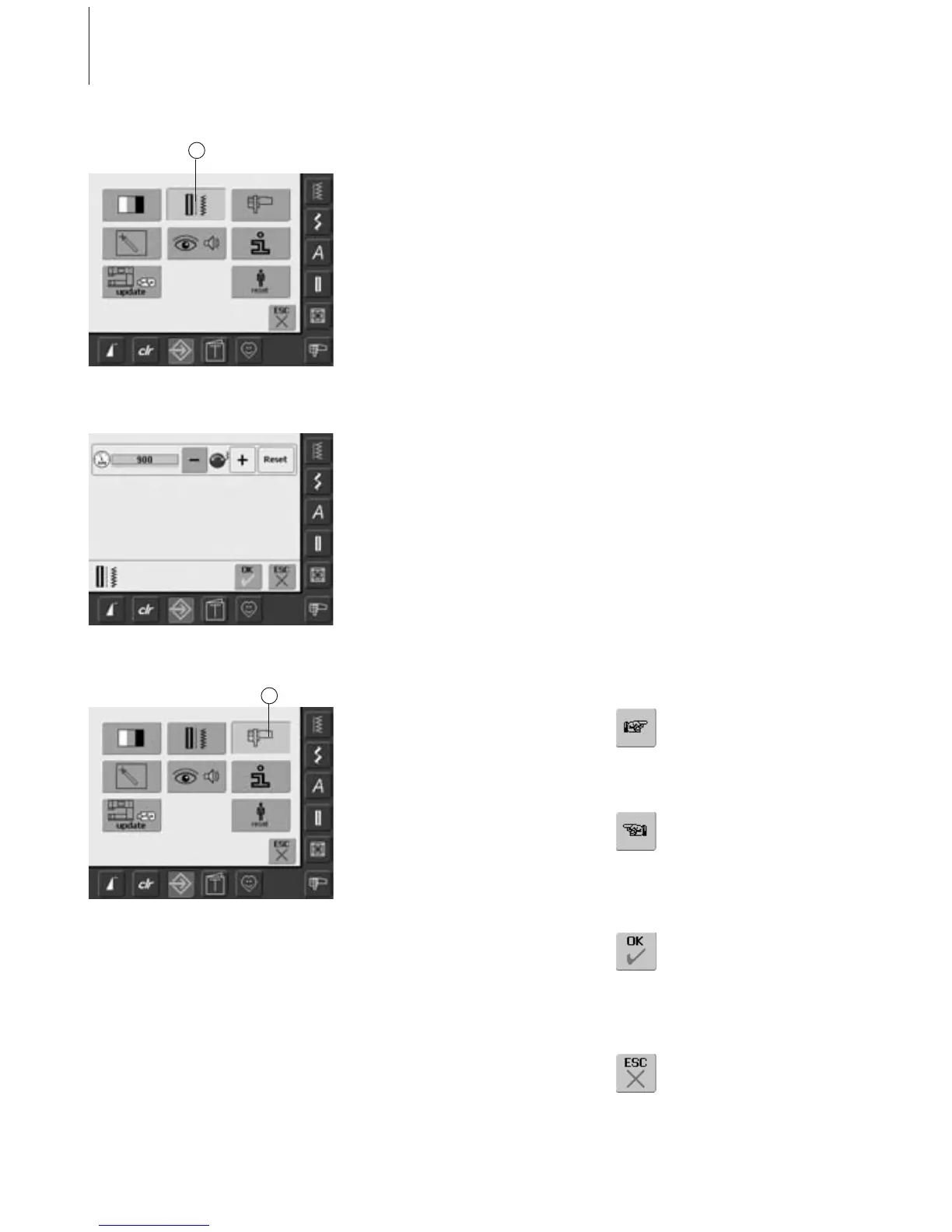
Opening Setup Program
•press the Setup button
• selection menu appears
• touch «2»
• the screen «Sewing Settings» appears
Sewing Settings
Motor Speed
• turning stitch width knob or touching
«+» or «–» changes the maximum speed. It
increases or reduces the speed by 8-10
stitches
• the number in the bar reflects the stitches
per minute, the basic settings are indicated
by a dark bar
Sewing Settings
Embroidery Settings
Opening Setup Program
•press the Setup button
• selection menu appears
• touch «3»
• the screen for adjusting the embroidery
hoop appears
To Next Page
• touch «To Next Page»
• the next screen appears
To Previous Page
• touch «To Previous Page»
• the previous screen appears
Saving and Closing
• touch «OK»
• changes are saved, the screen
closes and the selection menu
appears
Closing Screen
• touch «ESC»
• the screen display closes, the
original settings remain saved
and the selection menu
appears
2
3



 To Next Page