90 Saving and Deleting Stitches and Stitch Combinations - Corrections
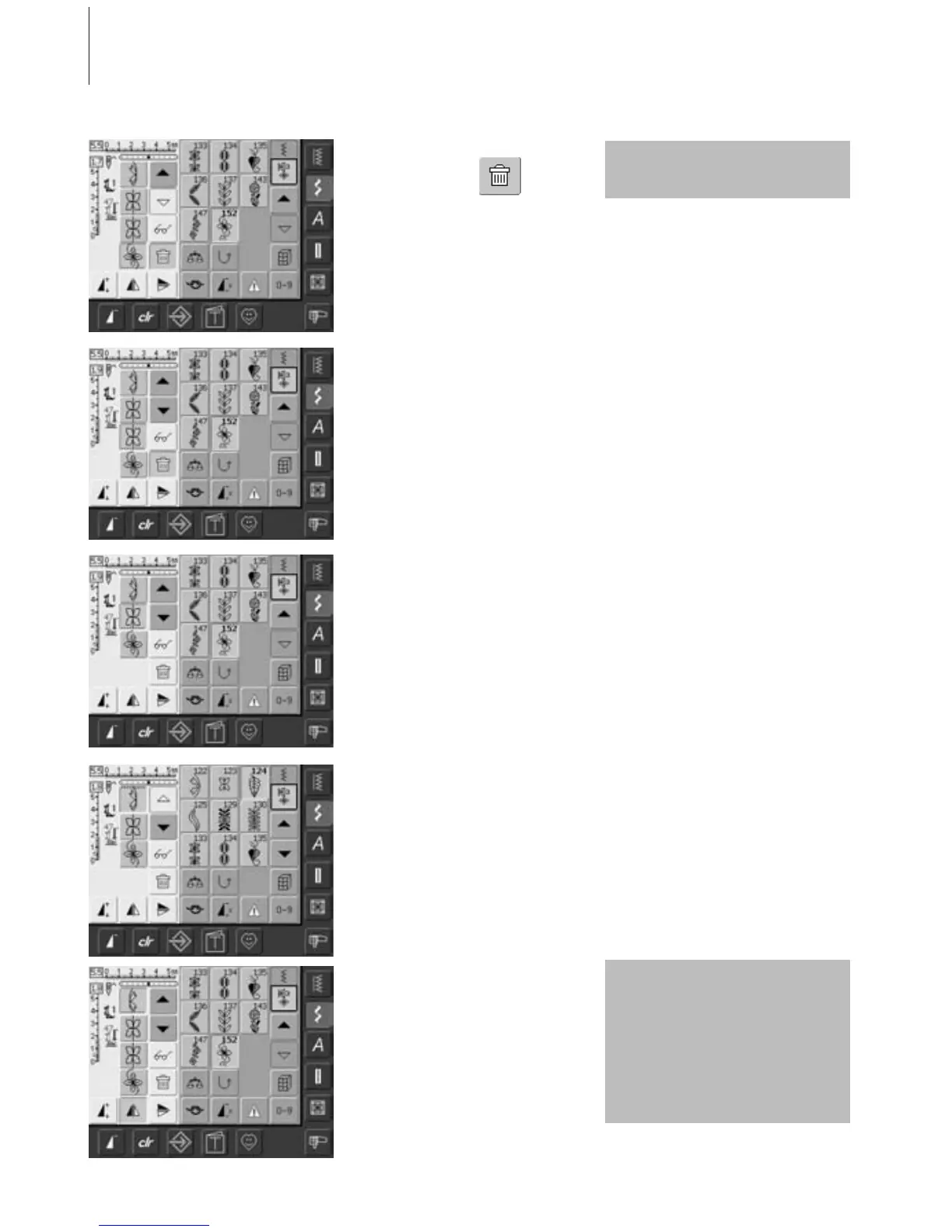
Deleting the Stitch Last Programmed
• touch «Delete»
• the stitch last entered
is deleted
Deleting a Stitch Within the Combination
• use the scroll arrows to move the cursor
below the stitch to be deleted, or select the
stitch directly
• touch «Delete»
• the stitch above the cursor is deleted
• the stitches are automatically recombined
Inserting Stitches
• to activate the desired place, scroll the
cursor or select appropriate stitch directly
• select new stitch
• the new stitch is inserted after the selected
stitch
• to insert a stitch at the very beginning of a
combination, move the cursor right to the
top using the scroll arrow
• select new stitch
• the new stitch is inserted above the cursor
Correcting a Stitch Combination
All alterations always affect the
area above the cursor.
Altering Stitch Combinations
• to activate the desired place, scroll the
cursor or select the appropriate stitch
directly
• select desired function (e.g. mirroring)
Already saved stitch
combinations can be altered or
corrected in the same way. To
save corrections and alterations
permanently, the combination
must be resaved afterwards.



 To Next Page