89Saving and Deleting Stitches and Stitch Combinations - Programming and Saving
•program a stitch combination
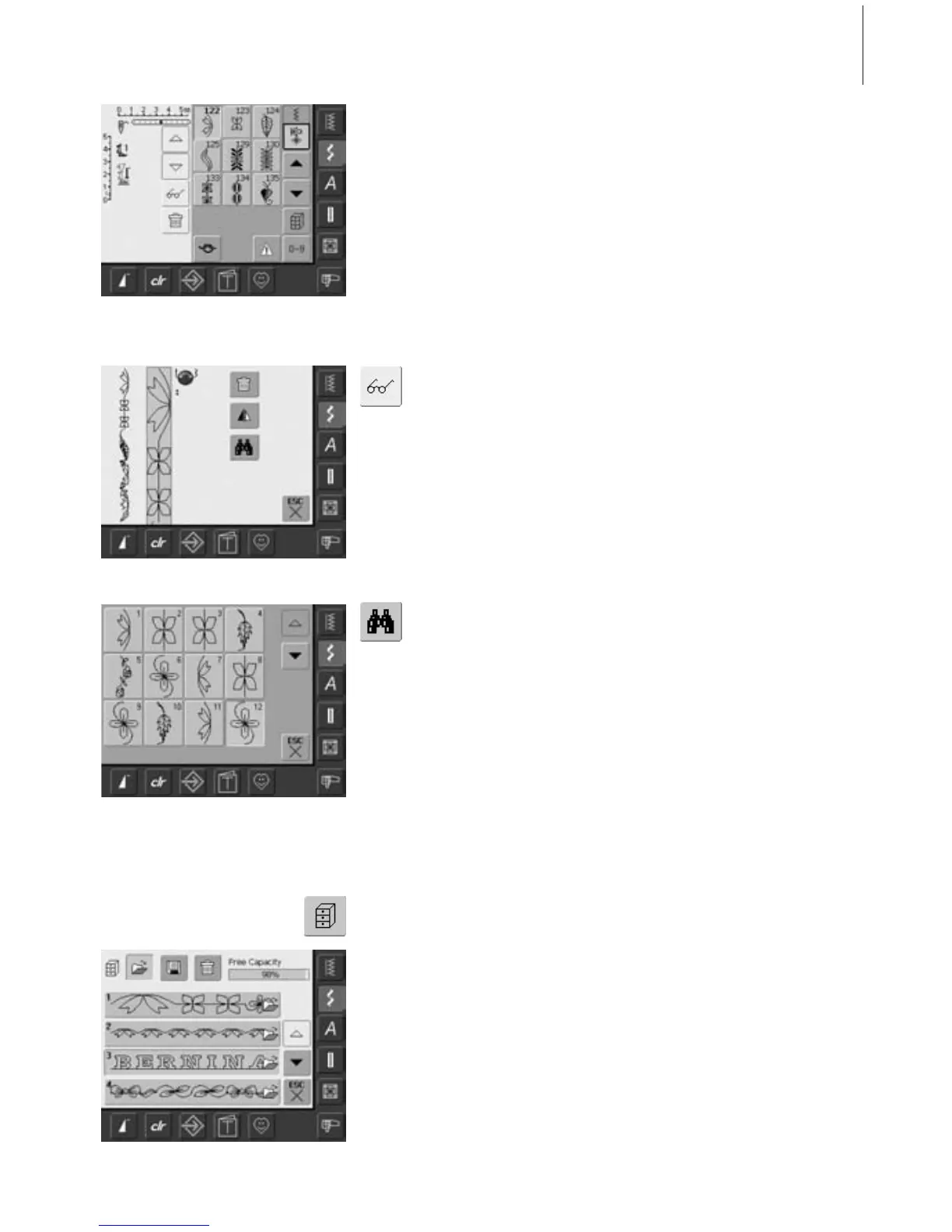
• the corresponding stitch combination is
visible in the Stitch Altering Area
• touch the Multifunction button
• the following is displayed on the screen:
• the complete stitch combination on the left
Opening Saved Combination
Opening a Saved Combination
• touch «File Drawers»
•a summary of the saved combinations
appears
• scroll to the desired Drawer if necessary
• touch the desired Drawer
• the saved combination appears in the Stitch
Altering Area
Drawer Content at a Glance
• next to it is the stitch combination in a
given size; use the stitch width or the
stitch length knob to scroll through the
stitch combination
• on the right are the three buttons «Delete
Combination», «Mirror Combination» and
«Preview»
• touch «ESC» to close the screen
• the Stitch Altering Area is now empty, and
a new stitch combination can be
progrmmed
• if desired, save the stitch combination
• select «Preview»
• the stitch combination is displayed on
screen
• each stitch can be selected directly, e.g. to
alter it:
• select stitch, SAA appears automatically to
alter selected stitch
• use the arrows to scroll through the stitch
combinations
• touch «ESC» to close the Preview screen



 To Next Page