86 Personal Program
Altering Stitches
Activating Personal Program
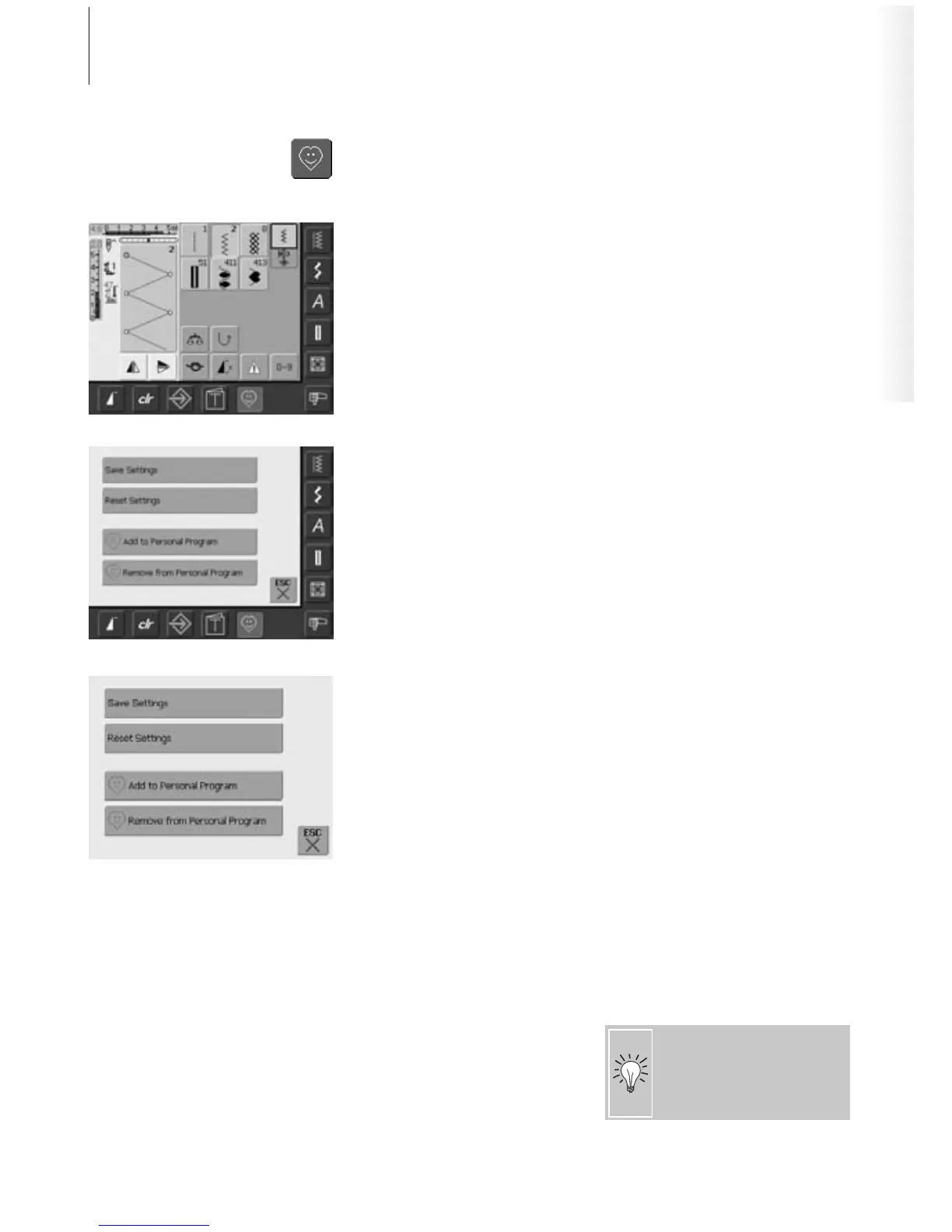
•press the Personal Program button
Personal Program Screen
• select the stitch to be altered (e.g. zig-zag)
• alter stitch width and length with the
external stitch width and stitch length
knobs
• the alterations as well as the basic settings
are indicated
• touch the Stitch Altering Area (light blue)
•a special screen appears
• touch the bar «Save Settings» and all
alterations are saved, the special screen
closes
Special Screen
• «Save Settings»: all alterations (stitch
length and width, etc.) of the selected
stitch are saved
• «Reset Settings»: all alterations of the
selected stitch are reset to basic settings
• «Add to Personal Program»: a selected
stitch (with possible alterations) is saved in
the Personal Program
• «Remove from Personal Program»: a
selected stitch is deleted from the Personal
Program
• touch «ESC» – the screen closes without
anything being saved
The possible alterations of the
original stitch setting can also
be altered permanently in each
category.



 To Next Page