93Setup-Program
Opening Setup Program
•press the Setup button
• selection menu appears
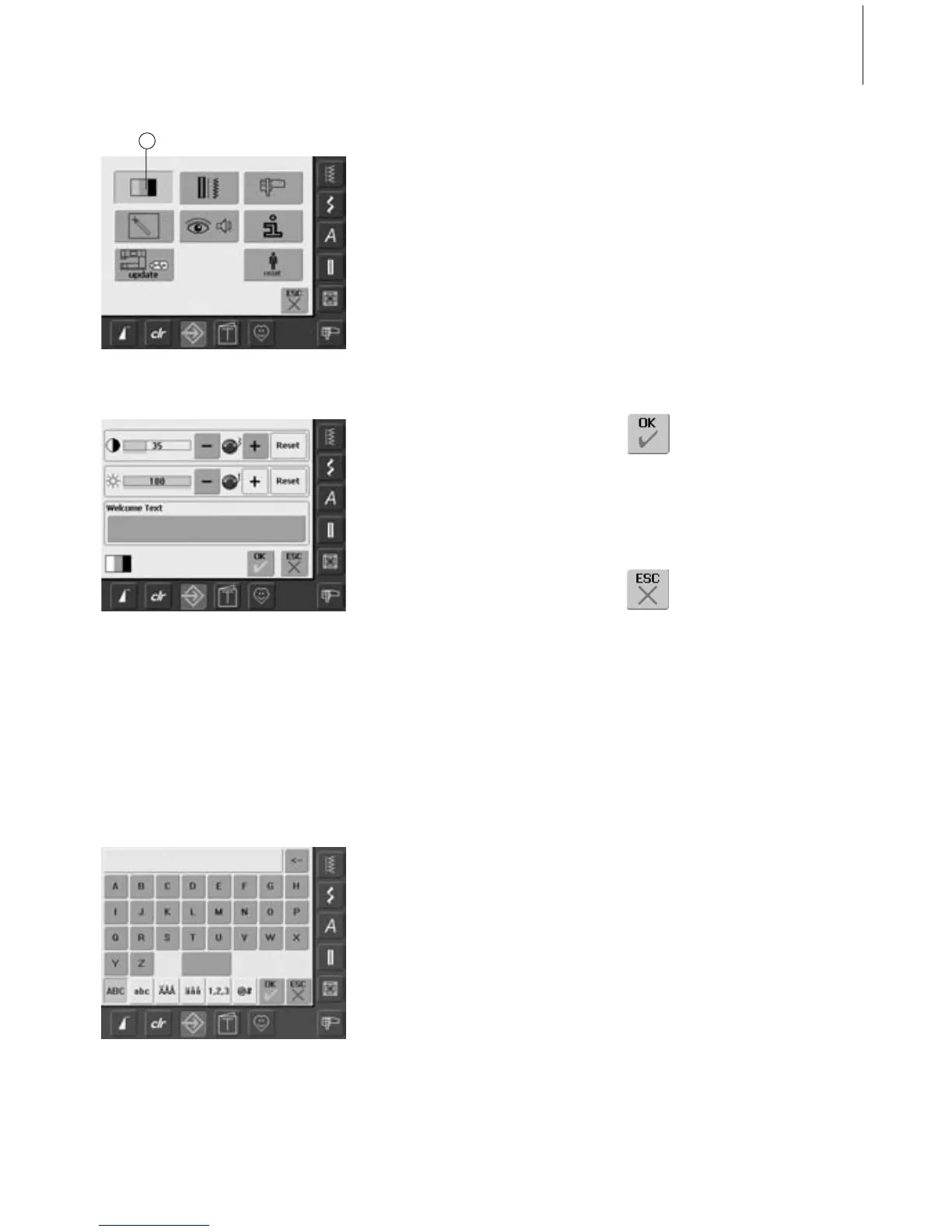
• touch «1»
• in the now opened screen the Display
Settings can be changed
Saving and Closing
• touch «OK»
• changes are saved, the screen
closes and the selection menu
appears
Closing Screen
• touch «ESC»
• the screen display closes, the
original settings remain saved
and the selection menu
appears
Display
Contrast
• turn stitch width knob or touch «+» or «–»
•the contrast of the screen changes
• the changes are indicated by the number in
the bar and the blue background of the
«+» and «-»
• the basic settings are indicated by a dark
bar
Brightness
• turn stitch length knob or touch «+»
or «–»
• the brightness of the screen changes
• the changes are indicated by the number in
the bar and the blue background of the
«+» and «-»
• the basic settings are indicated by a dark
bar
• the «Reset» on-screen button returns you
to the basic settings
Welcome Screen
• touch Text bar
•a screen with a keyboard appears
Text in Welcome Screen
• text for the Welcome screen can be written
• the «ABC» on-screen button (upper case) is
automatically active (blue)
• the «abc» on-screen button changes to
lower case
• the «Ä À Á», «ä à á» and «@ #» on-screen
buttons activate special characters in the
upper and lower case
• «1,2,3» activates numbers and
mathematical characters
• the bar below the keyboard is a space bar
and produces spaces between the words or
letters
• the programmed text appears in the Text
bar above the keyboard
• by touching this Text bar the programmed
text will be completely deleted
• by touching the arrow on the right of the
Text bar, entered text is deleted from right
to left
• touch «ok» to accept changes
Display Settings
1



 To Next Page