My BERNINA
14
BERNINA SEWING MACHINE WORKBOOK
THE 'i' MENU
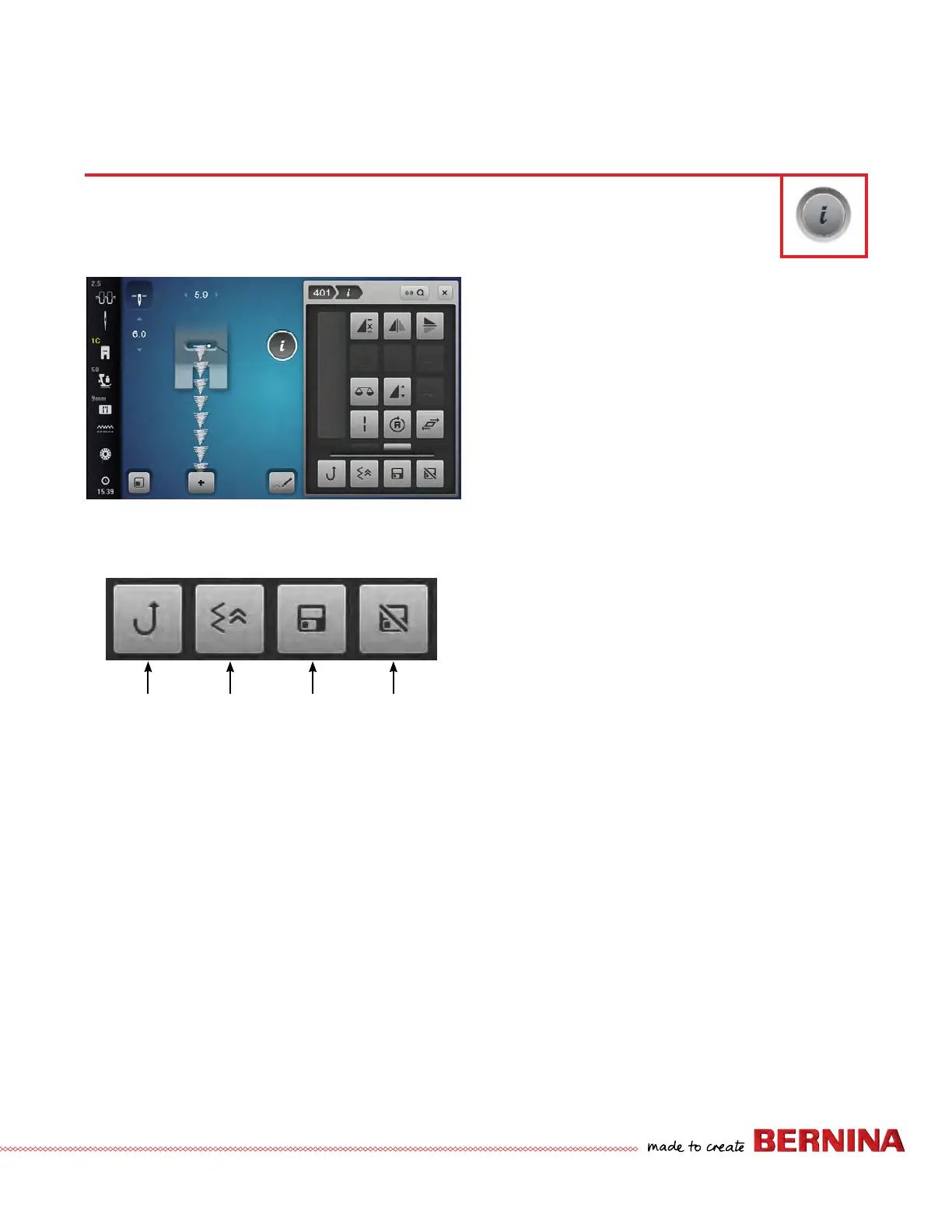
1. Select Stitch #401.
2. Touch the "i" to access the Information screen.
• Only icons relevant to the selected stitch are visible.
• A different set of icons is available for decorative
stitches, tapering, BSR (BERNINA Stitch Regulator),
and buttonhole.
• When partial icons are shown in the "i" menu, use
your ngertip or stylus to vertically scroll and access
the remaining icons.
• Permanent icons are separated by a line, they do not
move during scrolling and are always visible.
• The permanent icons are Continuous Reverse,
Backstepping*, Save Stitch Setting Permanently**,
and Reset Stitch to Factory Setting**.
• When making multiple alterations within the "i"
menu, use breadcrumb navigation to stay within the
"i" menu until all the changes have been set before
closing.
• Use the "i" breadcrumb to go back one level.
3. Touch the stitch number breadcrumb. It will take you
back to the stitch selection menu.
NOTE:
*The B 480 and B 475 QE do not have Backstepping as an
option in the Information menu. However, the Quick
Reverse can be programmed in Setup as Backstepping.
Then touch the Quick Reverse icon to activate the
permanent reverse sewing (Backstepping).
*Backstepping is not an option on the B 435.
**The B 435 does not have the Save Stitch Setting
Permanently/Reset Stitch to Factory Setting functions.
All creative functions that can be applied to a stitch are accessed through the Information menu, "i".
Reverse
Backstepping Save
Stitch
Setting
Permanently
Reset
Stitch to
Factory
Setting



 To Next Page