My BERNINA
23
BERNINA SEWING MACHINE WORKBOOK
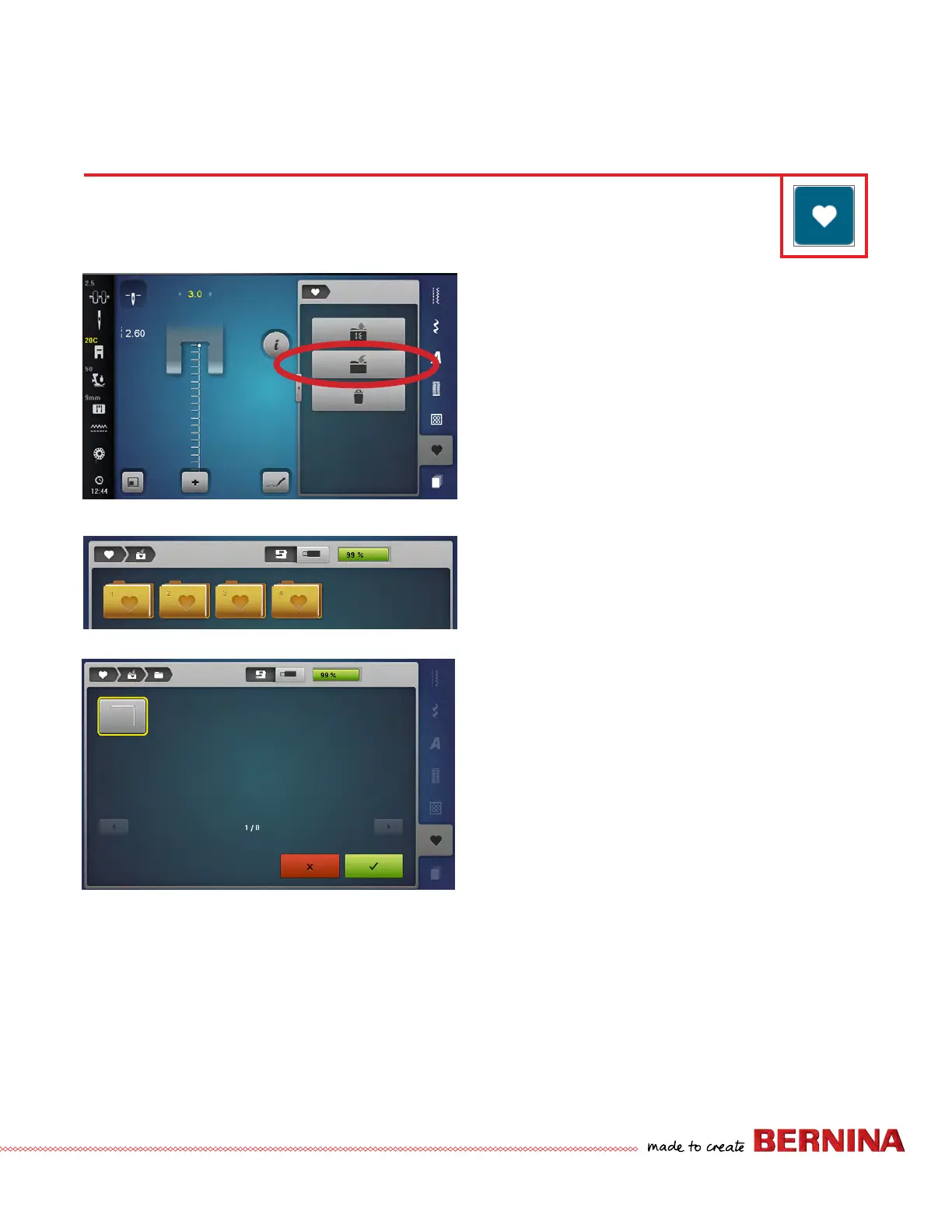
SAVING STITCHES IN PERSONAL PROGRAM
Creating a Personal Program
1. Select the desired stitch. For this exercise, select the
altered Blanket Stitch from previous page.
2. Close the “i” screen, if opened.
3. Touch Personal Program.
4. Select the Save Stitch icon.
5. Select one of the four Personal Program folders.
6. The selected stitch has a yellow border around it. Select
the highlighted stitch to save, or select the green check
box with the check to add the stitch to the Personal
Program folder.
7. The display closes.
Use the Personal Program to store your favorite stitches, most often used stitches, or perhaps a group of
stitches needed for a particular technique or project. There are four Personal Program folders.



 To Next Page