My BERNINA
21
BERNINA SEWING MACHINE WORKBOOK
ALTERED STITCHES
Programmed
settings
3.5 mm width
4.1 mm length
3.5 mm width
Default length
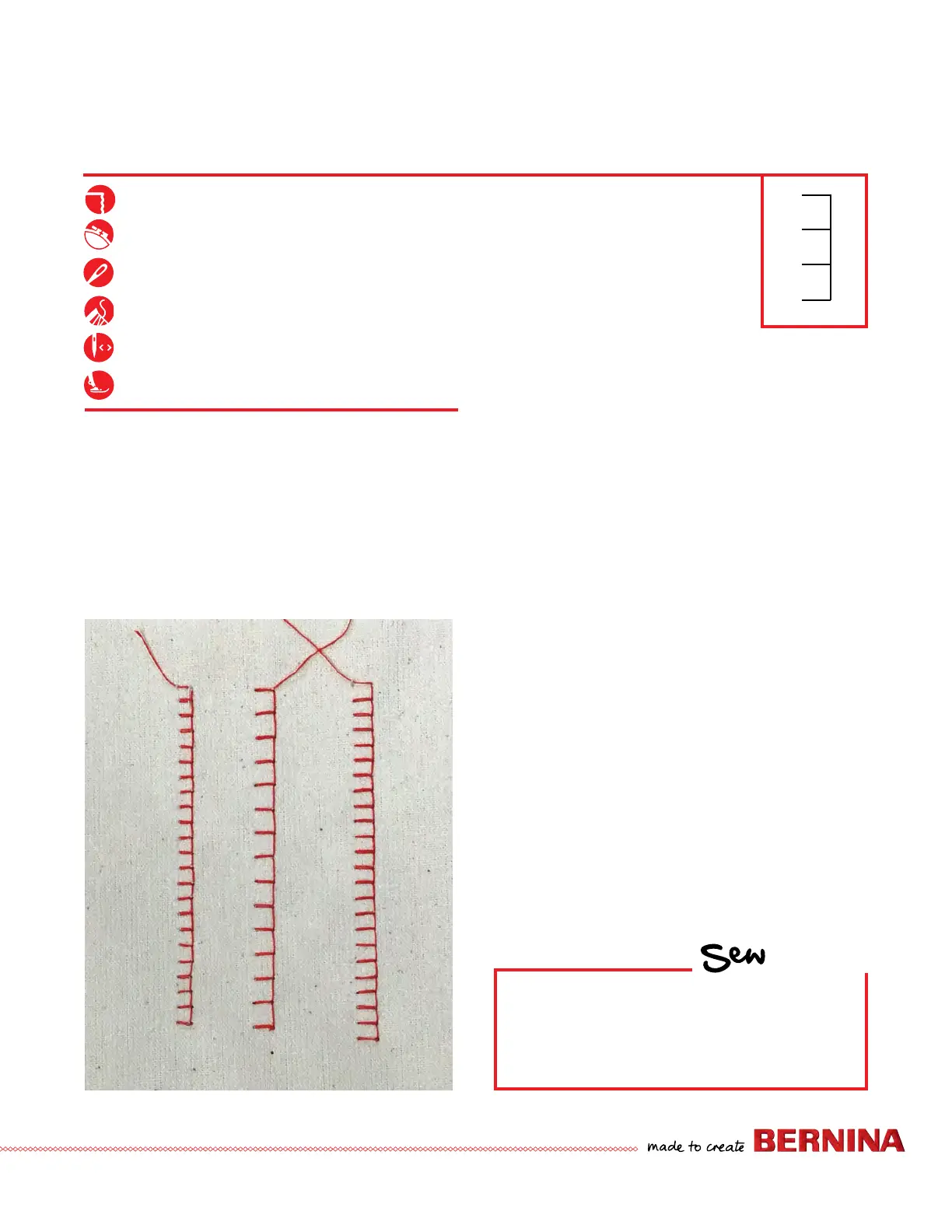
1. Attach Open Embroidery Foot #20/20C/20D.
2. Place the stabilizer behind the fabric.
3. Select Blanket Stitch #1329 for 7/8 Series/#1309 for the
4 and 5 Series from the Quilting Stitches menu.
4. Sew a row of stitches.
5. Adjust stitch width to 3.5 mm and stitch length to 4.1
mm. Sew a second row of stitching next to the rst.
6. Touch the stitch length numeric value on screen. Tap
the yellow highlighted box to revert the stitch length
to the machine default stitch length setting. Leave the
stitch width at 3.5 mm.
7. Sew a third row of stitching next to the previously sewn
rows.
8. Leave this stitch on the screen and go to the next page.
Firm woven fabric, 4” x 6”*
Lightweight tear-away stabilizer 4” x 6”*
80/12 Universal
Polyester or cotton embroidery thread
Default
Open Embroidery Foot #20/20C/20D
HOW
Do you know how to:
• Find the Quilting Stitch menus on your
model?
• Reset the stitch length and width to the
preprogrammed settings?



 To Next Page