My BERNINA
45
BERNINA SEWING MACHINE WORKBOOK
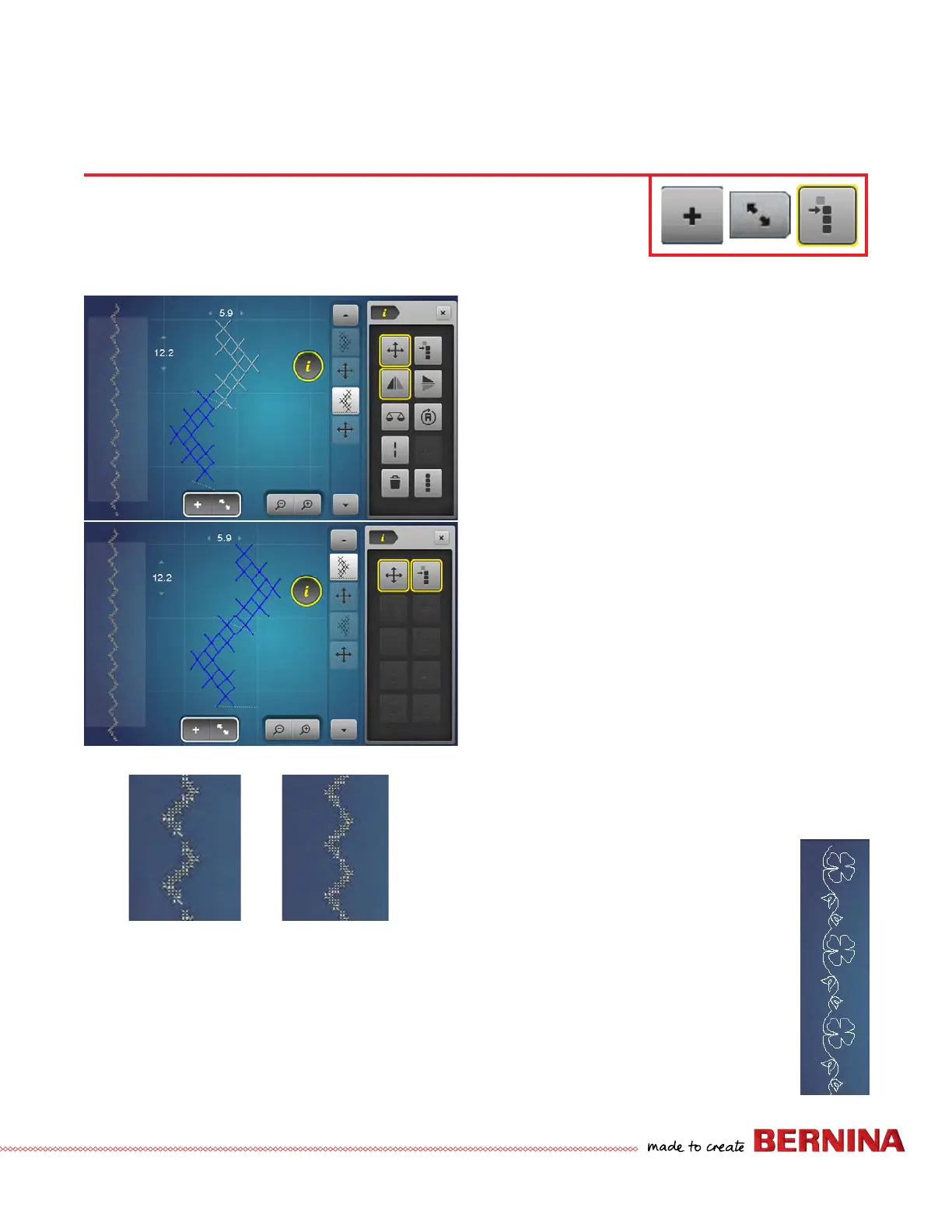
CONNECTING STITCHES AND MOVE MULTIPLES
Using Move Multiples to Close the Gap in a
Combination
1. Open Combi-Mode and delete by swiping any stitches
that are present.
2. Input stitch #376 two times.
3. Select the Overview Combi Mode.
4. Select 'i".
5. Engage Mirror Image Left/Right on the second stitch.
6. Drag and Drop (with the stylus or nger) to move
the stitches to connect as shown. To ne tune the
placement, use the multi-function knobs if necessary.
7. Looking at the preview on the side of the screen, the
patterns do not connect.
8. Select the rst motif in the combi.
9. Select the Move Multiples Icon.
10. Use the Stitch Length knob to close the gap watching
the preview area.
11. Select Overview Combi Mode to return to the main
sew out screen.
12. Pattern may be stitched and/or saved through Personal
Program.
13. Try the same exercise with Sideways Motion Stitch
#237.
Floral Combi
1. Open Combi-Mode and delete by swiping
any stitches that are present.
2. Select 0-9 and input stitch #244 and
#238.
3. Select Modify Screen.
4. Select 'i" and mirror image Left/Right
second pattern. If Mirror Image is not
available, deselect Move Multiples.
5. Drag and Drop to connect the stitches. To
ne tune the placement, use the multi-
function knobs if necessary.
B 880 PLUS, 790 PLUS Only
When stitches are moved to connect up, it can cause the overall pattern to have a gap,
particularly if the stitches are moved to overlap. To achieve a continuously stitched pattern,
use Move Multiples.



 To Next Page