My BERNINA
29
BERNINA SEWING MACHINE WORKBOOK
1. Attach Open Embroidery Foot #20/20C/20D.
2. Place the stabilizer behind the fabric.
3. Select the Double Overlock Stitch #10; sew about 1
1/ 2”.
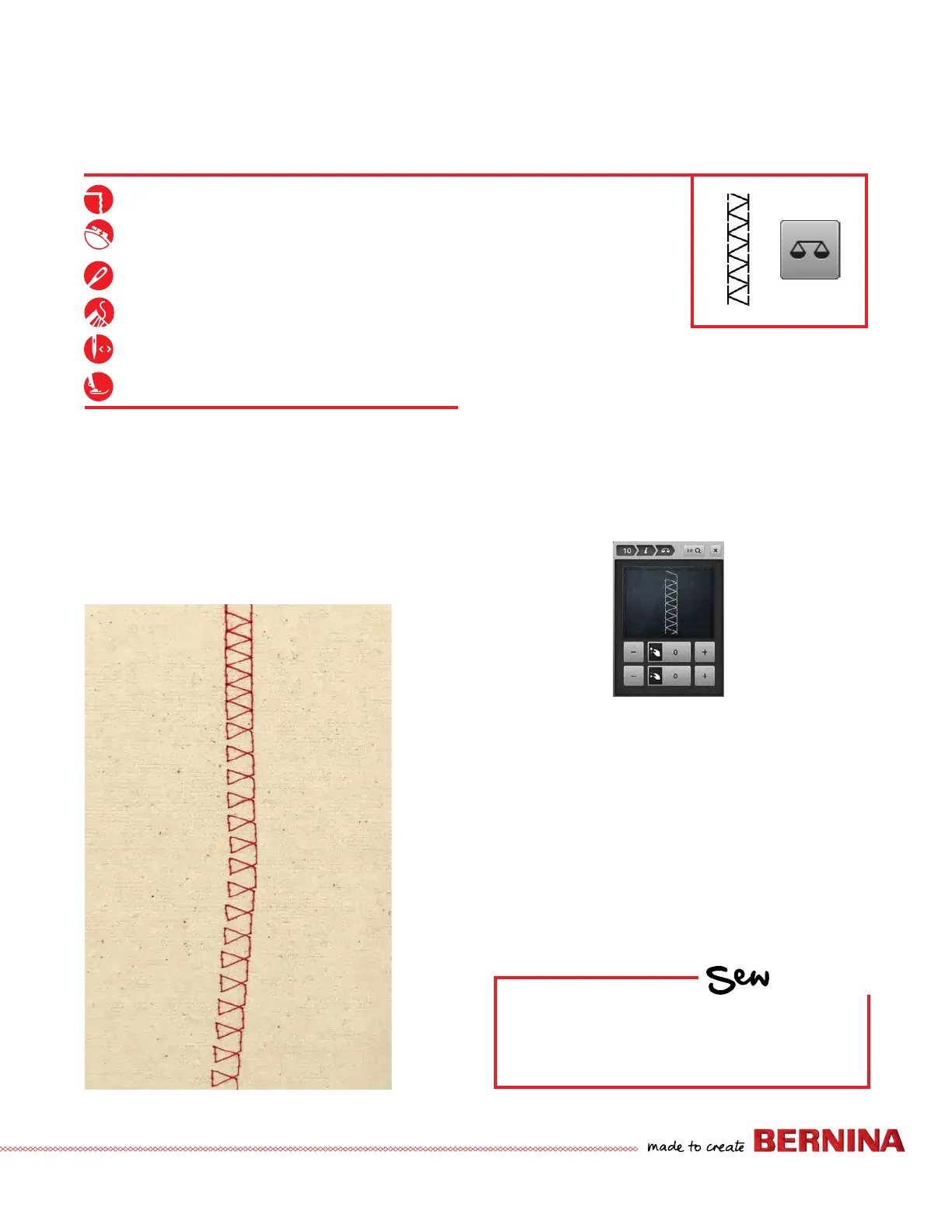
4. Select the ‘i’ icon and select Balance; the right side of
screen shows stitch pattern as programmed.
5. Use the Lower Multi-function (Stitch Length) knob or
the lower +/- icons to adjust the stitch to match the
Spread Stitch (see sample to left); stitch for another
1½".
6. B 880 PLUS and B 790 PLUS only: Use the Upper
Multi-function knob or the upper +/- icons to skew the
stitch to the left/right; stitch for another 1½".
7. Clr returns the stitch to normal settings.
BALANCE
Firm woven fabric, 4” x 6”*
Lightweight tear-away stabilizer 4” x 6”*
80/12 Universal
Polyester or cotton embroidery thread
Default
Open Embroidery Foot #20/20C/20D
Notes:
The Balance function is generally reserved for ne tuning
the stitch appearance, but is sometimes required because of
differences in fabrics and threads.
The Balance Function is used to troubleshoot and ne tune
stitches if they do not produce desired results with default
settings. Oftentimes, this is caused by unusual fabrics or
threads.
HOW
Do you know how to:
• Fine-tune the stitch balance on your
model?
Skewed stitch
Spread stitch
Preprogrammed
Stitch



 To Next Page