My BERNINA
42
BERNINA SEWING MACHINE WORKBOOK
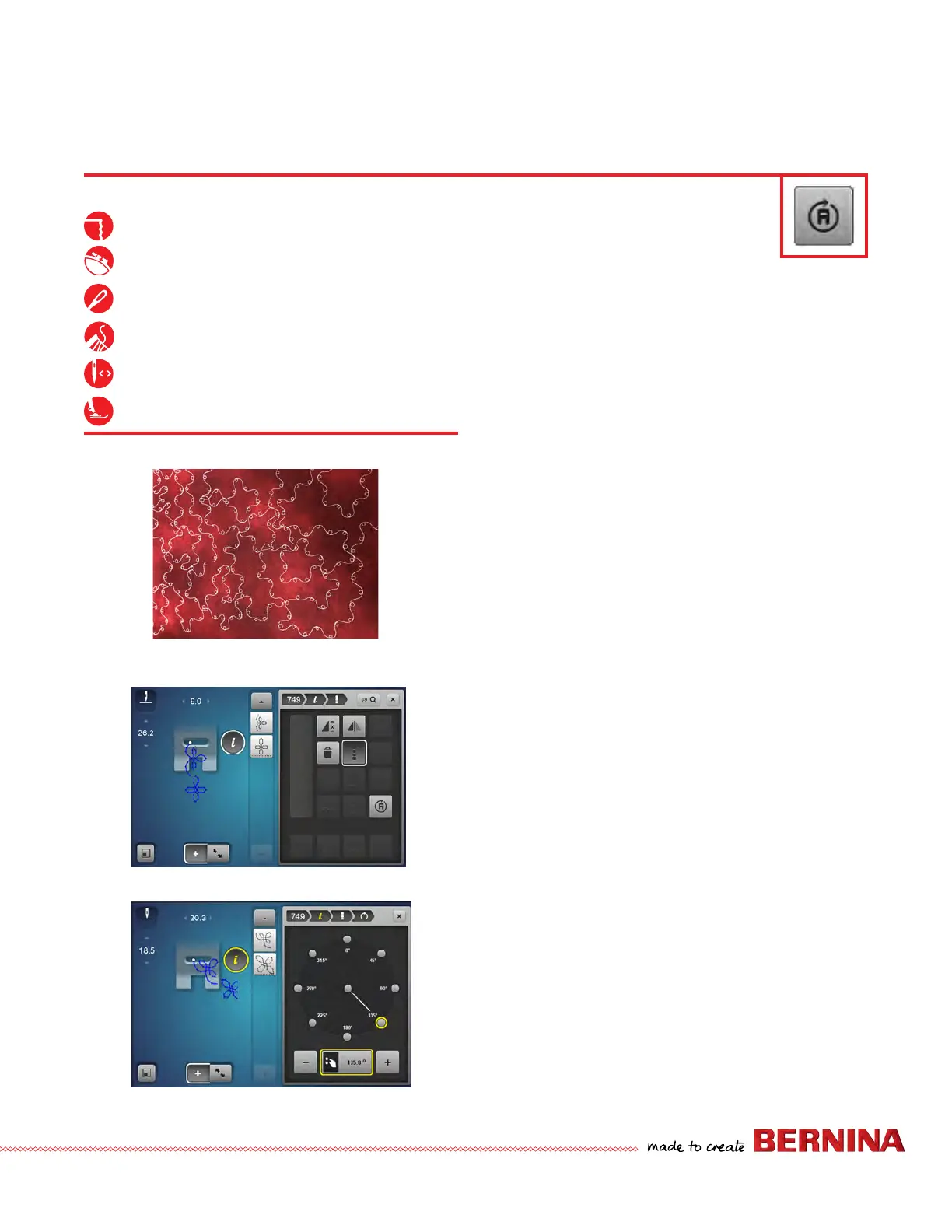
MULTI-DIRECTIONAL STITCHING
FAUX FREE-MOTION-Single Mode, Change
Direction While Sewing
(See a)
1. Select Stitch #748. Select the "i" menu.
2. Select the Multi-Directional Sewing icon.
3. Begin stitching. Turn the Multi-function knobs as you
stitch.
Applying Multi-Direction to a Combination
1. Open Combi Mode. If needed, delete the current
combination following Page 35 instructions.
• Use 0-9 to add stitches #751 and #749, selecting
check after each entry.
• Select 0-9 to close. (See b)
2. Select "i"; select All (Edit the Complete Combination
icon).
3. Select the Multi-directional icon; touch the 135 degree
node. (See c)
4. Stitch the combination.
Firm woven fabric, 10” x 10”
Heavyweight tear-away stabilizer 10” x 10”
80/12 Universal
Polyester or cotton embroidery thread
Default
Sideways Motion Foot #40C
B 880 PLUS, 790 PLUS Only
(a)
(c)
(b)



 To Next Page