EasyManua.ls Logo

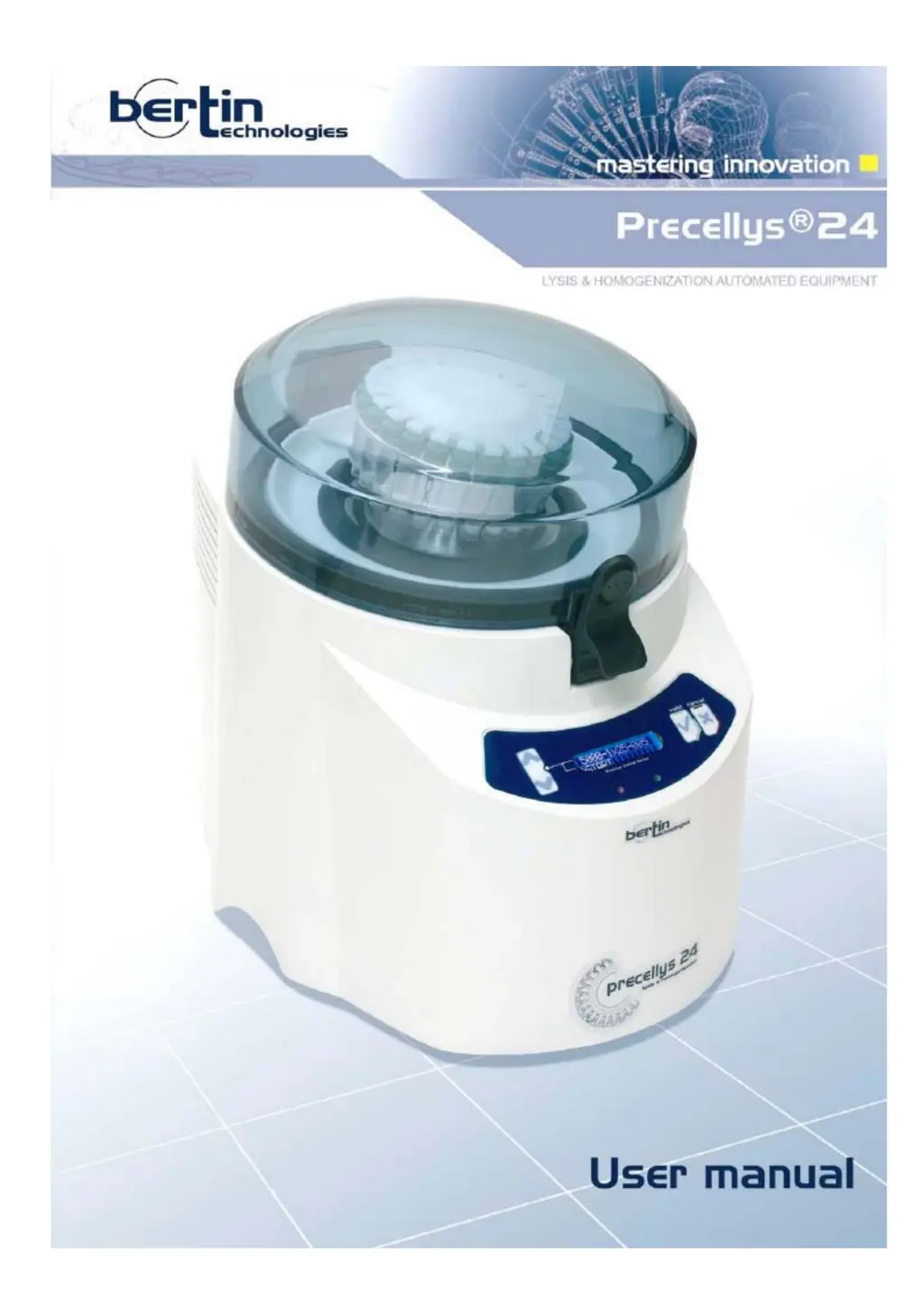
Bertin Technologies PRECELLYS 24 - User Manual

Bertin Technologies PRECELLYS 24
34 pages
Print Icon
To Next Page IconTo Next Page
Loading...

Questions and Answers

  • U
    uelliottAug 2, 2025
    What to do if there is no display on the Bertin Technologies PRECELLYS 24 Laboratory Equipment screen?
    • K
      Katrina TaylorAug 2, 2025
      If your Bertin Technologies Laboratory Equipment screen shows no display, the cause might be a faulty fuse. In this case, replace the fuse. Alternatively, the display system itself may be faulty.
  • K
    kingdarrellAug 7, 2025
    Why is the fan not working on my Bertin Technologies Laboratory Equipment?
    • D
      Danielle JordanAug 7, 2025
      If the fan on your Bertin Technologies Laboratory Equipment is not working, a faulty fuse could be the cause; if so, replace the fuse. Also, ensure the unit is properly plugged in. As initial steps, turn off the unit. If problems persist, seek technical assistance.
  • P
    Peter WheelerAug 11, 2025
    How to troubleshoot no power on Bertin Technologies PRECELLYS 24?
    • A
      Angela MurphyAug 12, 2025
      If your Bertin Technologies Laboratory Equipment has no power, begin by checking the main voltage. Then, verify that the voltage of the unit matches the voltage delivered by the main power supply.
  • C
    Corey DavisAug 16, 2025
    How to troubleshoot a Bertin Technologies PRECELLYS 24 fan that is not working?
    • J
      Joshua KimAug 16, 2025
      If the fan of your Bertin Technologies Laboratory Equipment isn't working, here's what you can check: * **Power Supply**: Ensure the unit is properly plugged in and that the main voltage matches the unit's voltage requirements. * **Fuse**: A faulty fuse could be the issue. Try replacing it. * **Cooling System**: If the above steps don't work, there may be a problem with the cooling system. In this case, turn off the unit and contact technical assistance.
  • A
    Angelica FlemingAug 21, 2025
    What to do if there is no display on the screen of my Bertin Technologies Laboratory Equipment?
    • J
      John VargasAug 21, 2025
      If there's no display on the screen of your Bertin Technologies Laboratory Equipment, consider the following: * **Power Check**: Verify that the unit is correctly plugged into a functioning power outlet and that the main voltage is compatible with the unit's voltage. * **Fuse Inspection**: A blown fuse might be the cause. Replace the fuse to see if this resolves the issue. * **Display System**: If the problem persists, the display system might be faulty. Turn off the unit and seek technical assistance.
  • R
    Richard PierceAug 27, 2025
    What to do if one or several tubes are not tight in my Bertin Technologies PRECELLYS 24 Laboratory Equipment?
    • D
      dowensAug 27, 2025
      If one or more tubes aren't tight, it might be because the cap isn't screwed on correctly or the tube itself is defective. If the tube contains a hazardous substance, follow the appropriate decontamination procedure.

Summary

Introduction to the Precellys24

Safety Information and Precautions

Covers general safety, electric shock risks, and incorrect operation warnings.

Equipment Specifications and Warnings

Details fuses, biological risks, symbols, noise, EMI, and intensive use.

Warranty, Reference, and Support

Information on warranty, product reference, manufacturer details, and technical support.

Description of the Precellys24

Product Overview and Advantages

General introduction to the Precellys 24 lyser/homogeniser and its benefits.

Tube Motion and Programming

Explains tube movement and how to program speed, cycles, and duration.

Keypad and User Interface

Description of the LCD screen, buttons, and indicator lights on the control panel.

Technical Features and Capacity

Lists technical specifications, operating characteristics, and system capacity.

Transport and Storage Guidelines

Transport Procedures

Instructions and precautions for safely transporting the equipment.

Storage Conditions

Guidelines for storing the unit in a dry area within a specific temperature range.

Installation Procedures

Unpacking and Initial Setup

Steps for unpacking, checking contents, and initial placement of the unit.

Connecting Power Supply and Ventilation

Instructions for connecting power, checking voltage, and ensuring proper ventilation.

Instructions for Use

Sample Preparation and Starting a Run

Guidelines for preparing samples and initiating the equipment.

Main Menu and Program Selection

Describes the main menu, program selection, and starting a run.

Cover and Tube Handling

Procedures for opening/closing the cover and loading grinding tubes.

Running and Monitoring a Program

Details the process of running a program, including vacuum locking and timer display.

Ending and Pausing a Run

Procedures for ending a run, including waiting for the stop and rest periods.

Interrupting an Ongoing Run

How to stop a run using the cancel button and the subsequent display.

Adjusting Operational Parameters

Parameter Adjustment Menu Access

How to navigate to and access the menu for adjusting program settings.

Speed Adjustment

Guide on how to adjust the rotational speed setting for runs.

Number of Cycles and Duration Adjustment

Steps to adjust the number of cycles and the duration for each cycle.

Waiting Time and Parameter Saving

How to set the pause between cycles and save new program parameters.

Optimal Operating Parameter Ranges

Recommended ranges for speed, cycles, and pause times for optimal operation.

Alarms and Error Handling

Pre-Run Alarm Messages

Explains alarm messages that appear before a run begins, like pressure or cover issues.

Run Interruption Alarms

Covers alarms that can interrupt an ongoing run, such as pressure errors.

Cover and Speed Error Alarms

Explains cover alarm and speed error alarm during operation.

Temperature and Power Supply Alarms

Information on engine temperature and power supply alarms.

Troubleshooting Alarm Messages

Provides troubleshooting steps for various alarm messages.

Maintenance and Troubleshooting

Common Problem Troubleshooting

A guide to common problems and their possible causes and solutions.

Spare Parts Replacement Guide

Lists wearing parts, their references, replacement frequency, and reasons.

Replacing the Indented Plate

Instructions on when and how to replace the indented plate.

Replacing the Toric Joint and Containment Seal

Guidance on replacing the toric joint and containment seal.

Replacing the Fuse

Instructions and warnings for replacing the fuse.

Service Menu Information and Access

Details on service menu information and how to access it for maintenance.

Cleaning and Decontamination Procedures

Recommendations and procedures for cleaning and decontaminating the unit.

Bertin Technologies PRECELLYS 24 Specifications

General IconGeneral
BrandBertin Technologies
ModelPRECELLYS 24
CategoryLaboratory Equipment
LanguageEnglish

Related product manuals