21
IRIS
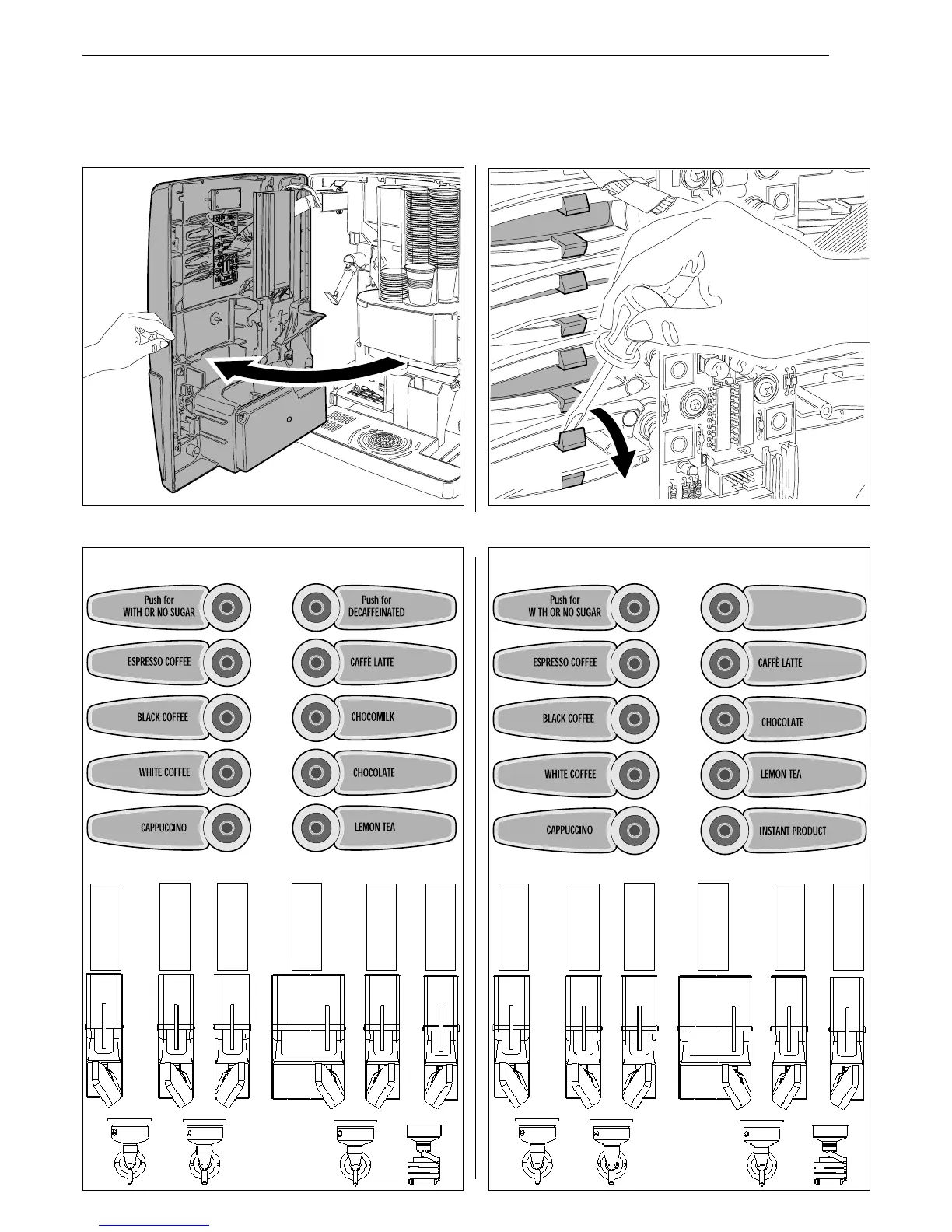
Fig. 6.25
Fig. 6.26
IRIS 6 INSTANTS DEKA IRIS 6 INSTANTS STANDARD
6.6.2 Product selection label application
The labels showing the selections shall be inserted under the transparent cover of every single key.
To carry out this operation proceed as follows:
Open the front door (Fig. 6.25) and by means of a screwdriver act on the tabs holding the cover on every key (Fig. 6.26).
Insert the labels according to the selections in the different versions (see following diagrams) and install back the cover.
Milk
Tea
Chocolate
Instant coffee
Sugar
Instant coffee
second
Milk
Tea
Chocolate
Instant coffee
Sugar
Instant
product


 To Next Page