28
IRIS
And are in SERVICE mode, after which go first into SELECTION
mode and then accede to the PROGRAMMING.
The main menu bears the wording Menu choice on the first line,
the second line bears the wording of the program menu relating
to the following list:
SALES
OPTIONS
BEVERAGES
TIME SNACK
TEMPERATURE
PRICE-KEYS
COINS
PRICES
MDB DATA (only if MDB is selected in the option menu)
MDB PIPE FILLING (only if MDB is selected in the option menu)
MDB PIPE EMPTYING (only if MDB is selected in the option menu)
CODE
DEFAULT DATA
DISCOUNTS (only of clock chip is inserted)
INCLUDE-JUG
MILK FIRST (only Espresso version)
CLOCK (only of clock chip is inserted)
PREVENTIVE ACTION
For those menu items referred to Vega slave,if this is not present,
line 2 is blank.
The escape from the programming mode press ESC until return
to the selected mode.
The display visualization is on two lines.
It is possible to make selection by using a programme on the
WinBianchi PC .
For each drink, the possible programmable does are indicated
under the heading Sxx.
7.2 Function description
7.2.1 SALES (Fig.7.2)
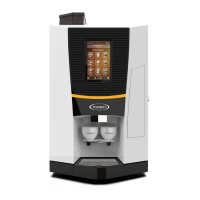
Espresso version
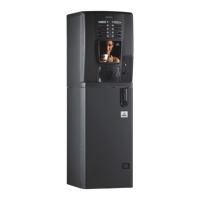
Instant version
Gives access to all the selling statistics audited by the machine
Confirming with the ENTER key, gives you access in sequence to
the following menus for statistical data and the processing of the
same:
TOTAL CASH= total of the non cancellable sales prices
CASH = total for the cancellable sales prices
DISCOUNT = discounted value total
OVERPAY = total cash without sales
(N.B. active only for coins and G13)
TOTAL COUN = total sum of the selections made (sales *
tests) which cannot be cancelled
COUN = total count of selections made (sale +
tests) that can be set to zero.
Bev. coun x with x = 1..13 indicates the beverage
referred to for the value displayed on line 2 [0..65535]
Sect. Coun xy with x=1..6 y=1..8 indicates the sector for
Vega [0..65535]
FREE = total count and count per each singl selection of
the free SELECTIONS (with the option free vend
key)
JUG = total count and count per each single
selection of the JUG SELECTIONS (with
the option JUG key).
TEST = total count and count for single selection of test
selections, that can be set to zero.
COINS = Coin line x with x = 1..8 indicates the coin
referred to for the value displayed on line 2
DELETE Code entry [0..9999]
Repl.code? Replace code? [Yes/No]
Code Code setting [0..9999]
Set to zero? Sets sale data to zero [Yes/No]
The item to set a new code will be displayed only by answering
Yes to the Repl.code? item.
Pressing the key + will take you through the menu up to the
desired function; pressing the enter key gives access to the first
data of the function selected; by pressing ENTER again gives you
access to the other data, if present.
Pressing the ESC key takes you back to the original menu.
To reset the data operate as follows:
go to CANCEL
press ENTER key
COD 0000 will appear on the display
input the resetting code using the same criteria.
press ENTER
request if you wish to change the resetting code will appear.
press the key + if you do not wish to change the code.
RESET ? will appear on the display
confirm with the CURSOR key
at the end of the resetting, pressing the ESC key takes you back
to the original menu.
The data resetting code (4 digits) can be different from the
programming access code (5 digits).
The default code is 0001
N.B. If you want to change the default code proceed as follows:
when the request if you want to change the code appears,
press ENTER
the old code will be displayed
use the keys +, - to compose the new code.
confirm with ENTER at the end.


 To Next Page