September 2019
Installation, Operation and Maintenance Manual
MAN720_IMVS2000v2_IOM Rev. 6
MAN720_IMVS2000v2_IOM Rev. 6
Section 5: Working Principle
Working Principle
5.1.8.3 SOV A TEST Details
Available from Logic Card FW Revision 1.00.01.
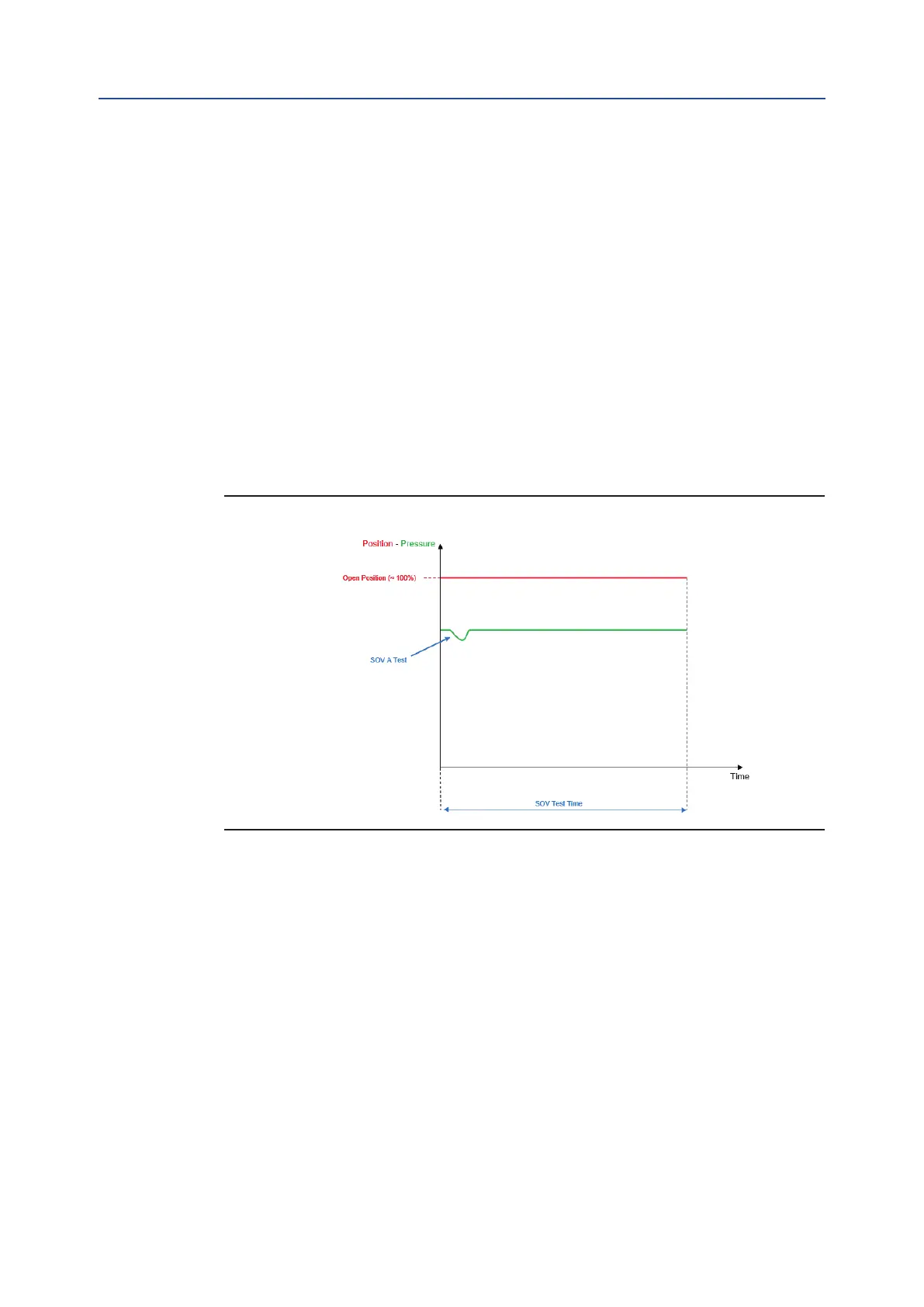
The figure below show an example of a SOV TEST on the SOV A on a single SOVs configuration
(see for example Configuration A on paragraph 9.2.1).
This kind of test is performed in case of the following settings (see Section 5.1.6):
• “Act. Mode” = “Single” or “Double-S”
• “SOVs Qty” = “Simplex”
• “PST Ser. SOVs” = “One”
• “Pr. S. 1-2” ≠ “None”
• “PST En.” = “No”
• “PST Pos %” = 0.0%
• “PST Pres. %” = 0%
• “PST Time %” = 0%
Figure 10
During the SOV TEST, the SOV A is briefly used for a short period of time to generate a pressure drop
inside the cylinder (detected by pressure sensor) without generating the actuator’s movement.
The “SOV TEST Time” is automatically set by the IMVS2000v2.
The SOV A TEST is executed only on to the SOV A.
To perform the SOV A TEST, the following commands must be successfully executed:
- Calibration
- Baseline Signature
There are two different types of “SOV A Test”:
- Baseline SOV A Test
- SOV A Test
The “Baseline SOV A Test” can be performed by using “Baseline PST” command.
“B. PST St.” describes the result of the last Baseline SOV A Test.
“B. PST Date” and “B. PST Time” indicate the date and the time of the last Baseline SOV A Test.
26



 To Next Page