VD (E2.1) 10/2011 page 50/83
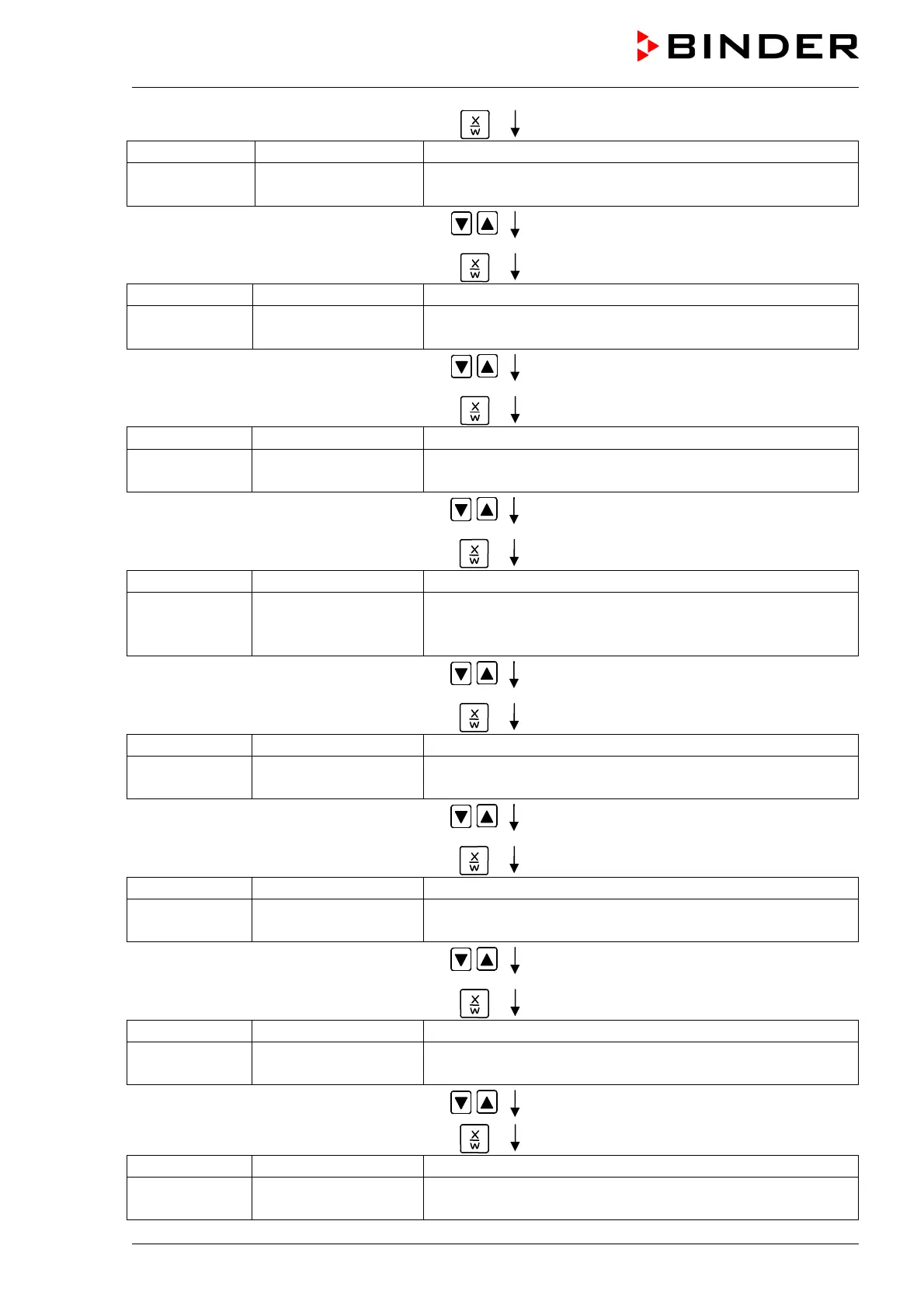
Press key
Display 1 shows 0000 (no function)
Display 2 shows
Protocol: MODBUS
(Selection of interface mode)
(actual setting: Modbus)
Select between protocols “MODBUS” and
“Printer” using arrow keys
Setting is shown in display 2.
Press key
Display 1 shows e.g. 3 (actual setting: 3 min)
Display 2 shows
Prt-Inv. 3
(print interval)
(actual setting: 3 min)
Select value between 0 and 255 minutes
using arrow keys
Setting is shown in displays 1 and 2.
Press key
Display 1 shows 0000
Display 2 shows
Disp.LED: No
(continuous display illumination?)
(actual setting: No)
Select between “Yes” and “No” using arrow
keys
Setting is shown in display 2.
Press key
Display 1 shows 0000
Display 2 shows
PrgSelec: 2Prg10S
(1 program with max. 20 sections or
2 programs with max. 10 sections each?)
(actual setting: 2Prg10S)
Select between “2Prg10S” and “1Prg20S”
using arrow keys
Setting is shown in display 2.
Press key
Display 1 shows 0000
Display 2 shows
Prg.Time: 99:59
(max. section length 99:59 or 999:59?)
(actual setting: 99:59)
Select between 99:59 in hh:mm or 999:59 in
hhh:mm using arrow keys
Setting is shown in display 2.
Press key
Display 1 shows 0000
Display 2 shows
Setp.sim Ramp
(ramp or step?)
(actual setting: ramp)
Select between Ramp and Step using arrow
keys
Setting is displayed in display 2.
Press key
Display 1 shows 0000
Display 2 shows
Tol.band 0
(Tolerance limits in °C)
(actual setting: 0)
Set value in °C using arrow keys Setting is shown in display 2.
Press key
Display 1 shows 0000
Display 2 shows
Prog.Clk Inactive
(Week program timer active or inactive?
(actual setting: Inactive)



 To Next Page