KBF / KBF P (E5.2) 02/2012 page 33/103
5. Start up
• After connecting the supply lines (chap. 4), turn on the unit via the main power switch (3).
• Open the water-tap for freshwater supply. Alternatively, fill the freshwater can (option, chap. 15.9).
• Turn on the humidifying and dehumidifying system with switch (4) (humidity switch ON/OFF).
After the first turning on of the chamber or after an interruption of the power supply the relative humidity
will increase after a delay of about 20 minutes. During this period, the relative humidity can drop consider-
ably.
Warming chambers may release odors in the first few days after commissioning. This is not a quality de-
fect. To reduce odors quickly we recommend heating up the chamber to its nominal temperature for one
day and in a well-ventilated location.
5.1 Function overview of the MB1display program controller
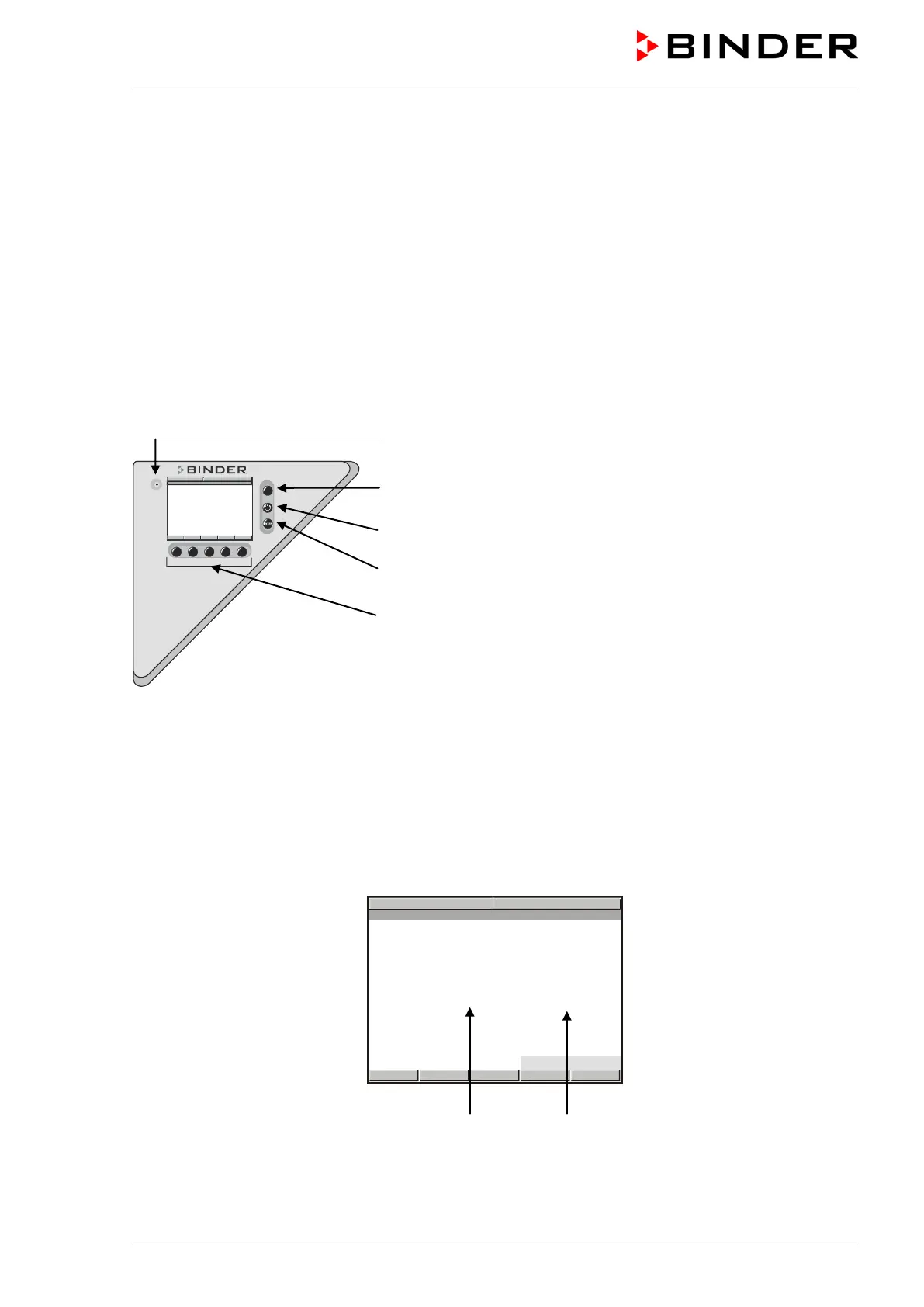
Pilot lamp: Ready for operation
EXIT button (to exit a menu point)
AUTOMATIC button (to start a previously entered program)
ENTER button (to confirm a selection)
Navigation buttons (functions are assigned by the menu)
Figure 15: Temperature and humidity program controller MB1
The 2-channel program controller MB1 controls following values inside the climatic chamber:
Channel 1: Temperature in °C (range without humidity / without light cassettes: 0 °C / 32 °F to 70 °C /
158 °F)
Channel 2: Relative humidity in % r.H. (range 10 % r.H. to 80 % r.H.)
You can enter the desired set point values in Manual Mode or Program Mode (chap. 5.2) in the display
controller. For the control range of temperature and relative humidity, see chap. 12).
Set point values Actual values
Figure 16: Normal display of the MB1 program controller in Manual mode



 To Next Page