KBF / KBF P (E5.2) 02/2012 page 54/103
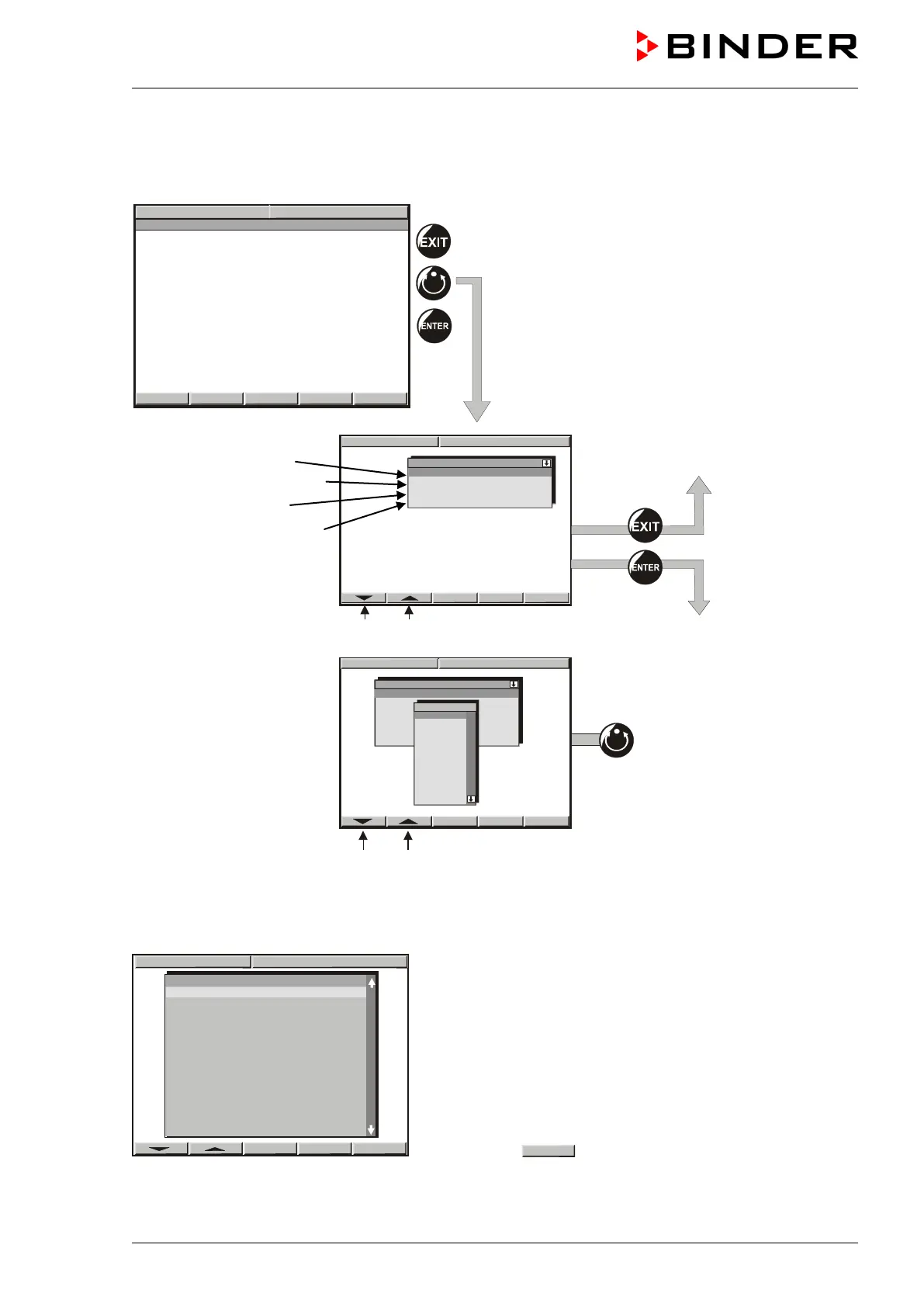
9.9 Starting a previously entered program
The program has to be previously entered via a programming table (chap. 9.5, 9.7).
Idle mode
No heating or refrigerating function,
no humidification.
The fan turns at 50% rate
(factory setting).
Select a program place
Delayed program start
Start with section …
Remaining time of the
selected start section
Arrow buttons to select the parameter to be set.
Press “AUTOMATIC” but-
ton to start the program
Arrow buttons to select the program
9.10 Deleting a program
Select a program via the arrow keys
Hit button
to delete the selected program.
To delete individual program sections (table lines) use the inquiry display for adding or deleting program
sections (chap. 9.1).
Prog. Select. Fr. Abs. 372
PROG 02 ►
PROG 03 ►
PROG 04 ►
PROG 05 ►
PROG 06 ►
PROG 07 ►
PROG 08 ►
PROG 09 ►
PROG 10 ►
PROG 11 ►
PROG 12 ►
PROG 13 ►
PROG 14 ►
PROG 15 ►
PROG 16 ►
Program Prog 01
Pre start time 00:00:00
Section 1
04
Program Prog 01
Pre start time 00:00:00
Section 1



 To Next Page