KBF / KBF P (E5.2) 02/2012 page 50/103
9.5 Program entry as “set-point ramp” or as “set-point step”
In order to avoid incorrect programming, we recommend plotting both the temperature and humidity pro-
files (chart templates in chap. 9.11 and 9.12) and entering the values into a table (templates in chap 9.13
and 9.14).
The controller provides 8 operation lines (non-functional with standard unit) that can be activated or de-
activated for each program section.
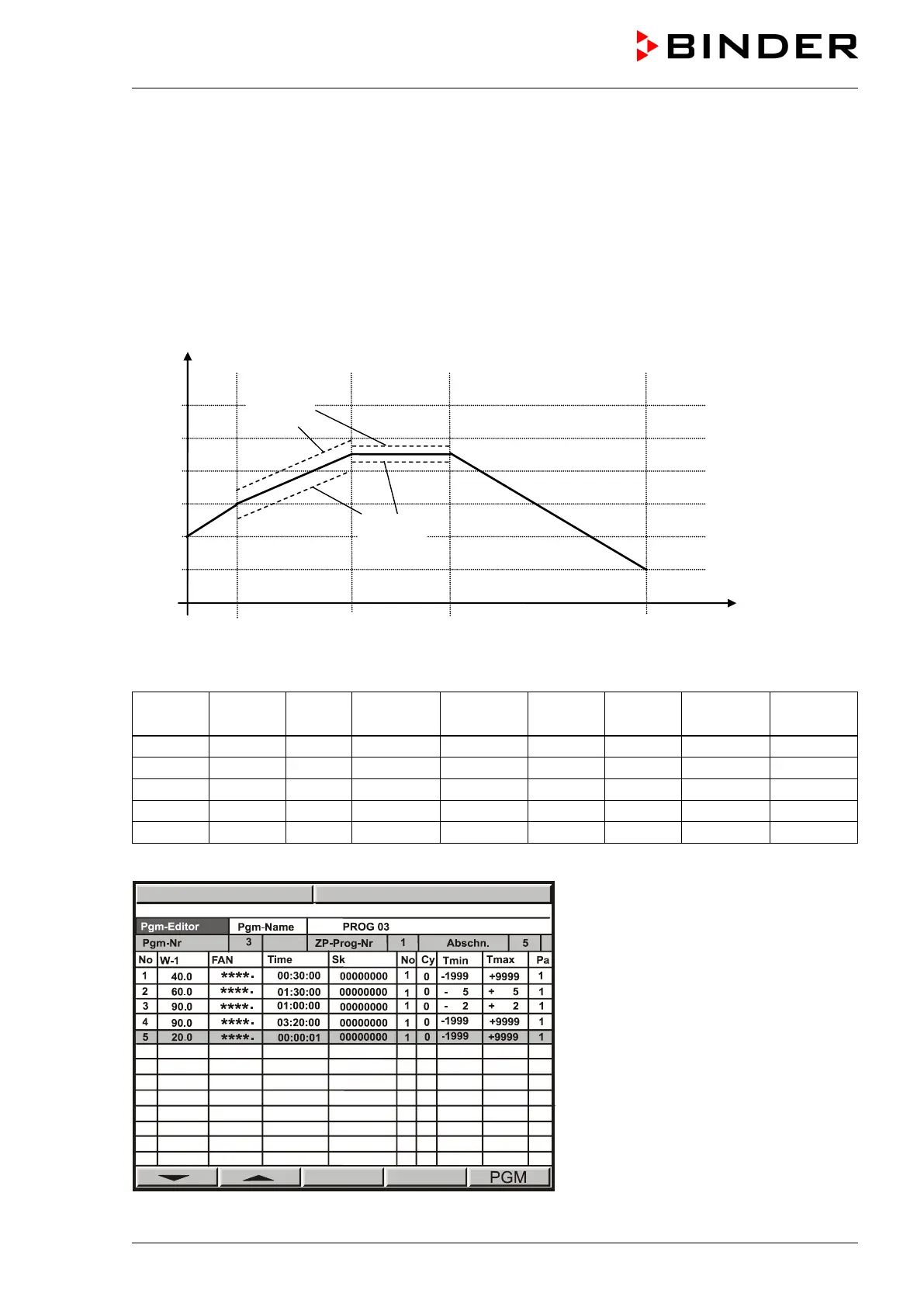
Program entry as “set-point ramp” (example of a temperature program)
Program table corresponding to the diagram above:
section
temp.
time
lines
section
cycles
tolerance
tolerance
Now enter the values of the above program table into one of the 25 program places of the controller MB1:



 To Next Page