KBF / KBF P (E5.2) 02/2012 page 77/103
(2) Cable connections
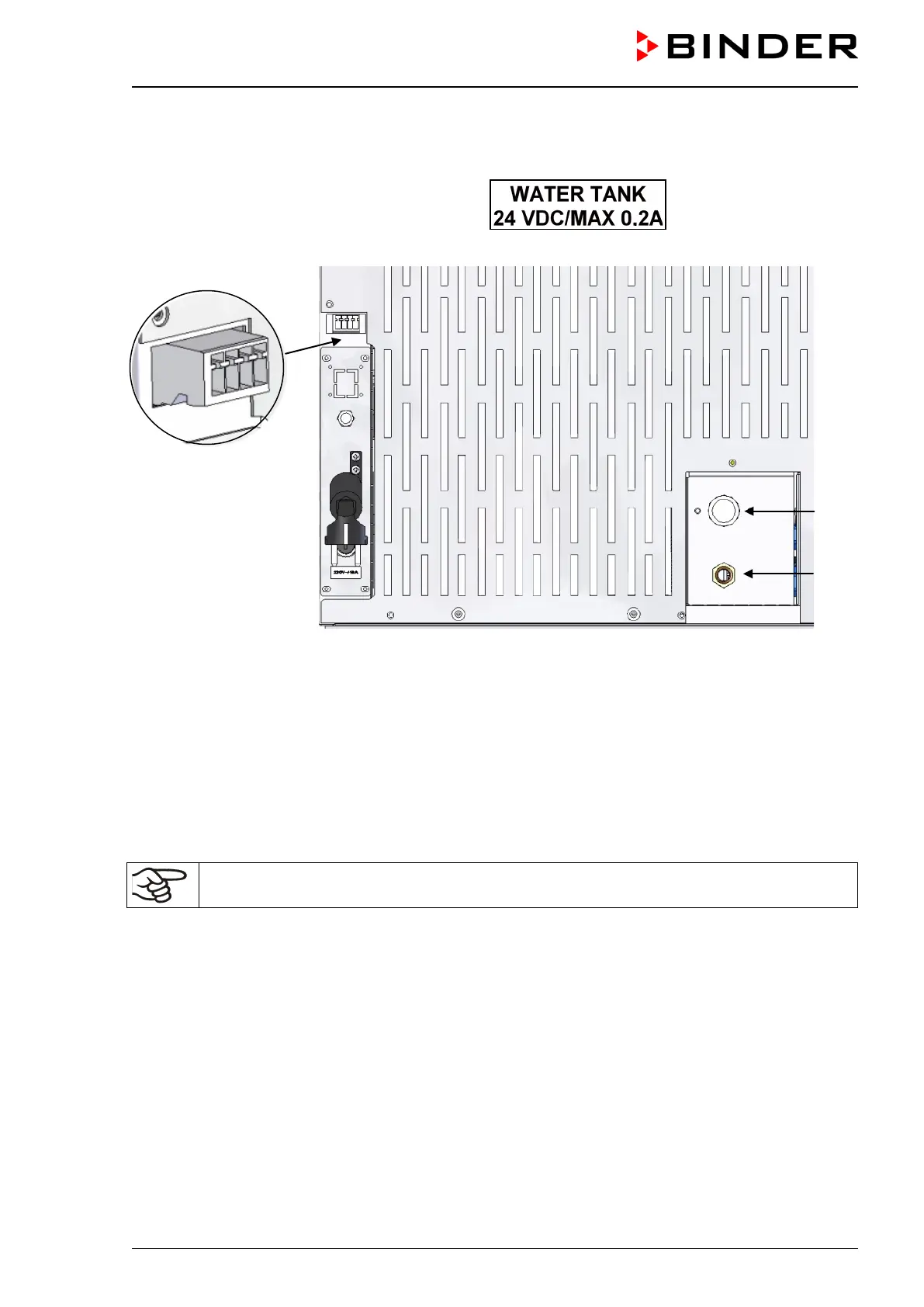
Connect the plug of the cable to the socket (22) at the rear of the unit.
The socket (22) is marked with a sticker:
Socket (22)
(17)
(18)
Figure 32: Connections at the unit rear KBF / KBF P 240
(3) Hose connections
Plug the freshwater hose into the hose connection (21) above the freshwater can and secure it with
a hose clamp. You can use a part of the standard supplied water hose.
Screw the hose nozzle (brass) to the free edge of the hose and screw it directly onto the freshwater
connection “IN” (17) at the rear of the unit.
When the freshwater can is empty, within 60 seconds the alarm message “HUMID ALARM” will be dis-
played on the controller, the buzzer sounds (chap. 11), and the humidity system turns off.
To guarantee humidification during 24 hours even at high humidity set-points with manual wa-
ter supply, we recommend filling the freshwater can (option) at the end of each day.



 To Next Page