Menu for telephony in operation as a telephone system 30
transmitted through this interface. By default, the primary Internet
interface is selected here.
Save your settings by clicking OK.
7.1.5 Setting up a MagentaZuhause-Regio port
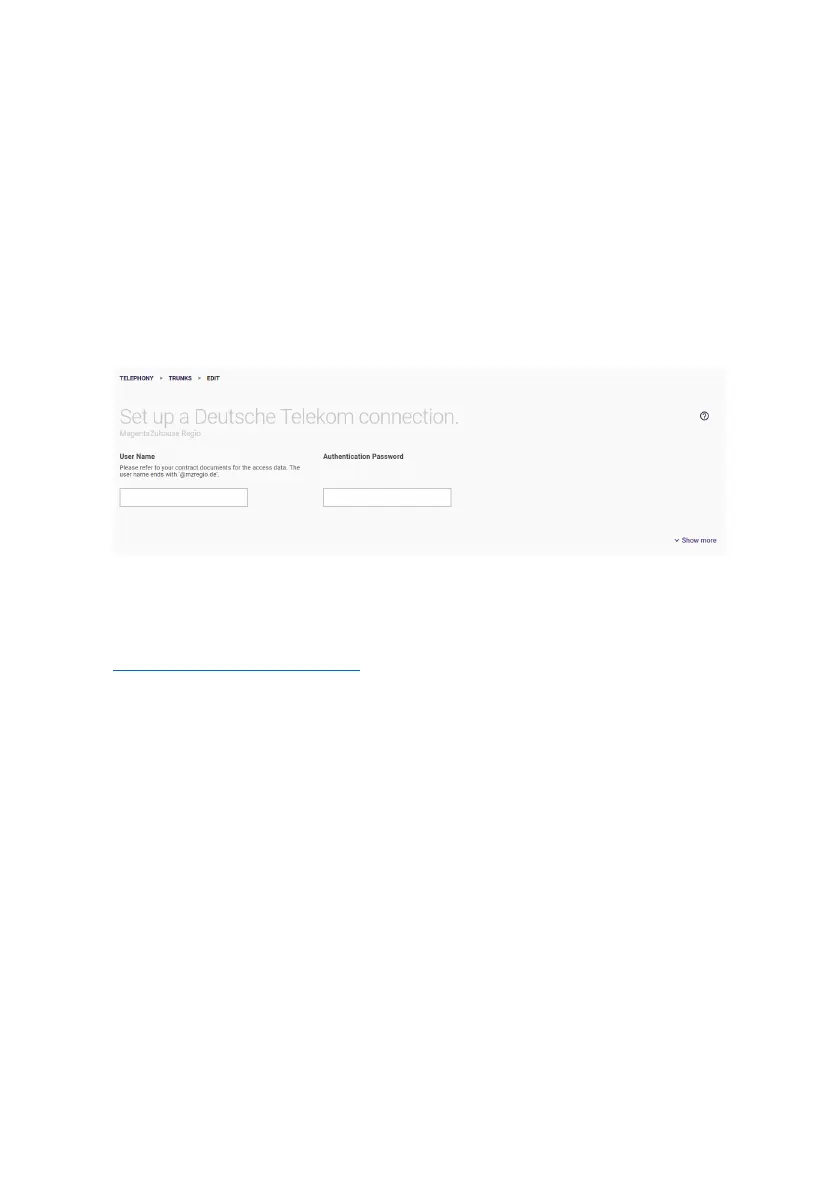
A MagentaZuhause-Regio port provides you with a single phone
number like a MagentaZuhause port:
Enter the SIP user name and the password from your contract
documents. The user name corresponds to the telephone number of
the connection with @mzregio.de appended, e.g.
+49911123456@mzregio.de
.
Click Show More to access more settings.
If you have set up multiple Internet connections, you can select one
of them for the SIP interface binding option; VoIP data traffic is then
transmitted through this interface. By default, the primary Internet
interface is selected here.
7.1.6 Configuration of a user-defined VoIP provider (single
number)
Here, you can configure a Point to Multipoint for any VoIP provider.


 To Next Page
 Loading...