V 1.31
2021. 05 74 / 171 Doc. # : BN-OP-C7
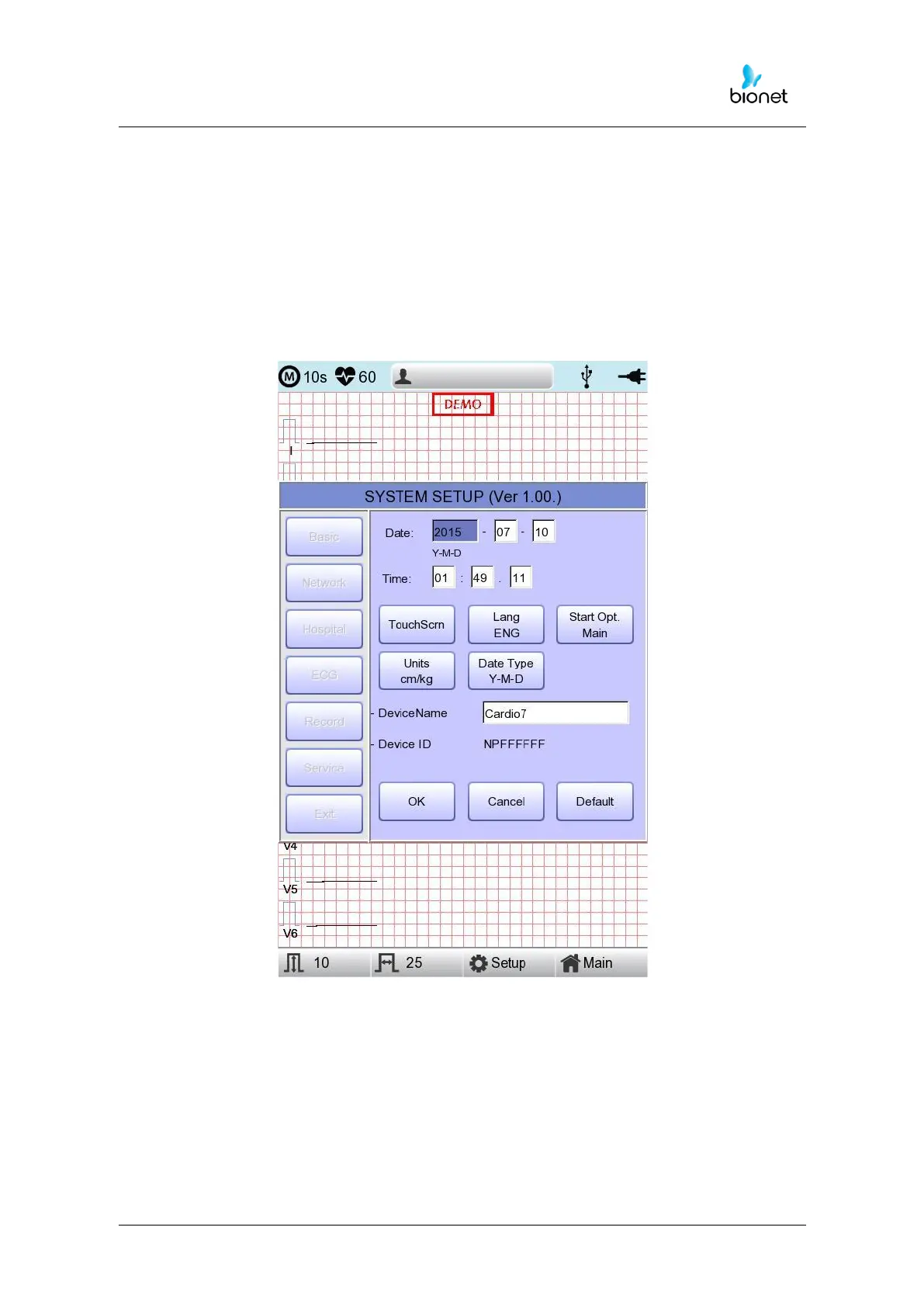
Setup date and time
After choosing the Setup menu, press the Basic button then the focus will go to the 'Date'
item.
By using the touch screen or rotating the rotary switch, choose the Date (yyyy/mm/dd) or
Time (hr/min/sec), then the keypad will show up. You can set up the information by using
this keypad.
The Focus will go ‘year
→
month
→
day
→
hour
→
minute
→
second’ consecutively.



 To Next Page