V 1.31
2021. 05 82 / 171 Doc. # : BN-OP-C7
BMS Server Setting
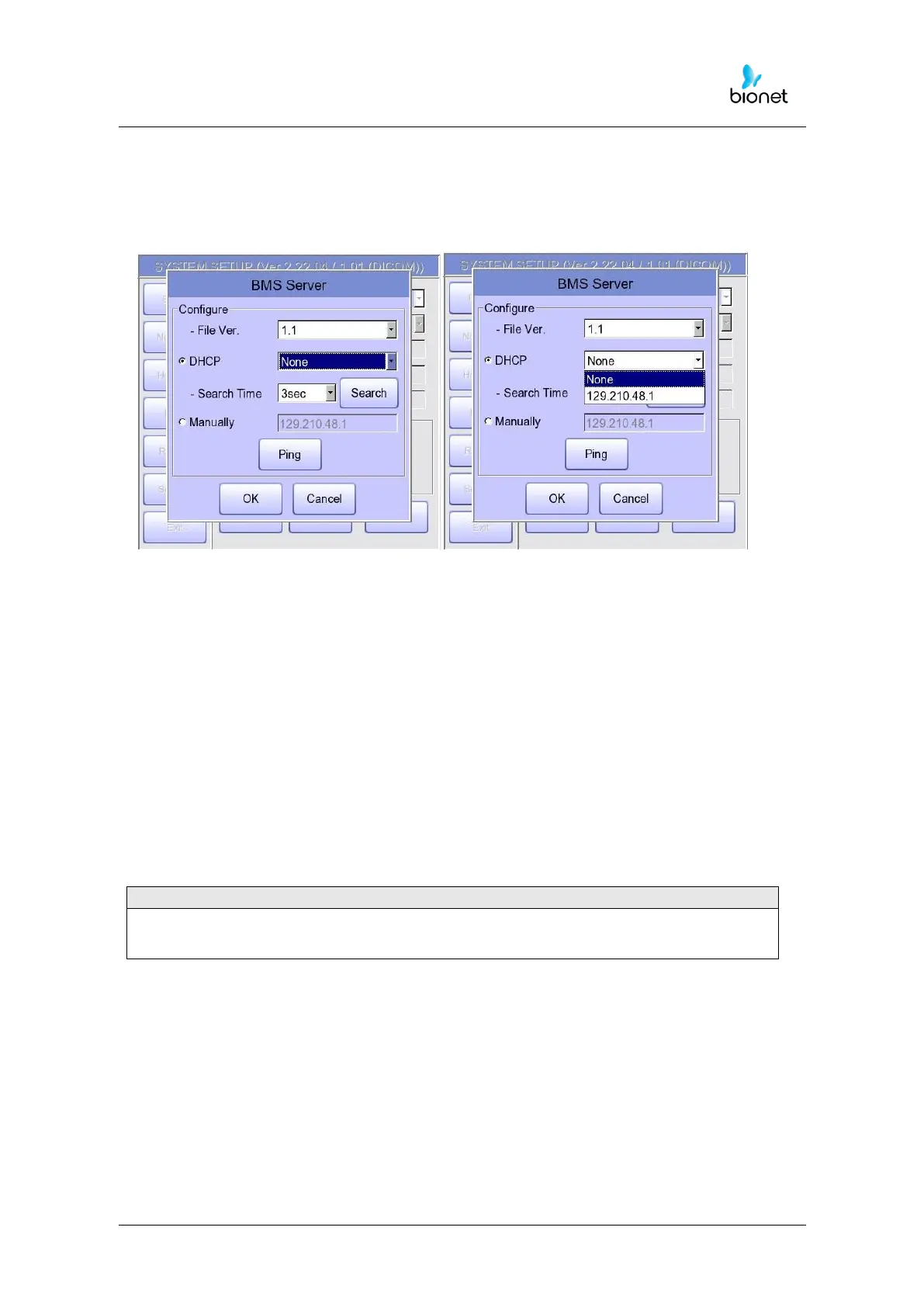
IP setup on BMS Server-installed PC can be performed by choosing either Automatic IP
(DHCP) or Fixed IP (Manually) in 'Configure’ setup.
The patient's surname is available after changing the file version to 1.1 in the BMS Server
settings.
If you change the file version, all existing patient data will be deleted.
If ‘DHCP’ is chosen, the IP of the BMS Server-installed PC will be shown on the input box.
Choose the IP of the PC you intend to connect as the IP of a BMS Server-installed PC:
If multiple IPs are displayed, choose one belonging to the PC to connect.
At that time, IP will be shown on the input box only if BMS Server is running on the PC.
If no IP of the intended BMS Server to connect is shown on the input box, choose
'Search' button to conduct an additional search.
If no IP of the intended BMS Server to connect is shown on the input box, choose 'Manual'
mode to perform manual input.



 To Next Page