V 1.31
2021. 05 93 / 171 Doc. # : BN-OP-C7
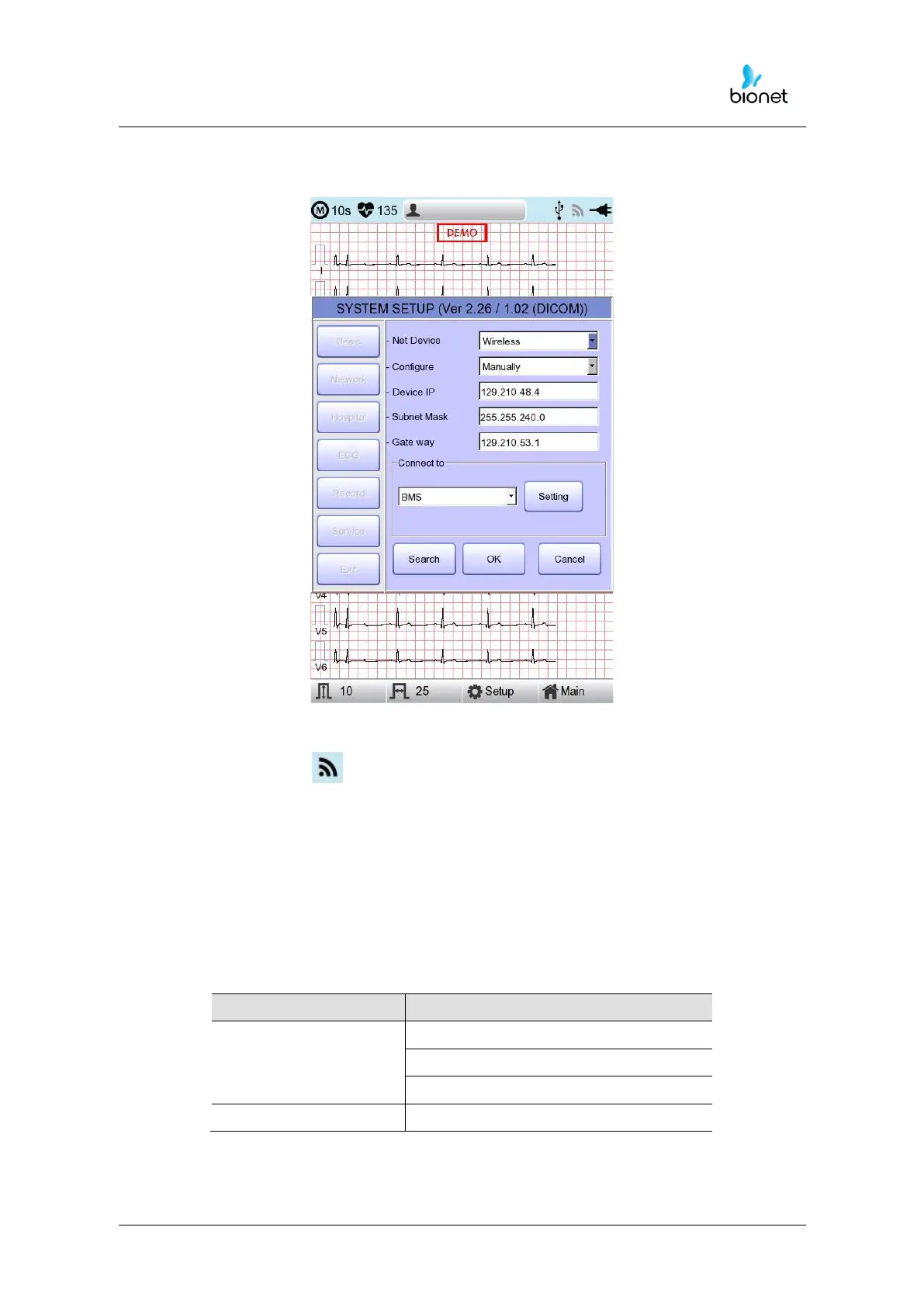
Wireless Network Setting
1) Connect the USB to the USB port of Cardio7e/Cardio7, and check whether or not
the wireless icon ( ) appears in the Status bar on the top of the screen.
2) Navigate to System Setup -> Network, and Set the Device as “Wireless”.When
selection is done properly, the "Survey" button on the bottom will be activated.
3) Select the “Search” button to search for the AP. The AP is to be searched
automatically when the “Search” button is pressed: the searched AP will appear
in the list upon the completion of the search.
Specifications of Wireless Network USB Adapter Support



 To Next Page