V 1.31
2021. 05 94 / 171 Doc. # : BN-OP-C7
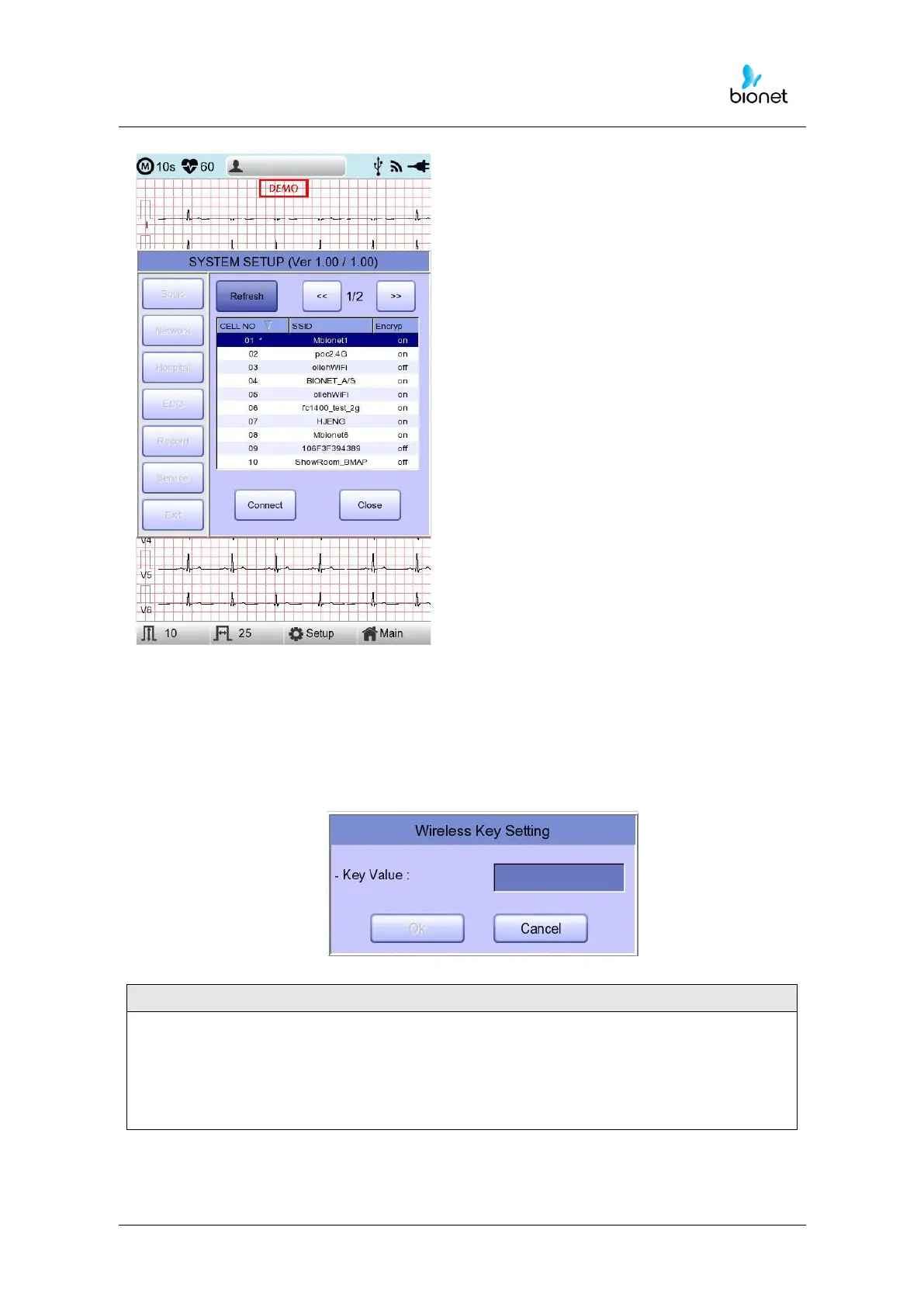
Refresh : AP re-searching
<< : Page up
>> : Page down
Connect : Attempting to connect
Close: Closing the window
4) Select the AP to be connected by using the rotary key or touching.
Click the “Connect” button. At that time, the security key input window will appear
if the “Encrypt” field is “On”.
.
The user should set the AP Search and Security Key in order to use the wireless network.
If there is no security set on the AP to be connected, it will be connected
automatically without Security Key setting.
In the event that there is an automatic connection to the AP without Security Key
setting, the safety of network communication is not guaranteed.



 To Next Page