32
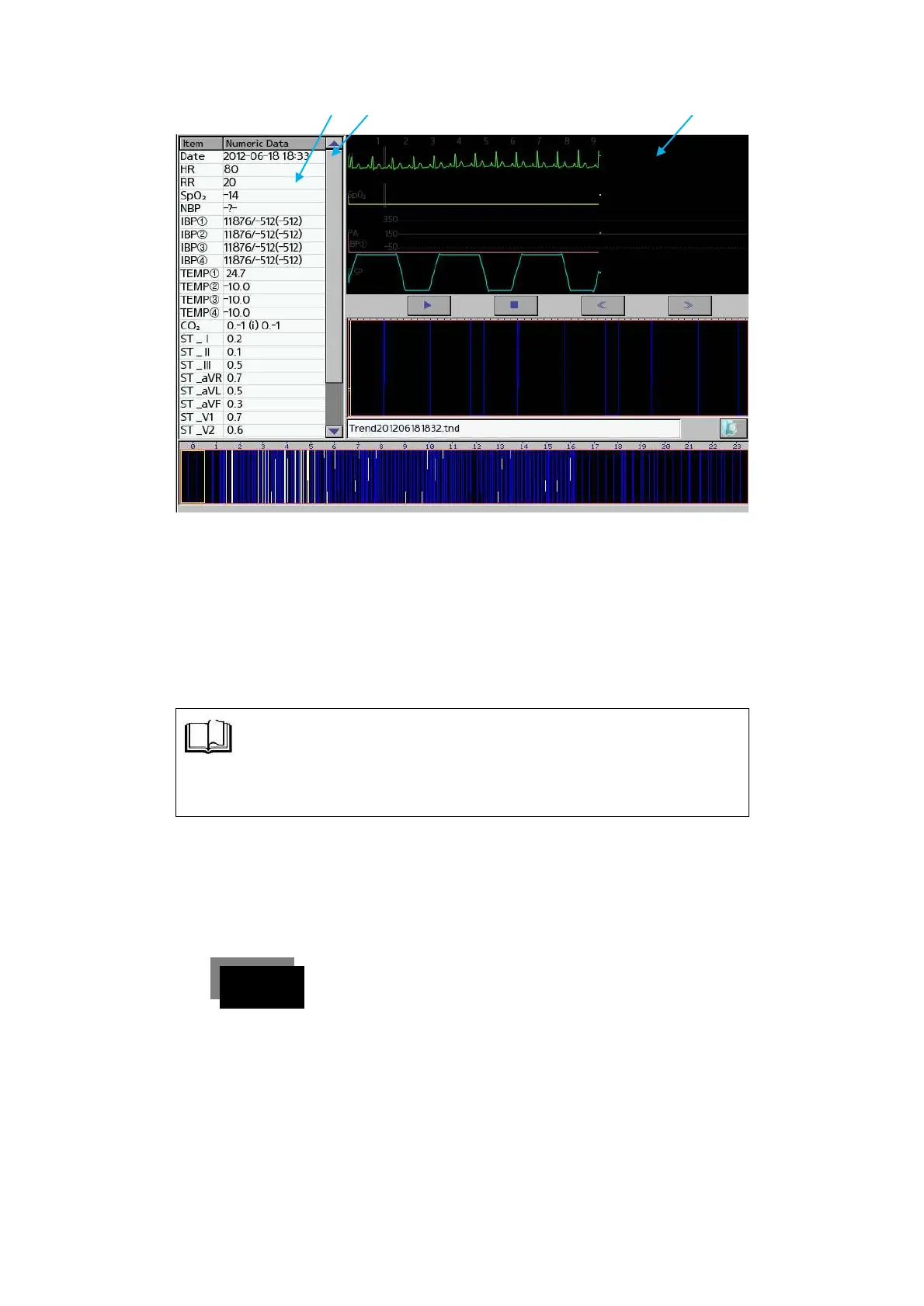
(그림2. Trend 화면)
① Parameter name for measurement
② Time of the storage
③ Standard wave measurement parameter
◈ If you are touched ‘Play, Stop, Left navigation and Right
navigation’, function will be executed.
(4) Setup Setting
l The setting of system setup, time, print, unit selection can
be changed at the user’s convenience.
l Setup is as follows.
To change the SETUP setting, push the touch screen
once to select SETUP.



 To Next Page