43
(2) Change of Respiration Mode
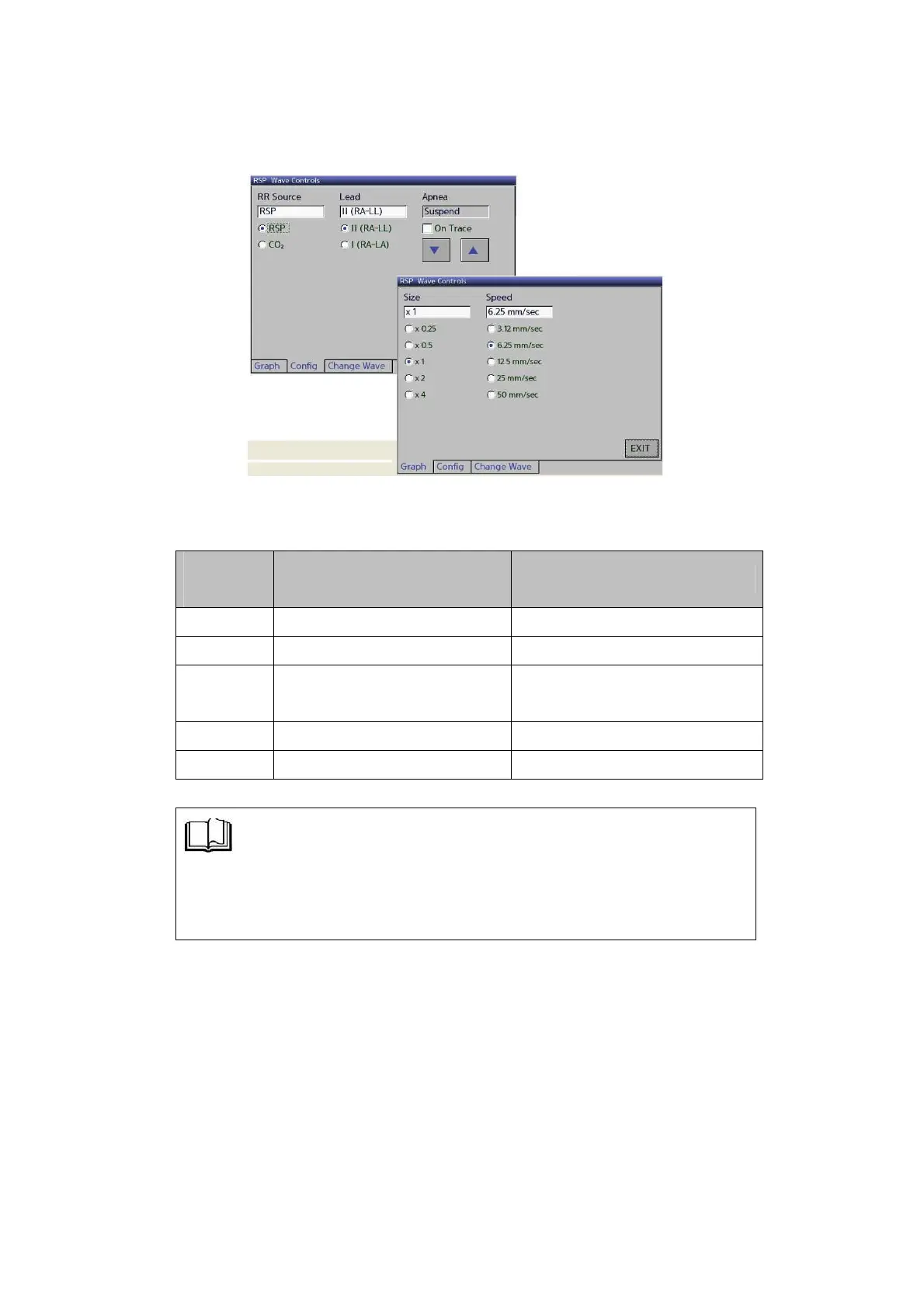
▶ To change the setting of respiratory waveform, touch the
RSP Wave once to select Config.
▶ By operating as detailed above, you can select each function
of the RESP mode.
Set the size of RESP waveform
3.12, 6.3, 12.5, 25, 50 mm/sec
Set the speed of RESP waveform
Set the Detection Properties of
REST RR Rate
Set the Lead select of RESP
Suspend,15~60sec(unit:5sec)
◈ Setup the APENA to use the RSP Wave Controls à Config MENU.
■ APNEA Range : Suspend, 15 ~ 60 second
(Change the 5 second interval)



 To Next Page