38
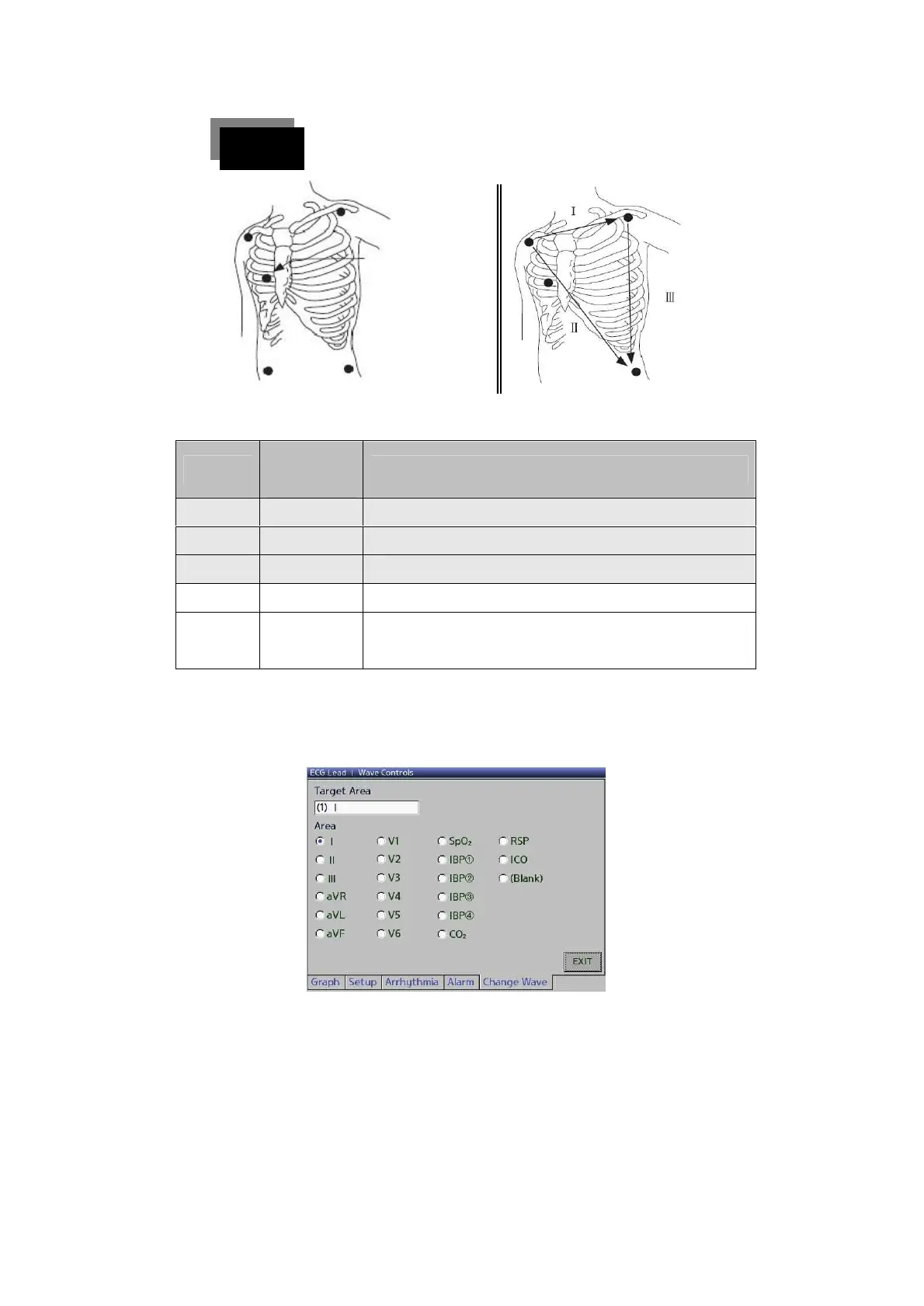
Attach the patient’s electrode to the sites shown blow.
<IF 5 lead are attached> <IF 3 lead are attached>
Just below the clavicle (scapula) near the right shoulder
Just below the clavicle (scapula) near the left shoulder
Lower area of the left side of the abdomen
Lower area of the right side of the abdomen
Select the candidate lead for measurement among the
chest leads
(2) Change of ECG Lead
▶ To change the setting of the ECG Lead waveform, touch the
ECG WAVE screen once to obtain the screens below.



 To Next Page