34
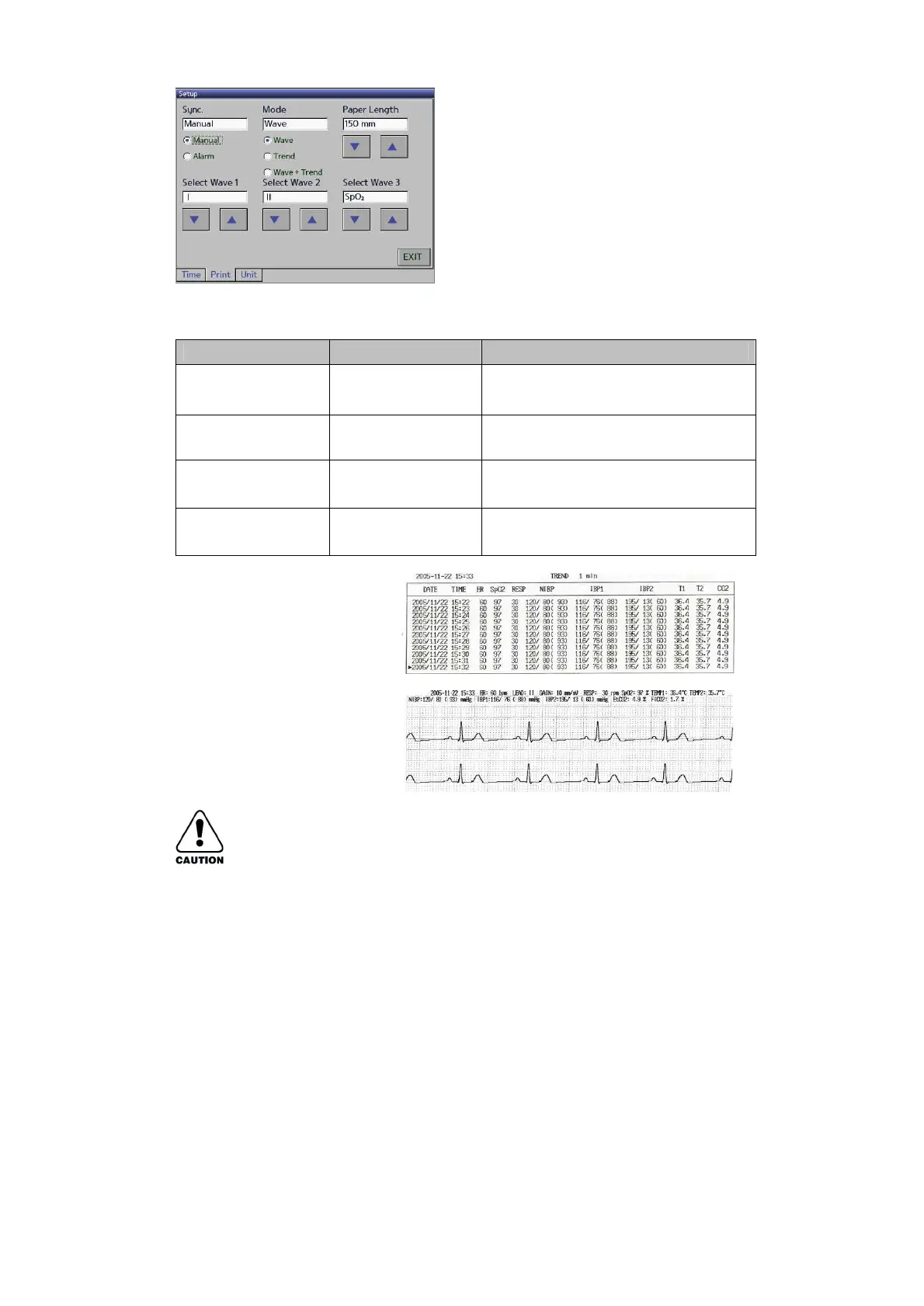
▶ By operating as detailed above, you can select the function you
want for the Printer mode.
When “Alarm” is selected, the date is
automatically printed out if the data is
out of range
Wave+Trend / Wave
/ Trend
Print the waveform and Trend Data/
waveform only/ Trend Data only.
Select the waveform to be printed out
(ECG waveform is printed out as a
basic factor)
150 ~ 300mm
(To be adjusted at
25mm unit)
Select the length of printed paper.
◈ Do not print greater than consecutive 3 times
◈ There is possibility of fire, Do not use printing for 5min. after consecutive 3 times
of printing.



 To Next Page