26 Biotage
®
ELSD-A120 User Manual
3 Installing the Detector
Installing the Detector
17 Turn on the nitrogen gas to a pressure of about 60 – 100 psi
(4.1 – 6.9 bar). The gas should be dry and filtered (0.2 µm).
Enable and Set Up the Detector in the Isolera™
Software
1 Log into the system mode of the Isolera software.
2 Select the Detector tab in the right-hand panel.
3 Select the Enabled text box in the External Detector field and
select Yes.
4 Select the Signal Range text box and enter “1000”.
5 Select the Extended Flush Volume text box and enter “10”.
6 Select the Max Flowrate/Max Dispense Rate text box and enter
“200”.
Checking Operation of the Detector
1 Set the desired operational parameters and initiate heating by
selecting RUN mode using the arrow keys on the front keypad.
2 If the baseline noise is within the limits, i.e. < 20 mV, auto-zero
the detector. However, if the baseline noise is outside the limits,
refer to the Troubleshooting section for steps to rectify this.
3 Turn on the eluent flow and allow the detector to stabilize.
4 Again check the baseline noise.
Where noise and all other conditions are acceptable, the detector is
ready to begin work.
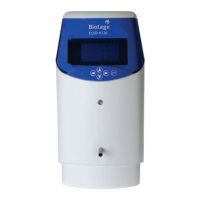
The eluent from the Isolera system is connected to the central front
port of the detector via a low dead volume Valco® bulkhead
connector.
The liquid inlet port is connected directly to the nebulizer by a short
length (130 mm) of capillary tube giving a delay volume from port to
nebulizer tip of ~4 µL.
When the detector has reached temperature, the baseline noise
should be checked to ensure that it is < 20 mV. This verifies that the
gas supply is clean and dry.
Some volatile buffers can generate considerable offsets and increased
noise levels.


 To Next Page