Biotage
®
ELSD-A120 User Manual 73
Maintenance
8
Replacing the Detector Firmware
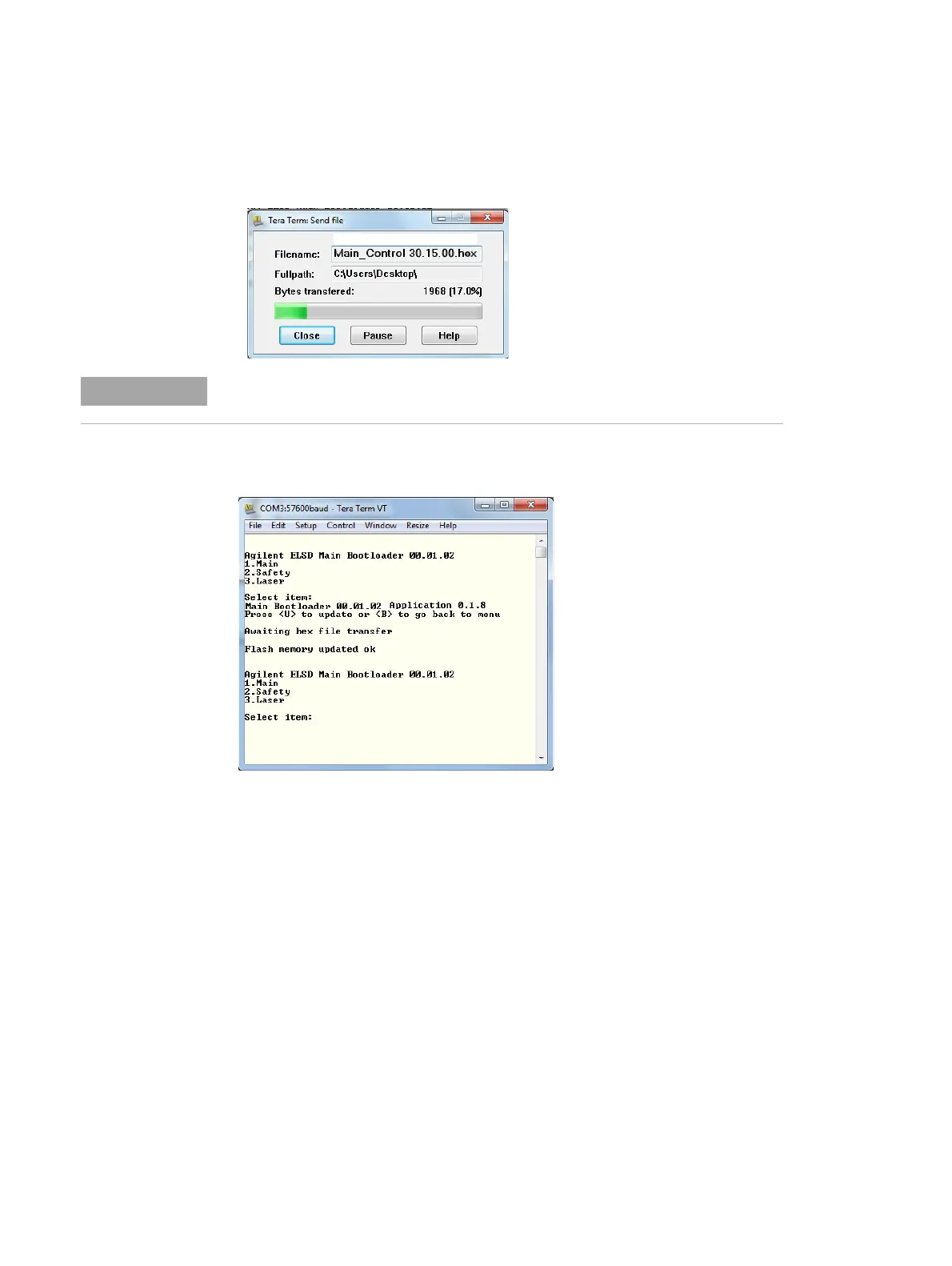
10 Select the firmware hex file and click Open.
The download will begin straightaway and the progress will be
displayed, as shown.
11 On successful completion of the file transfer, the software will
display a Flash memory updated ok message.
12 Power cycle the detector and check that the firmware version
displayed on the detector’s front panel at boot-up is correct.
Do not disconnect or turn off the detector during the transfer process.



 To Next Page